Product Roadmaps and Sprint Planning in Miro (2026): Kanban and Timelines, Tested
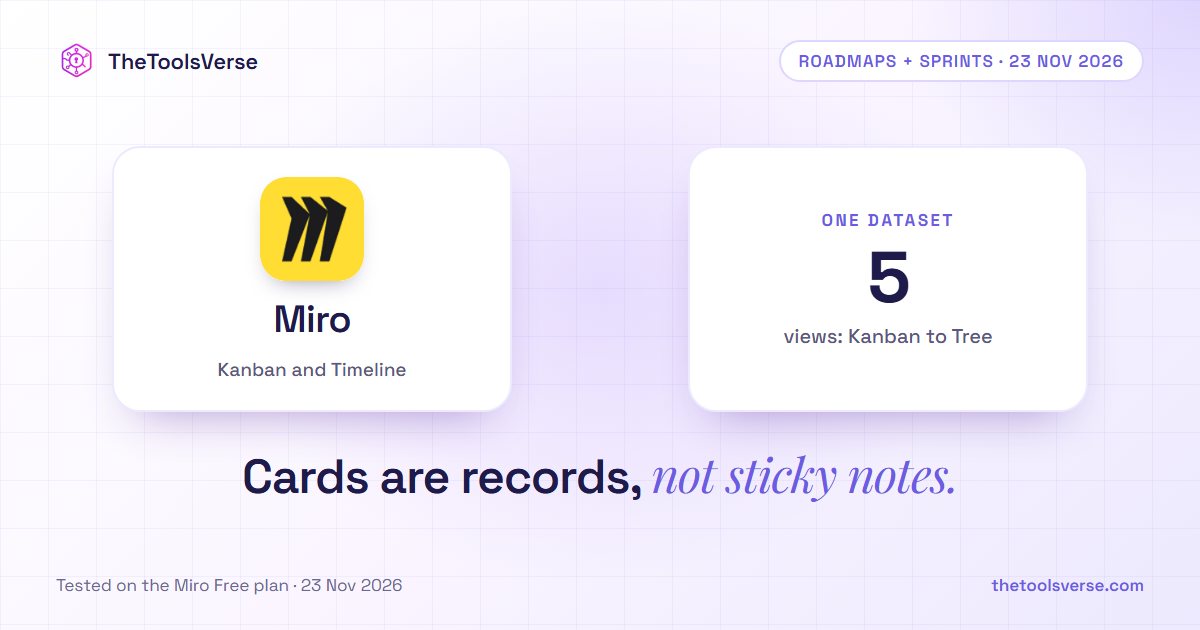
Short answer: Miro is now a credible place to plan a product sprint, not just to brainstorm one. Its Kanban cards are real records with a status, priority, owner, start and end dates, an estimate and tags, and the same set of tasks can be shown as a Kanban, a Table, a Timeline, a Matrix or a Tree. Changing a card's status, or dragging it, moves it to the right column. All of this worked on the Free plan in our test. It doesn't replace Jira for a large engineering team, and Miro's two-way Jira sync needs the Business plan, but for a small team planning on the same board as its research and roadmap, it is quick and clear.
We tested on 23 November 2026, on Miro's Free plan, in Chrome on Windows 11. The tasks belong to Brewly, a made-up coffee subscription startup, so nothing here comes from a real company.
The formats Miro gives you for planning
Open the "Formats and Flows" button in the left toolbar and you get a list of structured formats you can drop onto a board:
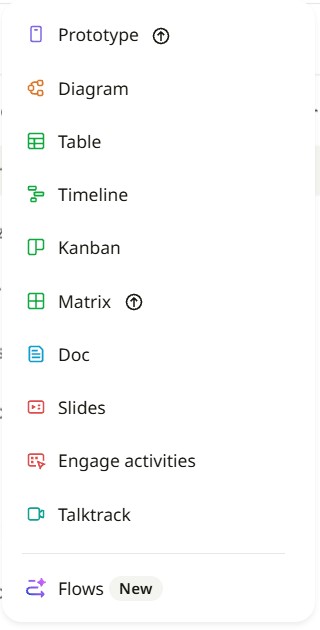
For roadmaps and sprints, three matter: Kanban for the work in progress, Timeline for what happens when, and Table for the full list. On the Free plan, Prototype and Matrix carried an upgrade arrow in this menu, so they're paid features.
Step 1: the roadmap as a Timeline
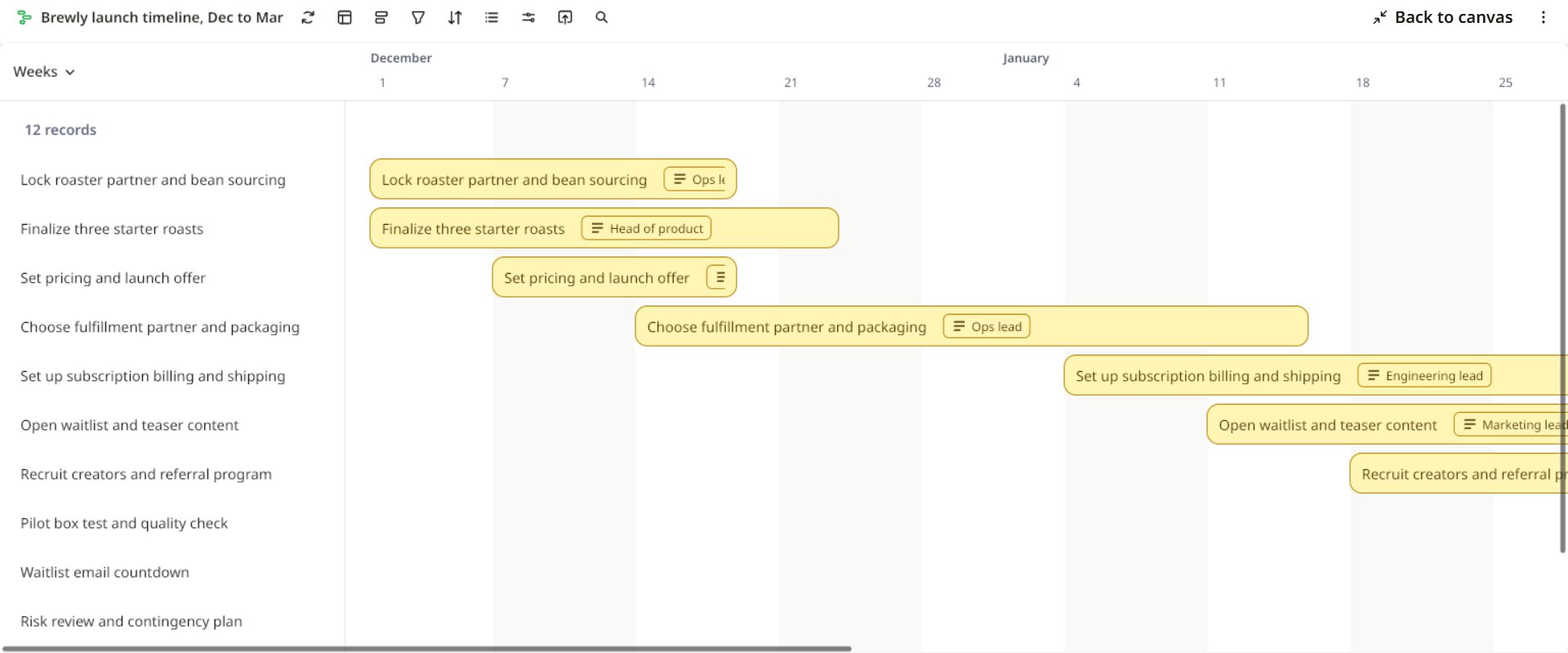
We already had a roadmap on this board. In our test of Miro's Sidekick, one prompt turned a launch plan into a Timeline: 12 tasks on a weekly grid from December to March, each with an owner. It's a real Timeline, so bars can be dragged to new dates, and the view can be filtered and sorted.
Step 2: the sprint as a Kanban
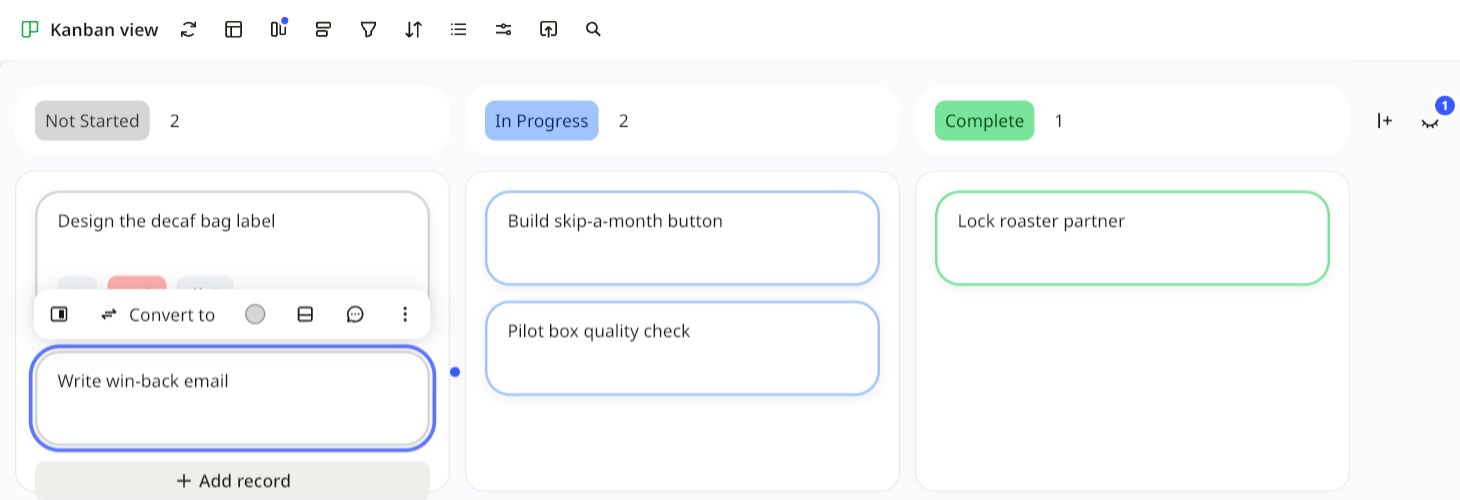
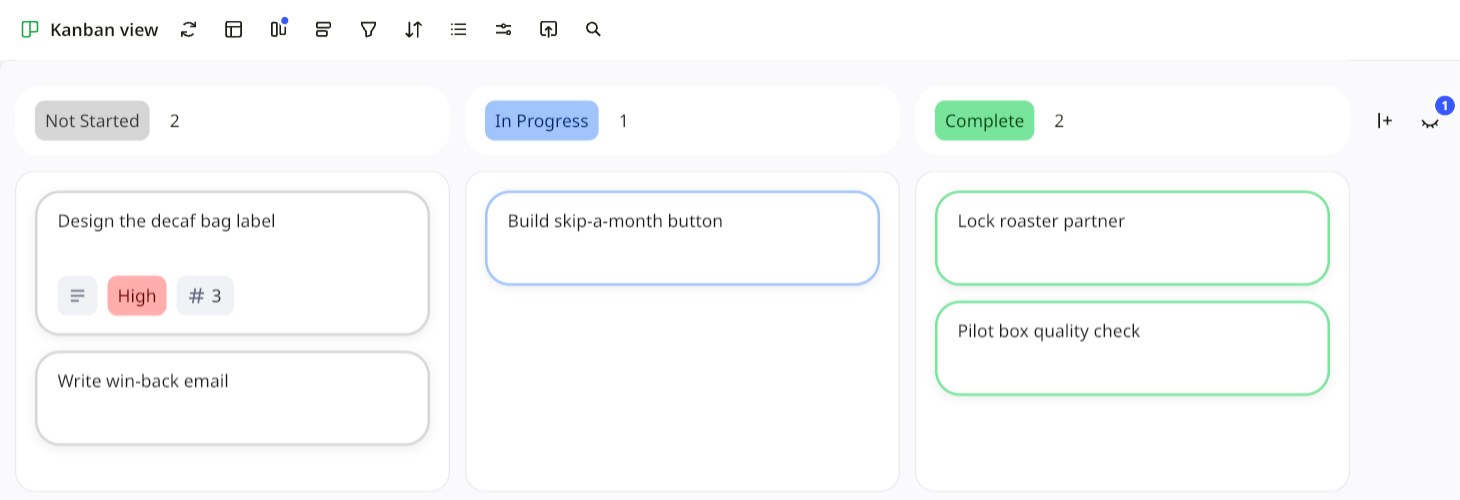
Next to the roadmap we added a Kanban. It starts with three columns: Not Started, In Progress and Complete.
Double-click a card and it opens a record panel, not just a text box. That's the most important thing to understand about Miro's Kanban: every card is a work item with fields.
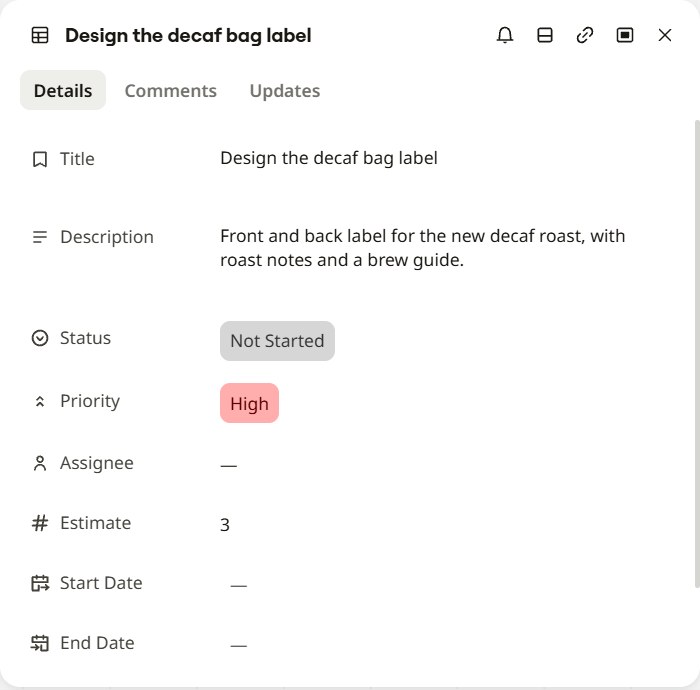
The fields on each card:
| Field | What we used it for |
|---|---|
| Title and Description | "Design the decaf bag label", with what the label needs |
| Status | Which column the card sits in |
| Priority | Low, Medium or High; we set High |
| Assignee | Who owns it |
| Estimate | A number; we set 3 |
| Start Date and End Date | When the work happens |
| Tags | Free labels |
The priority and estimate then show on the card itself as small chips, so the board stays readable without opening each card.
Step 3: move work across the board
There are two ways to move a card, and both worked:
- Change its Status in the record panel. When we set "Build skip-a-month button" to In Progress and "Lock roaster partner" to Complete, each card jumped to the matching column and the column counts updated.
- Drag it. We dragged "Pilot box quality check" from In Progress to Complete.
Step 4: one set of tasks, five views
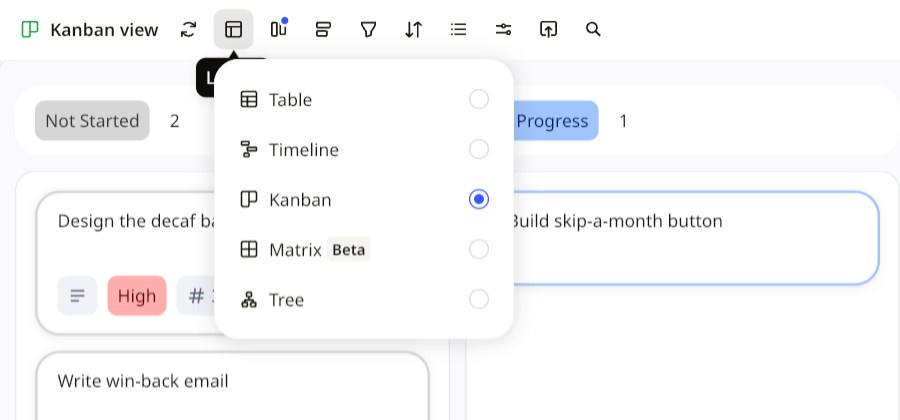
The icon next to "Kanban view" switches the layout of the same records. We counted five options:
Switching to Table showed every task with all its fields in columns: Title, Description, Status, Assignee, Start Date, End Date, Estimate, Priority and Tags. It's the view to use when you want to check that every task has an owner and dates.
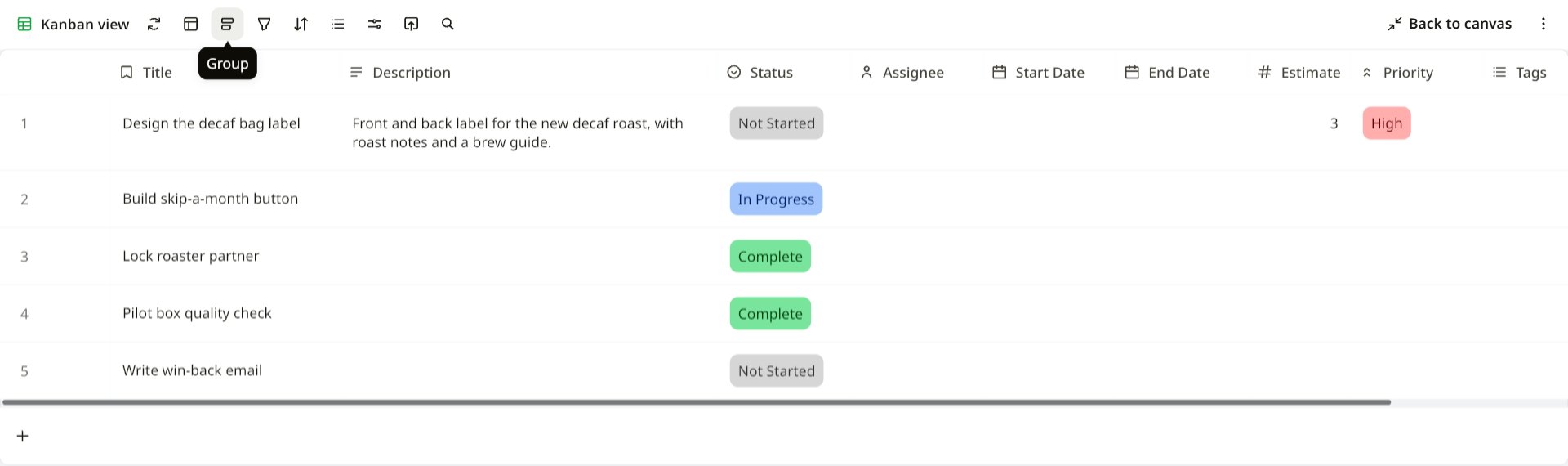
The toolbar also has Group by, filter, sort and search controls, so you can, for example, group the sprint by assignee for a stand-up.
What we didn't test
- Jira, Asana and Linear sync. Miro's pricing page lists two-way integrations with Jira, Asana, Linear, ClickUp and Azure on the Business plan. We were on Free, so we didn't test them.
- Links between the Kanban and the roadmap Timeline. On our board they were two separate sets of tasks. We didn't find or test a way to link a sprint card to a roadmap bar.
- Large backlogs. We tested with five cards, not five hundred.
Who it's for
A good fit for:
- Small product teams and startups that plan, research and design on the same board and don't want a separate tool for a simple sprint.
- Product managers running workshops: the roadmap, the sprint and the brainstorm that produced them sit side by side.
- Teams that want a clean visual roadmap to show stakeholders, built as a real Timeline rather than shapes.
Probably not enough for:
- Large engineering teams whose source of truth is Jira. Use Miro for planning sessions and the two-way sync on Business, not as a Jira replacement.
What it costs
As listed on Miro's pricing page on 23 November 2026: the Free plan includes Kanban, Docs, Tables, Slides and Timelines with 3 editable boards. Starter is $8 per member a month billed yearly ($10 monthly) for unlimited boards. Business is $20 billed yearly ($25 monthly) and adds the two-way Jira and Asana sync and data tables with nesting and tree views for roadmapping.
Verdict
Miro's Kanban and Timeline are more capable than they look. Cards carry real fields, the same tasks switch between five views, and moving work is as simple as changing a status or dragging a card. For a small team, that's enough to plan a quarter and run a sprint on one board. Bigger teams will still keep Jira, and Miro's Business plan is built to sit alongside it.
Plan your next sprint in Miro for freeRelated
- Docs, Slides and Tables in Miro, tested
- Flowcharts in Miro, built with AI
- Miro Flows: AI workflows that turn notes into tasks
- Miro's Intelligent Canvas and Sidekick, tested
- Mind mapping in Miro, by hand and with AI
- Our full Miro review and pricing
Article by Sohail Akhtar, Founder of TheToolsVerse. Tested on 23 November 2026 on Miro's Free plan, in Chrome on Windows 11, using a made-up startup. Claude, the AI assistant we use at TheToolsVerse, ran the test in a browser on our Miro account; the screenshots come from that session. Plan details come from Miro's pricing page, read the same day.
Disclosure: TheToolsVerse is a Miro affiliate and partner. We earn a commission if you subscribe through our links, and Miro may pay us for content. Miro did not review or edit this article. How paid placements work.
Some links may be affiliate links. We may earn a small commission at no extra cost to you.
Related Articles
Explore more guides and reviews from our experts.