Miro Flows (2026): We Ran an AI Workflow That Turns Messy Notes Into a Task List
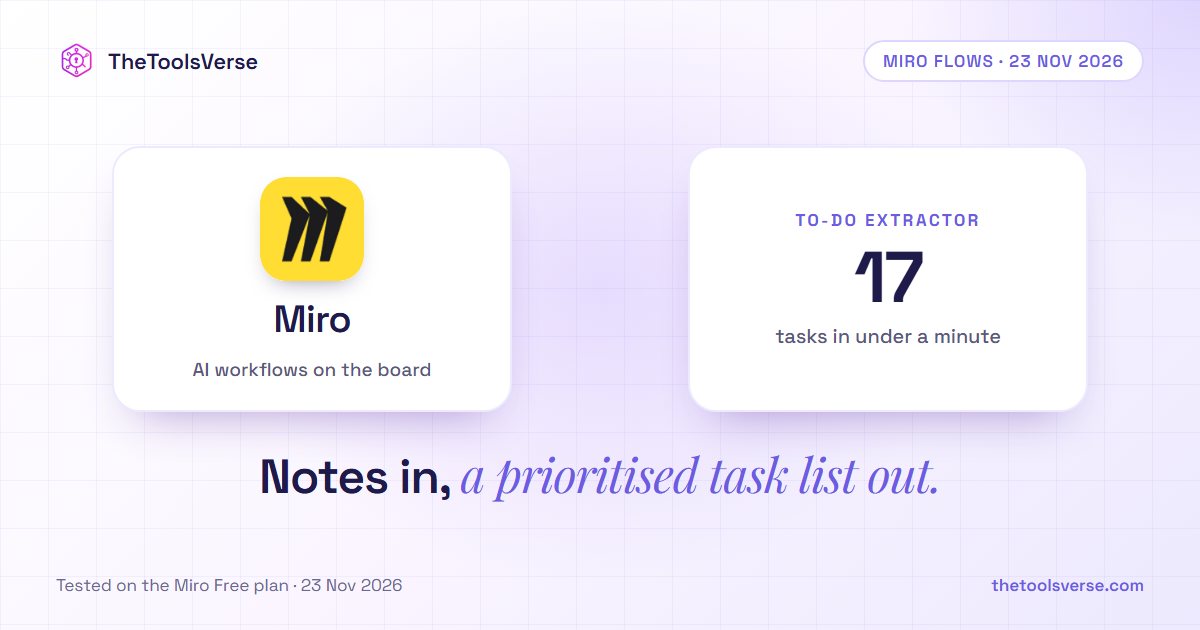
Short answer: Miro Flows are AI workflows that live on the board, where your team can see every step: the input, the prompt, and the output. We ran Miro's "To-Do Extractor" Flow on a board of sticky notes and two project-update documents. In under a minute it produced a task table with 17 rows, each with a status, priority and, where the notes had one, a due date. The statuses matched the documents: completed items came out as Done, upcoming items as To-Do. It ran on the Free plan in our test. Flows are most useful for the boring part of meetings: turning what was said and written into a list someone can act on.
We tested on 23 November 2026, on Miro's Free plan, in Chrome on Windows 11.
What a Flow is
A Flow is a small AI pipeline placed on the canvas. Instead of typing a request into a chat box and getting a reply somewhere else, you see:
- The input: an area of the board where you drop documents, sticky notes or images.
- One or more steps: each step is a prompt card that tells the AI what to do with the input.
- The output: a real Miro object, such as a table, that the step fills in.
Because the prompt sits on the board, anyone on the team can read it, change it and run it again. That's the difference from an AI chat: the workflow is shared and repeatable.
The templates
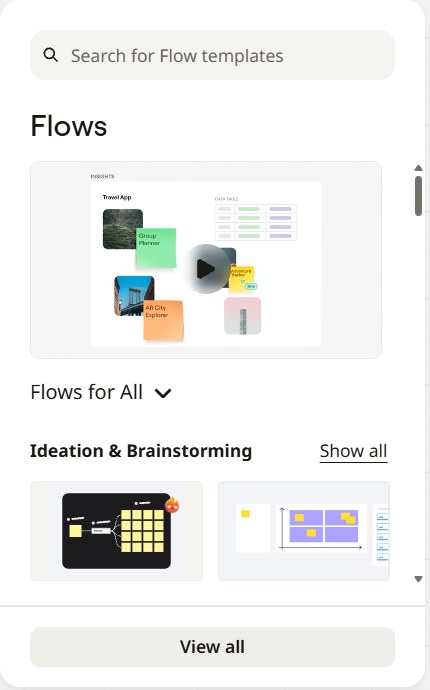
Flows are in the "Formats and Flows" menu, marked New. Miro groups its templates by job:
| Group | Example templates |
|---|---|
| Ideation and brainstorming | The Idea Multiplier, Brainwriting, Reverse Brainstorming, Product Requirements Prioritization |
| Strategy and planning | Impact/Effort Matrix, Impact-Effort Matrix to Table, Requirements to Feature Specs, Weekly Update Writer |
| Research and design | User Feedback to Insights, User Persona Generator, UX Copy Refiner, Brand Voice Guidelines |
| Meetings and workshops | 4 L's Retrospective, Check-in Icebreaker, To-Do Extractor, Start Stop Continue |
| Wireframing and prototyping | From User Flow to Prototype, PRD to Prototypes, Stickies to Screens |
Our test: the To-Do Extractor
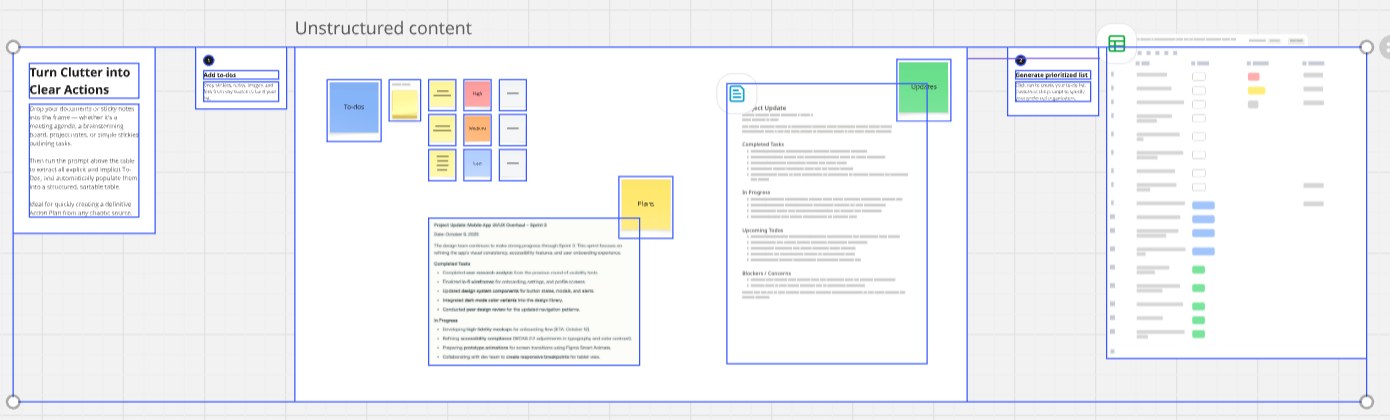
We searched for "To-Do Extractor" and added it. Miro placed the whole Flow on the board as 28 objects: an instruction card ("Turn Clutter into Clear Actions"), an "Unstructured content" area holding example sticky notes and two project-update documents, a prompt step and an output table.
When a Flow is selected, a bar at the top of the board shows how many steps it has and a Run button:
We ran it on the example content the template ships with: sticky notes with tasks, priorities and dates, plus two status documents for a fictional app redesign. The bar switched to "Running…" and then "Completed 1-step Flow", all in under a minute.
The result
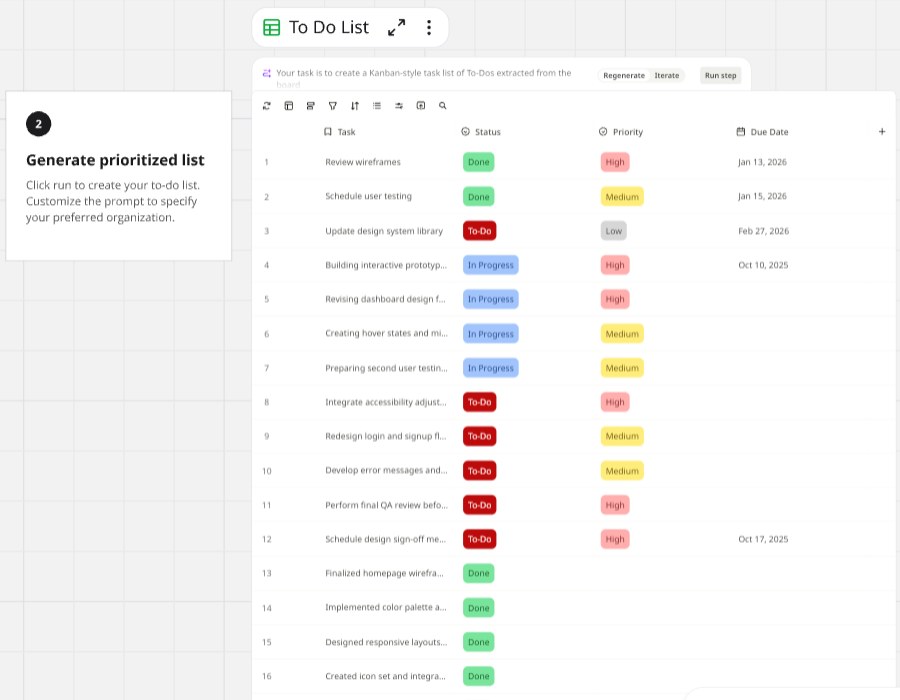
The output table, "To Do List", filled with 17 tasks, each with a Status, a Priority and a Due Date column:
We checked the output against the inputs:
- Statuses matched the documents. Items listed under "Completed Tasks" came out as Done, items under "In Progress" as In Progress, and items under "Upcoming Todos" as To-Do.
- Dates carried over. A sticky note reading "13/1/26" next to "Review wireframes" became a due date of Jan 13, 2026 on that task.
- Priorities came from the notes where there were any: High, Medium and Low.
- Nothing was invented that we could see. Tasks without a date in the input were left without a due date, rather than given a made-up one.
Above the table are Regenerate, Iterate and Run step buttons, so you can refine the prompt and run it again without rebuilding anything.
Using it on your own notes
The Flow works on whatever you put in its input area. For a real meeting, you would:
- Drop your meeting notes, a document or a photo of a whiteboard into the "Unstructured content" area.
- Edit the prompt card if you want different columns, such as an owner.
- Press Run and review the table.
The table is a normal Miro table, so you can switch it to a Kanban and run the work from there, as we did in our roadmap and sprint test.
Limits to know
- We tested one template, on its own example content. Results on longer or messier real notes may vary.
- AI credits apply. Flows use Miro AI. According to Miro's pricing page on 23 November 2026, Starter includes 25 AI credits per member a month and Business 50, and Business lists "AI workflows & agents" among its features. Our single run worked on the Free plan, but heavy use will need a paid plan.
- Miro asks for feedback after a run. A satisfaction survey popped up after our Flow finished; it can be closed.
Verdict
Flows are a smart idea done well: an AI workflow your whole team can see, edit and rerun, sitting next to the material it works on. The To-Do Extractor turned a pile of notes and two documents into an accurate, prioritised task table in under a minute, without inventing dates it didn't have. If your team ends every workshop with someone typing up actions, this is the Miro feature to try first.
Try Miro Flows for freeRelated
- Docs, Slides and Tables in Miro, tested
- Flowcharts in Miro, built with AI
- Miro's Intelligent Canvas and Sidekick, tested
- Product roadmaps and sprint planning in Miro
- Mind mapping in Miro, by hand and with AI
- Our full Miro review and pricing
Article by Sohail Akhtar, Founder of TheToolsVerse. Tested on 23 November 2026 on Miro's Free plan, in Chrome on Windows 11, using the example content that ships with Miro's To-Do Extractor template. Claude, the AI assistant we use at TheToolsVerse, ran the test in a browser on our Miro account; the screenshots come from that session. Plan details come from Miro's pricing page, read the same day.
Disclosure: TheToolsVerse is a Miro affiliate and partner. We earn a commission if you subscribe through our links, and Miro may pay us for content. Miro did not review or edit this article. How paid placements work.
Some links may be affiliate links. We may earn a small commission at no extra cost to you.
Related Articles
Explore more guides and reviews from our experts.