Docs, Slides and Tables in Miro (2026): Can a Team Plan Without Leaving the Board?
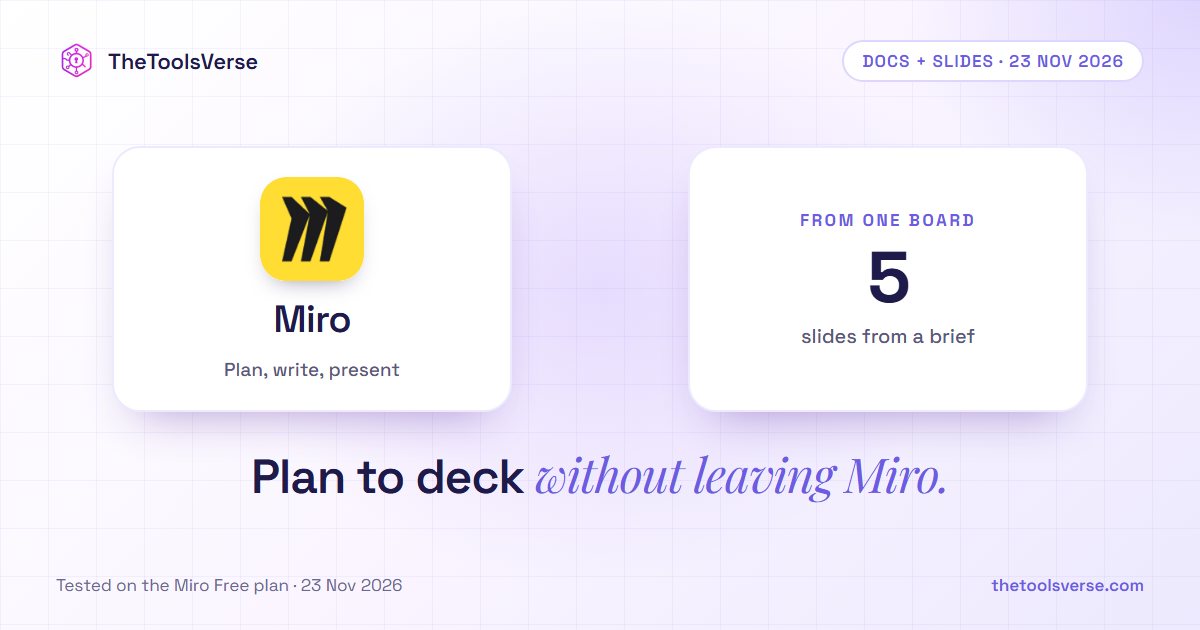
Short answer: Yes, for a small team, Miro can now cover a whole planning cycle without leaving the board. Brainstorm in a mind map, plan in a Timeline and Kanban, then write it up as a Doc and present it as Slides, all on the same canvas. We asked Miro's AI to turn a board's mind map and timeline into a launch brief: the Doc it wrote matched the board exactly and ignored unrelated content on the same board. Then we asked for a 5-slide deck from the brief, and it built one with its own design. Both worked on the Free plan. Miro won't replace a full word processor or a design-heavy presentation tool, but it removes the copying between tools that slows most planning.
We tested on 23 November 2026, on Miro's Free plan, in Chrome on Windows 11. Everything on the board is about Brewly, a made-up coffee subscription startup.
What's on the board before we start
This board already held a launch plan built in earlier tests: a mind map and a 12-row Timeline from our Sidekick test, a sprint Kanban from our roadmap test, and a to-do Flow from our Flows test. The Flow's template brought in some unrelated example content about an app redesign, which made a useful trap: would the AI stick to the Brewly material?
Test 1: a launch brief as a Doc
We asked Sidekick:
Using only the Brewly launch mind map and the Brewly launch timeline on this board (ignore the UI/UX project update), write a one-page launch brief as a Miro Doc: goal, what we are launching, pricing, channels, key dates and risks.
Sidekick created a Doc called "Brewly launch brief" next to the mind map. A Doc is a real formatted document on the canvas, with headings and lists, that you can open and edit like any word processor page.
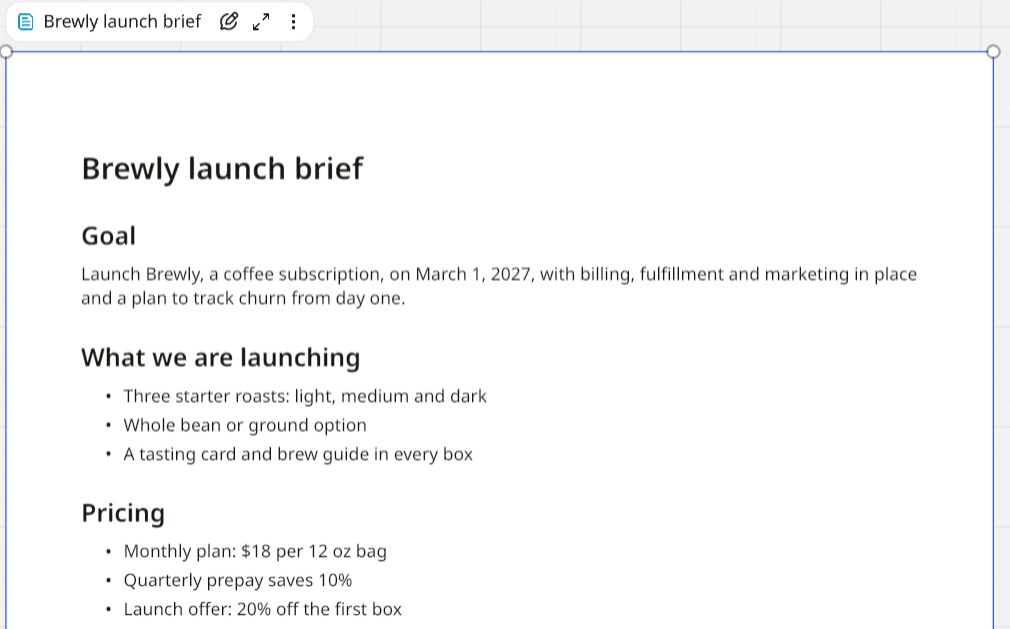
We checked it line by line against the board:
- What we're launching: three starter roasts, whole bean or ground, and a tasting card and brew guide in every box. All from the mind map's Product branch.
- Pricing: $18 a bag monthly, 10% off for quarterly prepay, 20% off the first box. All from the Pricing branch.
- Channels: Instagram and TikTok teasers, a waitlist email countdown, referral rewards and creator partners. All from the Marketing branch.
- Key dates and owners: all 12 timeline rows, according to Sidekick; every row we checked matched the Timeline's dates and owners.
- It ignored the trap. Nothing from the unrelated app-redesign content appeared.
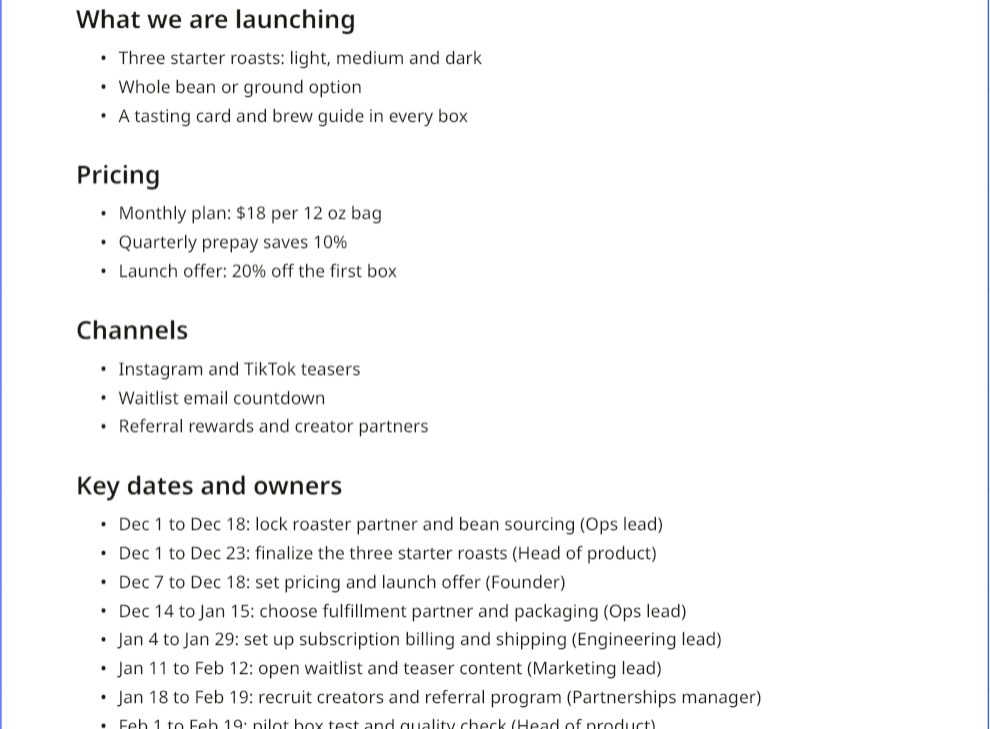
Sidekick was open about what it added itself: the goal sentence was its own wording, and it noted that the brief ran "a bit past one page" because it listed all 12 dates, offering to trim them.
Test 2: from Doc to slides
Next we asked:
Turn the Brewly launch brief doc into a 5-slide presentation using Miro Slides: title, what we are launching, pricing, channels and key dates, risks.
Sidekick built a 5-slide deck below the timeline and chose a design without being asked: a cream background, a roasted-orange accent and a bold display font for titles. Slides in Miro sit on the canvas as a row, with a play button to present them.

What it did well:
- It condensed sensibly. The Pricing slide turned three bullet points into three big numbers ($18, 10%, 20%), which is what a presentation needs.
- It chose what to cut. The dates slide shows five milestones instead of all 12 rows, and Sidekick said so. It also told us the owners were left off the slides.
- It flagged what to check: "I haven't checked how the text sits inside each slide, so flip through them for any text that wraps awkwardly."
Tables
Tables are the third format, and we'd already used them twice. In our roadmap test, the same sprint tasks switched from a Kanban to a Table with columns for status, assignee, dates, estimate, priority and tags. In our Flows test, a Flow wrote its output straight into a Table of 17 tasks. Tables in Miro are structured data rather than drawn grids, so they can be filtered, sorted and switched to other views.
The whole cycle on one board
Zoomed out, the board now holds every stage of the plan: the mind map, the Doc, the Timeline, the slides, the sprint Kanban and the Flow.
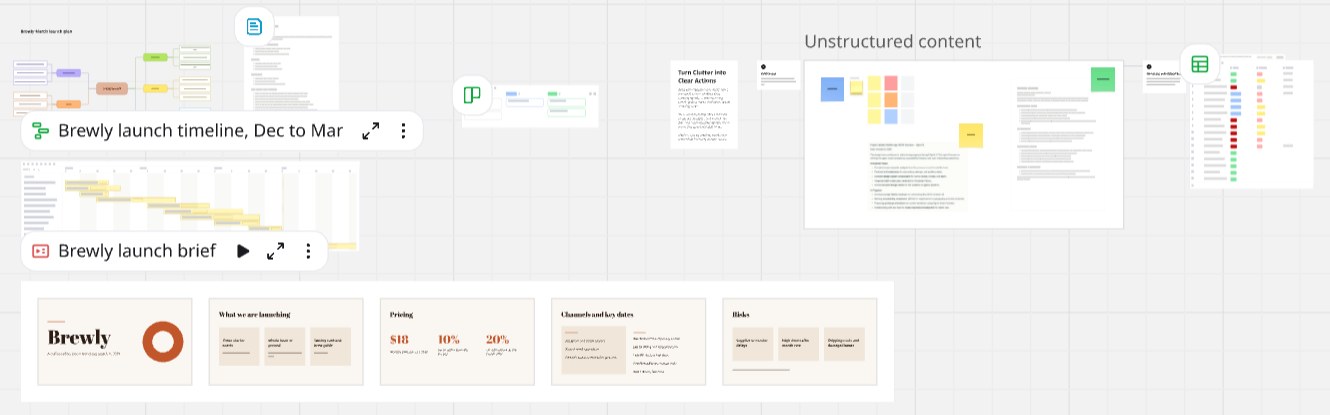
That's the real benefit: each stage was created from the one before it, and the team can see the thinking behind the final deck on the same canvas.
Limits to know
- AI output is a draft. The Doc and slides used the placeholder prices and dates from our sample plan. Sidekick flagged them each time, but real plans need a human check.
- Watch placement on a busy board. The Doc's frame ended up touching the edge of the Timeline's title bar; nothing was hidden, but tidy up after each step.
- Design control is lighter than a dedicated slide tool. The AI's design was clean, but for heavily branded decks you'd still want a presentation app.
- AI credits apply. According to Miro's pricing page on 23 November 2026, Starter includes 25 AI credits per member a month and Business 50, which Miro describes as about 10 prototype screens or slides per member on Business. Our runs worked on the Free plan.
What it costs
The Free plan includes Docs, Tables, Slides and Kanban, with 3 editable boards. Starter is $8 per member a month billed yearly ($10 monthly) for unlimited boards; Business is $20 billed yearly ($25 monthly) with more AI credits, according to Miro's pricing page on 23 November 2026.
Verdict
Docs and Slides make Miro more than a whiteboard. In our test, Sidekick turned a board into an accurate brief, and the brief into a presentable deck, in minutes, while ignoring unrelated content on the same board. For small teams that plan visually, that removes a whole round of copying between tools. Keep a human eye on the numbers, and a dedicated slide app for your most polished decks.
Try Miro Docs and Slides for freeRelated
- Miro's Intelligent Canvas and Sidekick, tested
- Product roadmaps and sprint planning in Miro
- Miro Flows: AI workflows that turn notes into tasks
- Flowcharts in Miro, built with AI
- Mind mapping in Miro, by hand and with AI
- Our full Miro review and pricing
Article by Sohail Akhtar, Founder of TheToolsVerse. Tested on 23 November 2026 on Miro's Free plan, in Chrome on Windows 11, using a made-up startup. Claude, the AI assistant we use at TheToolsVerse, ran the test in a browser on our Miro account; the screenshots come from that session. Plan details come from Miro's pricing page, read the same day.
Disclosure: TheToolsVerse is a Miro affiliate and partner. We earn a commission if you subscribe through our links, and Miro may pay us for content. Miro did not review or edit this article. How paid placements work.
Some links may be affiliate links. We may earn a small commission at no extra cost to you.
Related Articles
Explore more guides and reviews from our experts.