12 Best AI Tools for Students (2026): What's Still Actually Free
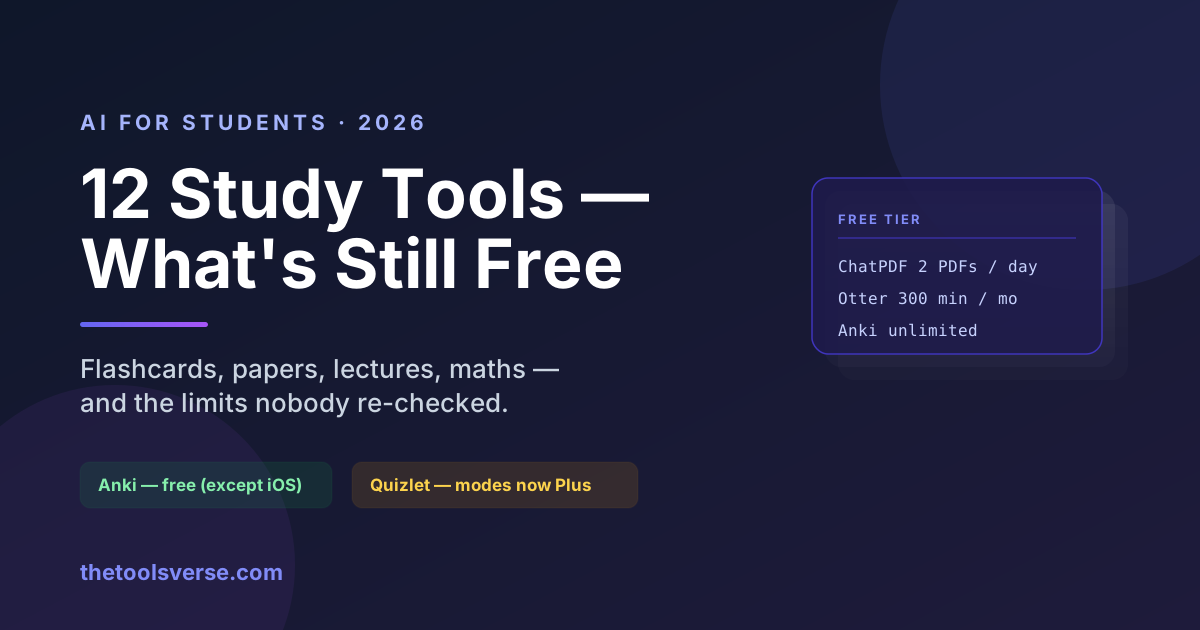
Most "AI tools for students" lists were written once and never re-checked. That matters more in this category than any other, because the tools students rely on have been quietly tightening their free tiers — and a list that says "Quizlet is free" is describing 2023.
So we went through the free plans as they stand in 2026. Two things stood out immediately:
The tool every student knows has the weakest free tier
Quizlet has moved most of its study modes and AI features behind Quizlet Plus. The core flashcard system still works for free, but Learn mode, the AI features and ad-free study are no longer part of the free plan. This is why a noticeable number of students have migrated to Anki, which does spaced repetition better and does not meter it.
And the best free tool has one platform catch
Anki is completely free on Windows, macOS, Linux and Android, and AnkiWeb sync is free too — but the iOS app is a paid one-off purchase. It is the only significant charge in this entire list, and if you study on an iPhone or iPad it is the one thing worth budgeting for. Everything else here has a genuinely usable $0 path.
How we checked this
We are an independent directory — we don't sell study software, and nothing on this page is a placement. For each tool we read the provider's current published plan limits, and where a free tier has changed we say so rather than repeating an older figure.
This is a limits-and-terms comparison. We have not run a controlled study of learning outcomes, and neither has any other blog claiming to have "tested" fifteen study apps. Where an opinion appears below, it is labelled as one.
The 12, by the job you actually need doing
| Job | Tool | What the free plan gives |
|---|---|---|
| Flashcards, long-term recall | Anki | Everything, free (except the iOS app) |
| Flashcards, quick and social | Quizlet | Core flashcards only — modes now need Plus |
| Reading a dense PDF | ChatPDF | 2 PDFs/day, 120 pages, ~50 questions |
| Lectures → text | Otter.ai | 300 minutes/month |
| Maths, step by step | Photomath | Solution + basic steps |
| Harder maths | Symbolab | Answers free, full steps limited |
| What does the research say | Consensus | Free searches with real citations |
| Literature review | Elicit | Free tier for paper discovery |
| Finding papers | Semantic Scholar | Fully free, no account needed |
| Grammar and style | LanguageTool | Genuinely free core checking |
| Translation | DeepL | Free tier, character-limited |
| Citations | Scribbr | Free citation generator |
Flashcards and memorisation
1. Anki — the one serious students end up on
Anki is not an AI tool in the marketing sense. It is a spaced-repetition engine that decides when to show you a card so you remember it long-term, and it has quietly outlasted every prettier competitor because the underlying algorithm works.
Free on Windows, macOS, Linux and Android, with free AnkiWeb sync across devices. The iOS app is a paid one-off, which is the single genuine cost in this article. Free community add-ons can generate cards from your notes if you want the AI layer on top.
The honest downside: it looks like software from 2009 and the first hour is genuinely confusing. Push through it — the payoff is the rest of your degree.
Pros & Cons
Pros
- +Genuinely free on desktop and Android, forever
- +The best spaced-repetition scheduling available at any price
- +Free sync across devices via AnkiWeb
- +Huge library of shared decks and add-ons
Cons
- −iOS app is a paid one-off purchase
- −Dated interface and a real learning curve
- −No hand-holding — you build your own decks
2. Quizlet — still fine for the basics, no longer the free default
Quizlet is the tool most students meet first, and its shared-set library is genuinely enormous — for a common module, someone has already made the deck.
But be clear about what free now means: the core flashcard system remains free, while Learn mode, the AI features and ad-free study sit behind Quizlet Plus. If your study method depends on those modes, you are on a paid product, not a free one.
Use Quizlet to find a deck. Consider studying it in Anki.
Pros & Cons
Pros
- +Vast library of ready-made decks for common courses
- +Fastest way to start — no setup at all
- +Good mobile experience and social study features
Cons
- −Learn mode and AI features now require Quizlet Plus
- −Free tier shows ads
- −Weaker spaced repetition than Anki even on paid
Reading, research and papers
3. ChatPDF — for the reading you cannot get through
ChatPDF does one thing precisely: you upload a PDF and ask it questions. For a 200-page set text or a dense paper you need the argument from rather than every word of, it is the highest-value tool on this list.
The free plan is real but tight: 2 PDFs per day, up to 120 pages and 10 MB each, and roughly 50 questions. That is enough for genuine coursework use if you are selective about what you upload. Plus is $19.99/month or $139.99/year — worth it in a dissertation term, hard to justify otherwise.
A word of caution that applies to every tool in this section: it can misread a table or miss a qualifier. Verify anything you are going to cite against the actual page.
Pros & Cons
Pros
- +Turns an unreadable PDF into something you can interrogate
- +Free tier genuinely usable — 2 documents a day
- +Cites the page it drew an answer from
- +No setup, works in the browser
Cons
- −120-page and 10 MB caps rule out some textbooks
- −~50 questions a day on free goes quickly
- −Can misread tables and complex figures — always verify
4. Consensus — what the research actually says
Consensus searches academic literature and answers your question with findings drawn from real papers, each one cited. For any claim you need to support properly, it beats asking a general chatbot, which will happily invent a plausible citation.
That difference matters enormously for students. A fabricated reference is an academic integrity problem even when the fabrication was not yours. Tools that cite real, checkable papers are safer by design.
Pros & Cons
Pros
- +Answers grounded in real, citable papers
- +Free tier covers normal coursework use
- +Dramatically lower risk of invented citations
- +Shows the strength of evidence, not just a claim
Cons
- −Limited to fields with good literature coverage
- −Free tier caps deeper analysis features
- −Still requires you to read the paper before citing it
5. Elicit and 6. Semantic Scholar — finding the papers in the first place
Elicit is built for literature review: describe your question and it surfaces relevant papers and pulls key details into a table. Semantic Scholar is fully free with no account required, and is the better starting point for simply locating work and following citation trails.
Between the two, Semantic Scholar for discovery and Elicit for structuring what you found.
7. Scribbr — citations without losing an evening
Scribbr generates citations in APA, MLA, Harvard and the rest. The citation generator is free, and it removes one of the genuinely tedious parts of submitting work. Always check the output against your institution's exact required style — departments vary more than the tools assume.
Lectures and notes
8. Otter.ai — 300 free minutes a month
Otter.ai transcribes lectures into searchable text. The free plan gives 300 minutes a month, which is roughly four to six lectures — enough for the modules you find hardest rather than everything you attend.
Use it deliberately: record the lecture you know you will struggle with, and search the transcript later instead of re-listening to an hour.
Check your institution's policy before recording. Many universities require the lecturer's consent, and this is not a rule worth discovering afterwards.
Pros & Cons
Pros
- +300 free minutes a month is a genuinely useful allowance
- +Searchable transcripts beat re-listening
- +Good accuracy on clear audio
- +Works on phone and laptop
Cons
- −300 minutes covers only a few lectures
- −Struggles with heavy accents, poor rooms and technical jargon
- −Recording may require permission at your institution
Maths
9. Photomath and 10. Symbolab
Photomath solves a problem from a photo — handwritten or printed — and shows step-by-step working. The free tier gives the solution and basic steps; the detailed explanations sit behind Plus. Symbolab covers heavier territory: calculus, matrices, series, with answers free and full step-by-step working limited on the free plan.
The obvious warning applies. These are extraordinary for checking your work and for seeing the method when you are stuck. Used to produce answers you do not understand, they will quietly hollow out the exact skill the exam tests.
Writing and language
11. LanguageTool — free grammar checking that respects your text
LanguageTool checks grammar, spelling and style across many languages, with a genuinely usable free tier and a much better privacy posture than most alternatives. It corrects your writing rather than rewriting it — which, for an assignment, is exactly the line you want.
12. DeepL — the translator that handles academic prose
DeepL remains the most accurate free translator for complex, formal text — noticeably better than the general alternatives on academic register and long sentences. The free tier is character-limited per translation, which is fine for passages and awkward for whole chapters. Essential if you are studying in a second language.
The part other lists skip: what will get you in trouble
This is the section that matters most, and almost nobody writes it.
Every tool above is safe when it helps you understand something. The risk begins when output goes into your submission.
Generally fine: generating flashcards from your own notes · asking a tool to explain a concept · transcribing a lecture you are allowed to record · finding papers · checking your own grammar · verifying a maths answer you worked out.
Generally not fine: submitting text you did not write · citing a source you have not read · using a solver to produce answers you cannot reproduce in an exam.
On "AI humanizers" — the honest version
There is a category of tool marketed at students specifically to make AI-written text evade detection. We list some of them in our directory because they exist, but we are not going to recommend them for that purpose, and you should understand the exposure: detection is not the actual risk — your institution's policy is. Submitting work you did not write is a misconduct offence whether or not a detector flags it, and the penalty for a caught attempt at evasion is routinely worse than for the original offence. Detectors also produce false positives, particularly for students writing in a second language, which is its own unfair problem — but the answer to that is your institution's appeals process, not an evasion tool.
Policies differ by institution and often by department. Read yours before you rely on any tool here. Most now publish an explicit AI-use policy, and "I did not know" has stopped being an accepted answer.
Which should you actually install?
- Studying for exams → Anki, without hesitation. Use Quizlet to find a ready-made deck, then study it properly.
- Drowning in reading → ChatPDF, on the two hardest documents each day.
- Writing an essay with references → Consensus and Semantic Scholar to find real sources, Scribbr to format them.
- Struggling in lectures → Otter.ai, on the modules you find hardest — not on everything.
- Maths-heavy course → Photomath for checking, Symbolab for the harder work.
- Studying in a second language → DeepL plus LanguageTool. Together they are worth more than any paid writing assistant.
The realistic setup, at zero cost
Anki + ChatPDF + Consensus + LanguageTool covers memorisation, reading, research and writing for nothing — on desktop or Android. Add Otter for your hardest module. That combination outperforms a paid subscription to any single all-in-one study app, and the only money you might spend is the one-off Anki iOS purchase.
Frequently Asked Questions
What are the best AI tools for students in 2026?
Anki for memorisation, ChatPDF for dense reading, Consensus for research you need to cite, Otter.ai for lectures, and LanguageTool for writing. That set covers the majority of student work and is free apart from Anki's one-off iOS purchase.
Are there genuinely free AI tools for students?
Yes, and unusually for AI, several are properly free rather than trials — Anki (desktop and Android), Semantic Scholar, LanguageTool and Consensus all have real free access. Note the exceptions though: Quizlet has moved study modes behind Plus, Otter caps at 300 minutes a month, and ChatPDF allows 2 documents a day.
Is Quizlet still free?
Partly. The core flashcard system is free, but Learn mode, the AI features and ad-free study now require Quizlet Plus. If those modes are how you actually study, you are looking at a paid product — which is why many students have moved to Anki.
What is the best free alternative to Quizlet?
Anki. It is free on desktop and Android, its spaced-repetition scheduling is better than Quizlet's even on Quizlet's paid tier, and it syncs across devices at no cost. The trade is a dated interface and a steeper first hour.
Can I get in trouble for using AI tools at university?
Yes — but it depends entirely on how you use them. Using AI to understand material, generate flashcards, or check your own grammar is normally fine. Submitting text you did not write, or citing sources you have not read, is misconduct at essentially every institution regardless of whether a detector flags it. Read your institution's published AI policy; most now have one.
Do AI detectors work reliably?
No, and this cuts both ways. They produce false positives, and students writing in a second language are disproportionately affected. That is a genuine unfairness — but the remedy is your institution's appeals process and keeping drafts that show your working, not a tool that promises to defeat detection.
What is the best AI tool for reading research papers?
ChatPDF for interrogating a specific paper you already have, and Consensus for finding what the literature says across many papers with real citations. Use Semantic Scholar to locate the papers in the first place. Always read the source before citing it.
Final verdict
Student AI has quietly split into two groups: tools that genuinely help you learn, and tools that help you avoid learning. The first group is mostly free. The second is mostly paid, and it charges you for a risk you are carrying alone.
The setup worth having costs nothing: Anki for recall, ChatPDF for reading, Consensus for evidence, LanguageTool for writing. Add Otter for your hardest lectures. Skip anything whose main pitch is not getting caught.
More free-tier guides
Same method applied to the other categories students ask us about:
- Best AI for Coding, Free — essential if you're on a CS course; one free tier gives 180,000 completions a month.
- 8 Best AI Video Generators — for presentations and project work, though be warned: no free tier allows commercial use.
- Genuinely Free AI Tools — our full verified list, with the exact limits on each.
Explore every AI study tool
Browse our verified directory of AI tools for education and study, each with real pricing and an honest editor review.
Browse Education ToolsArticle by Sohail Akhtar, Founder of TheToolsVerse. Free-tier limits were taken from each provider's published plans in August 2026 and change frequently — confirm on the provider's site before relying on them. Academic policy guidance here is general; your institution's own rules always take precedence. Last updated August 2026.
Some links may be affiliate links. We may earn a small commission at no extra cost to you.
Make an AI tool? Get it into a comparison like this.
Related Articles
Explore more guides and reviews from our experts.
How to Use Amplemarket MCP in Claude and ChatGPT: Prospecting and Account Research, Step by Step
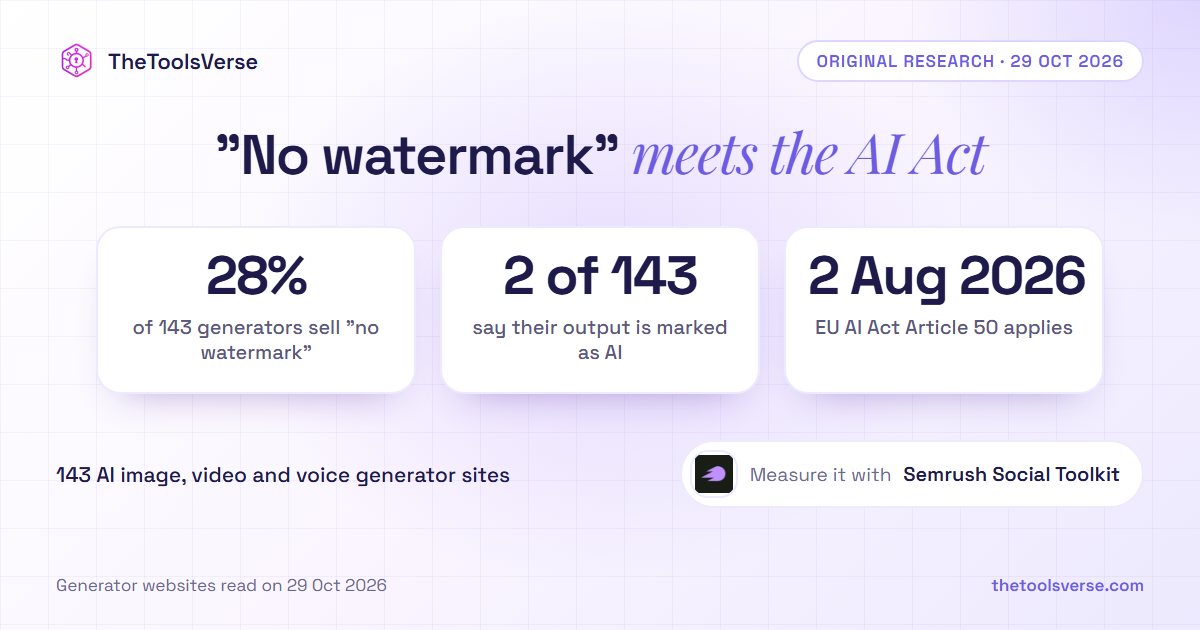
28% of AI Image, Video and Voice Generators Sell "No Watermark". 2 of 143 Tell You Their Output Is Marked as AI