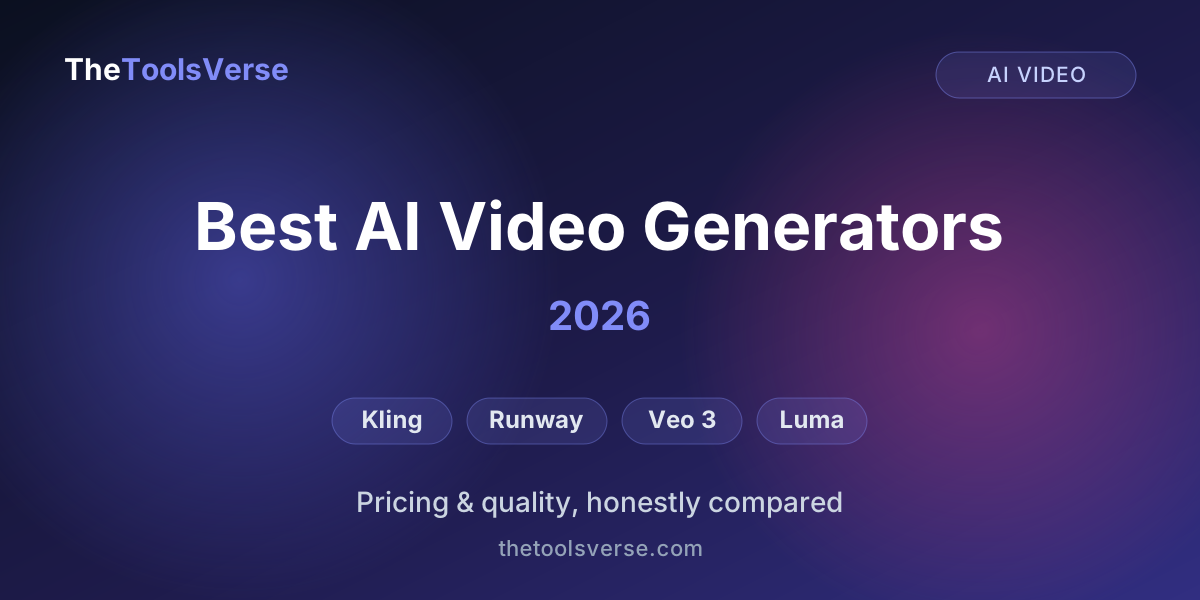
8 Best AI Video Generators in 2026: Free Tiers Compared & Ranked
Half the pages ranking for "best AI video generator" are published by companies that sell AI video generators. Synthesia's list, HeyGen's list, Magic Hour's list, Vivideo's list — each one ranks its own product highly, and none of them will tell you the thing that actually decides which tool you should pay for.
We don't sell a video generator. So this list has nothing to protect.
We checked the same four things on all eight tools below, against each provider's own published plans and terms: how many credits you really get, whether they refresh, what resolution and length you're capped at, and — the one everybody buries — what you're legally allowed to do with the video afterwards.
That last check produced the finding that reorganised this entire article:
Not one free tier lets you use the video commercially
Every major AI video generator forbids commercial use on its free plan. Not Kling, not Veo 3, not Runway, not Luma, not Vidu. You can generate all you like, but the moment a clip goes into a client project, a monetised channel, or an ad, you need a paid plan. Treat every "free" tier in this category as a trial, not a tier — and if your work earns money, the real question isn't "which is free," it's "what's the cheapest licensed plan?" That answer is $9.99/month.
And one correction, because a lot of "2026" articles still haven't caught up:
Sora is gone — stop looking for it
OpenAI pulled the Sora apps in late March 2026 and shut the web app and mobile apps down on 26 April 2026. The API sunsets on 24 September 2026, and no successor has been announced. It is no longer part of ChatGPT Plus or Pro. If a list still recommends Sora, it hasn't been updated. The live race is Kling, Veo 3, Runway, Luma and Vidu.
How we ranked these
Ranking "best" by output quality alone is how you end up recommending a $249.99/month tool to someone with a $10 budget. So the order below weighs three things together:
- How usable the free tier genuinely is — recurring credits beat one-time credits, and daily beats monthly.
- The cost of the cheapest plan that actually licenses your output — because that's the real price of the tool.
- Output quality and consistency at that price, not at the top tier.
Pricing was checked against each provider's public plans in July 2026. Where a tool's marketing and its actual limits disagreed, we went with the limits.
The ranking, at a glance
| # | Tool | Best for | Free tier | Cheapest licensed plan |
|---|---|---|---|---|
| 1 | Kling 2.6 | Best overall value | ~66 credits/day, refreshing | $10/mo |
| 2 | Vidu | Cheapest licence + synced audio | 80 credits/mo | $9.99/mo |
| 3 | Google Veo 3 | Highest output quality | Limited via Flow/AI Studio | $19.99/mo (Lite/Fast only) |
| 4 | Runway | Professional control | 125 credits, one-time | $12/mo (annual) |
| 5 | Luma Dream Machine | Easiest for beginners | ~30 generations/mo | $9.99/mo |
| 6 | LTX Studio | Narrative & storyboarding | ~8,000 compute seconds | $35/mo (commercial) |
| 7 | PixVerse | Social-format clips | Daily refreshing credits | Paid tiers |
| 8 | InVideo | Script-to-video, faceless content | ~10 min/week | Plus tier |
What each free tier actually gives you
This is the table the vendor lists don't print.
| Tool | What the free plan really gives | Watermark? | Commercial use on free? |
|---|---|---|---|
| Kling | ~66 credits/day — the most generous recurring allowance here | Yes | ❌ No |
| Vidu | 80 credits/month (~10 clips), 8s max, 720p | Yes | ❌ No |
| Google Veo 3 | Limited daily credits via Flow / AI Studio | — | ❌ No |
| Runway | 125 one-time credits — they never refresh | — | ❌ No |
| Luma | ~30 generations/month | Yes | ❌ No |
| LTX Studio | ~8,000 computing seconds | — | ❌ No — personal use only |
| PixVerse | Daily refreshing credits, reduced resolution | Yes | ❌ No |
| InVideo | ~10 min/week, 720p, hard-coded watermark | Yes | Limited |
So "free" is entirely real for learning, testing and personal projects — and effectively unavailable for commercial work. The cheapest honest routes to publishable, watermark-free, licensed video are Vidu Standard $9.99, Luma Lite $9.99, and Kling Standard $10.
1. Kling 2.6 — best overall
Kling earned its reputation on one thing: motion that holds together. Limbs, faces and camera moves stay consistent in a way that still trips up most rivals, which is why it became the genuine alternative to the now-defunct Sora.
It also has the best free tier in the category, and it's not close. About 66 credits a day, refreshing every 24 hours — meaning you can keep experimenting indefinitely without paying. The catch is the usual one: free output is capped at 360–540p, watermarked, and non-commercial.
Paid plans run Standard $10/mo (660 credits), Pro $37/mo (3,000), Premier $92/mo (8,000) and Ultra $180/mo (26,000). The honest warning: generation burns 6–12 credits per second of video, so credits drain far faster than the headline numbers suggest. Standard is enough to publish with; heavy users realistically need Pro or above.
Pros & Cons
Pros
- +Best-in-class realistic motion and physical consistency
- +The only genuinely renewable free tier here (66 credits/day)
- +$10/mo Standard unlocks 1080p and commercial use
- +Strong image-to-video and motion control
Cons
- −Credits deplete fast (6–12 per second of video)
- −Free tier is watermarked, low-res and non-commercial
- −Render queues lengthen on cheaper plans
See Kling's full breakdown
Current pricing, the credit math, pros and cons, and where it fits — on our verified tool page.
View Kling on ToolsVerse2. Vidu — cheapest licensed video, and the only one with sound
Vidu, built by Chinese AI lab ShengShu, does one thing nothing else on this list does: since its Q3 model launched in January 2026, it generates audio and video together in a single pass — dialogue, sound effects and music synchronised to the footage, up to roughly 16 seconds of 1080p. Every other tool here hands you a silent clip you then have to score yourself. If your content talks, that's a whole production step removed.
Its older strength holds too: Vidu keeps multiple characters consistent in one frame better than most rivals, which is exactly where AI video usually falls apart.
The free plan follows the category pattern — 80 credits a month (about ten 8-second clips), capped at 8 seconds and 720p, watermarked, no commercial rights. What makes Vidu interesting is the step up: Standard at $9.99/mo gets 500 credits, 16-second clips, 1080p, no watermark and commercial use — the cheapest genuinely licensed video on this list. Pro at $29.99/mo adds 2,000 credits, 32-second clips and a full commercial licence.
Watch the credits, not the sticker price
Vidu's real cost is set by quality mode, not the subscription. An 8-second clip costs roughly 8 credits at Standard, 12 at Enhanced and 18 at Cinema — so a minute of finished Cinema-quality video runs about $2 on Pro versus about $0.90 at Standard. The same plan stretches roughly three times further depending on how you generate, and every failed retry spends credits too.
Pros & Cons
Pros
- +Only generator here producing synced audio and video in one pass
- +Cheapest genuine commercial licence at $9.99/mo
- +Best multi-character consistency in a single frame
- +16s clips at 1080p on the entry paid plan
Cons
- −Free tier is 8s, 720p, watermarked and non-commercial
- −Credit cost triples in Cinema mode
- −Smaller community and fewer tutorials than Kling or Runway
Try Vidu's free plan first
80 credits a month is enough to judge whether the synced-audio output suits your content — before deciding if $9.99 Standard is worth it.
See Vidu AI on ToolsVerse3. Google Veo 3 — the quality leader, if you can pay
If Kling is the value pick, Veo 3 is the quality pick. Its output — including native audio, which most rivals still don't do well — is about as good as consumer AI video gets in 2026. The problem is access and price.
Full Veo 3 lives behind Google AI Ultra at $249.99/month. The cheaper Google AI Pro at $19.99/month gives 1,000 Flow credits and the lighter Veo 3.1 Lite/Fast models — roughly 100 Lite, 50 Fast, or 10 Quality videos a month. That's a reasonable on-ramp, but it is not the full model, and the marketing does not make that especially clear. Ultra's 25,000 credits are for people who generate video for a living.
Free access exists through Flow and AI Studio with limited daily credits — enough to see the quality, not enough to work with.
Pros & Cons
Pros
- +Arguably the best output quality available to consumers
- +Native audio generation that genuinely works
- +A $19.99/mo on-ramp via Google AI Pro
- +Backed by Google's infrastructure and reliability
Cons
- −Full Veo 3 is locked behind the $249.99/mo Ultra tier
- −The $19.99 plan only gets you Lite/Fast models, not Veo 3 proper
- −Credit allowances deplete quickly at Quality settings
4. Runway — the professional's creative suite
Runway is less "type a prompt, get a clip" and more a full creative video studio — and in 2026 it has become a hub that runs other models (Kling, Veo) inside its own interface alongside its Gen-4.5 engine. If you're a filmmaker or editor who wants fine control, this is the one.
The free plan is the weakest here in one specific way: 125 credits, one time. They don't refresh. Once they're gone, they're gone — enough to try Runway, never enough to learn it. Paid plans are Standard $12/mo (625 monthly credits), Pro $28/mo (2,250) and Max $76/mo (9,500), all on annual billing, with watermark removal and upscaling unlocking from Standard up.
Pros & Cons
Pros
- +Deepest creative control in the category
- +Runs multiple models (Gen-4.5, Kling, Veo) in one place
- +Strong editing, upscaling and workflow tools
- +Predictable monthly refreshing credits once paid
Cons
- −Free credits are one-time, not recurring — the weakest free tier here
- −Gen-4.5 is credit-expensive (up to 25 credits/second)
- −Steeper learning curve than one-click tools
See Runway's full breakdown
Gen-4.5 pricing, the credit math, and an honest read on who it's actually for.
View Runway on ToolsVerse5. Luma Dream Machine — the one to hand a beginner
Luma is the tool I'd give someone who has never generated a video before. It's quick, the interface is friendly, and image-to-video is genuinely enjoyable to play with. The catch sits in the fine print: the free plan watermarks your videos and forbids commercial use, so anything you'd publish for a business needs a paid plan from day one.
Pricing scales steeply — Lite $9.99/mo, Plus around $30/mo (~120 generations), Pro $90/mo and Ultra $300/mo. The free ~30 generations a month are great for experimenting and thin for production.
Pros & Cons
Pros
- +Easiest tool here to pick up
- +Fast generations and excellent image-to-video
- +Cheap $9.99/mo Lite entry point with commercial rights
Cons
- −Free tier is watermarked AND non-commercial
- −Higher tiers get expensive fast ($90–$300/mo)
- −Less motion consistency than Kling at the same price
See Luma's full breakdown
Plan-by-plan limits, generation counts and an honest verdict.
View Luma on ToolsVerse6. LTX Studio — for narrative, not clips
LTX Studio is a different proposition from everything above it. Instead of generating one clip at a time, it works storyboard-first: you give it a script or concept and it builds a sequence of shots you can then direct, with character and style consistency held across the whole thing. For narrative work — a short film, an explainer, a story-driven ad — that structure matters more than raw per-clip fidelity.
The free tier gives roughly 8,000 computing seconds, which is a decent amount of exploration, but it is explicitly personal use only. Lite is $15/mo; Standard at $35/mo is the tier that adds commercial rights (and Veo 2 access); Pro at $125/mo adds Veo 3.
Pros & Cons
Pros
- +Storyboard-first workflow no clip generator matches
- +Holds characters and style consistent across a sequence
- +Generous free exploration allowance
Cons
- −Commercial rights only start at the $35/mo Standard tier
- −Overkill if you just want single clips
- −Learning curve closer to editing software than a prompt box
See LTX Studio's full breakdown
Where the storyboard workflow wins, what the compute seconds actually buy, and the real licence tiers.
View LTX Studio on ToolsVerse7. PixVerse — generous free credits for social clips
PixVerse's appeal is straightforward: daily refreshing credits, which puts it in the small group (with Kling) where you can keep generating indefinitely without paying. It's tuned for short social-format output — effects, transformations and stylised clips rather than photoreal cinematic shots — and it's fast.
Free output comes at reduced resolution and watermarked, with commercial use reserved for paid plans. If you're producing short-form social content and want volume over polish, it's a sensible free companion to Kling.
Pros & Cons
Pros
- +Daily refreshing credits — keeps working without payment
- +Fast generation, tuned for short social formats
- +Good library of effects and stylised transformations
Cons
- −Lower ceiling on photoreal/cinematic quality
- −Free output is reduced-resolution and watermarked
- −Commercial use requires a paid plan
8. InVideo — script-to-video, not raw generation
InVideo belongs on this list with a caveat: it isn't really competing with Kling or Veo on generation quality. It's a script-to-video assembly tool — you give it a prompt or a script and it produces a complete edited video with scenes, stock footage, voiceover and captions. For faceless YouTube channels, social explainers and quick marketing videos, that end-to-end workflow saves more time than a better model would.
The free plan gives roughly 10 minutes a week at 720p with a hard-coded watermark. Paid tiers lift the minutes and remove the watermark, but the limits are worth reading closely — the allowances are monthly caps rather than the "unlimited" the marketing implies, and higher generative tiers bundle third-party models whose availability can change.
Pros & Cons
Pros
- +Produces a complete edited video, not just a clip
- +Excellent for faceless channels and social explainers
- +Handles voiceover, captions and stock footage in one pass
Cons
- −Not competitive on raw generation quality
- −Free tier is 720p with a permanent watermark
- −Plan limits are monthly caps, not the 'unlimited' implied
See InVideo's full breakdown
Real plan limits, the credit structure, and who the script-to-video workflow actually suits.
View InVideo on ToolsVersePricing, side by side
The entry prices look similar. The value is not.
| Tool | Free tier | Cheapest commercial plan | Top tier |
|---|---|---|---|
| Kling | 66 credits/day (watermarked, non-commercial) | $10/mo Standard | $180/mo Ultra |
| Vidu | 80 credits/mo, 8s, 720p (watermarked, non-commercial) | $9.99/mo Standard | $29.99/mo Pro |
| Google Veo 3 | Limited via Flow / AI Studio | $19.99/mo (Lite/Fast only) | $249.99/mo Ultra |
| Runway | 125 one-time credits | $12/mo Standard (annual) | $76/mo Max |
| Luma | ~30 gens/mo (watermarked, non-commercial) | $9.99/mo Lite | $300/mo Ultra |
| LTX Studio | ~8,000 compute seconds (personal use only) | $35/mo Standard | $125/mo Pro |
Notice the pattern: every free tier blocks commercial use. If you're making anything for a client, a brand or monetised content, budget for the entry paid plan from day one — and note that the cheapest licensed video here costs less than a takeaway coffee per week.
Which is the best AI video generator for you?
The honest answer depends on one question: what happens to the video afterwards.
- You want the best value and a free tier you can actually learn on → Kling. Start free, move to $10 Standard when you publish.
- Your content has dialogue or needs sound → Vidu. It's the only one generating synced audio, and $9.99 is the cheapest licence here.
- Budget is no object and quality is everything → Google Veo 3 (Ultra).
- You're a filmmaker or editor who wants real control → Runway.
- You've never made an AI video before → Luma, understanding the free tier is test-only.
- You're telling a story across multiple shots → LTX Studio.
- You run a faceless channel or make social explainers → InVideo.
- You were waiting for Sora → it's gone. Kling's free tier is the closest starting point; Veo 3 is the closest on quality.
The move most people should make
Test on Kling's free tier first — 66 renewing credits a day is the fastest way to learn what good prompting feels like without spending anything. Once you know you'll keep using it, pick your licensed plan by what you're making: Vidu $9.99 if it needs sound, Kling $10 if it needs motion realism. Don't buy the expensive tiers until your free experiments prove you'll burn the credits.
Frequently Asked Questions
What is the best AI video generator in 2026?
For most people, Kling offers the best balance of realistic motion, a genuinely renewable free tier, and affordable paid plans from $10/month. If pure output quality matters more than price, Google Veo 3 leads — but full access costs $249.99/month. If your video needs synced audio, Vidu is the only one that generates it in a single pass.
What is the best free AI video generator?
Kling, because its ~66 credits refresh every day rather than running out once. PixVerse also refreshes daily. Runway's 125 credits are one-time, which makes it the weakest free tier here despite being an excellent paid product. Be clear on what "free" means though — every free tier on this list forbids commercial use.
Are there any AI video generators that are actually free for commercial use?
No — not among the major ones. We checked all eight and every single free tier excludes commercial use. The cheapest genuinely licensed options are Vidu Standard ($9.99/mo), Luma Lite ($9.99/mo) and Kling Standard ($10/mo). Anyone telling you a major generator is free for business use is either out of date or hasn't read the terms.
What are the best free AI video tools for beginners?
Luma Dream Machine for ease of use and Kling for a free allowance you won't exhaust in an afternoon. Both are watermarked and non-commercial on free, so treat them as a place to learn rather than a place to publish.
Is Sora still available in 2026?
No. OpenAI shut the Sora web and mobile apps down on 26 April 2026, and the API sunsets on 24 September 2026. It's no longer part of ChatGPT Plus or Pro, and no successor has been announced. Kling is the closest free starting point; Veo 3 is the closest on quality.
What's the cheapest AI video generator with commercial rights?
Vidu Standard at $9.99/month and Luma Lite at $9.99/month, with Kling Standard at $10/month a fraction behind. Vidu is the pick if you need audio; Kling if you need motion realism.
Which AI video generator has the best quality?
Google Veo 3, particularly for realism and native audio. Kling is close behind on motion consistency at a far lower price, and Runway gives the most creative control. Veo 3's full quality sits behind the $249.99/month Ultra plan — the $19.99 tier only gets you the lighter Lite/Fast models.
Final verdict
The AI video space moved fast enough in 2026 that its biggest name left the table entirely. What remains is genuinely good — and much cheaper than most people assume.
If you take one thing from this page, make it this: the free tiers are trials, not tiers. Every one of them stops at the licence. So the real decision isn't which generator is free — it's which $10 plan is worth your money. For most people that's Kling; if your video has a voice, it's Vidu.
Start on Kling's free credits, learn what you're doing, then pay for exactly one plan. That single habit will save you more than any discount code.
More free-tier guides
We apply the same check to every category we cover — what the free plan really gives, and where it stops:
- Best AI for Coding, Free — one free tier gives 180,000 completions a month; another runs out in about three days.
- 12 Best AI Tools for Students — Quizlet has quietly moved study modes behind Plus, and Anki is free on everything except iOS.
- Genuinely Free AI Tools — our full verified list, with the exact limits on each.
Explore every AI video generator
Browse our verified directory of AI video tools, each with real pricing and an honest editor review.
Browse Video GeneratorsArticle by Sohail Akhtar, Founder of TheToolsVerse. Free-tier limits and pricing were checked against each provider's published plans in July 2026 and can change — always confirm on the provider's site before subscribing. Last updated August 2026.
Some links may be affiliate links. If you buy through them, we may earn a small commission at no extra cost to you — it's how we keep the directory free.
Some links may be affiliate links. We may earn a small commission at no extra cost to you.
Related Articles
Explore more guides and reviews from our experts.