Best AI for Coding Free (2026): 9 Free Tiers, Real Limits
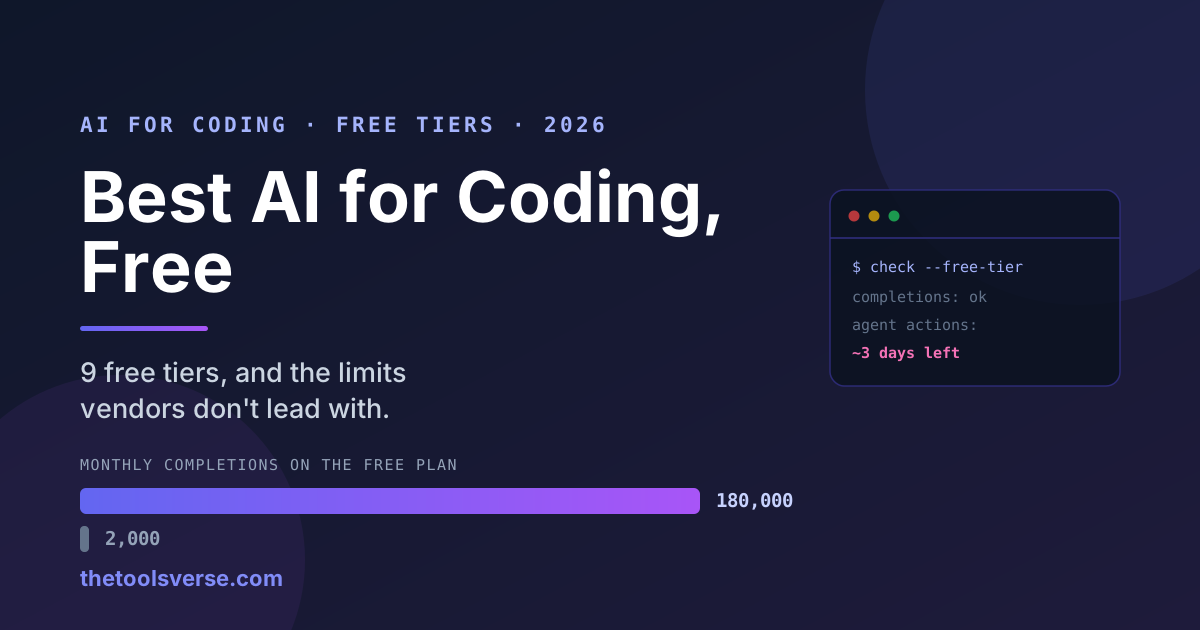
Most "free AI coding tool" lists treat every free tier as roughly equivalent. They are not even close. The gap between the most and least generous free plan in 2026 is about four orders of magnitude — and the tool most people install first is nowhere near the top.
Here is the finding that should change what you install:
The most generous free tier beats a paid one
Gemini Code Assist's free tier provides around 180,000 code completions per month. GitHub Copilot's paid plan does not come close to that ceiling, and Copilot's free plan gives you 2,000. That is not a small difference in degree — it is a difference in kind. If your only constraint is cost, the ranking below is not the one the internet has been telling you.
And the counterweight, because "free" hides its limits in different places:
Some free tiers are priced in days, not requests
Windsurf's free plan gives unlimited inline completions but only about 25 Cascade agent actions a month — which independent write-ups put at roughly two to three days of real coding before the agent quota is gone. Autocomplete keeps working; the part you actually wanted stops. When you compare free tiers, the number that matters is not completions. It is agent actions, because that is the expensive thing and that is where every vendor puts the wall.
How we checked this
We are a directory, not a coding-tool vendor, so we have nothing in this race. For each tool below we read the provider's own published plan limits and terms, and cross-checked them against independent 2026 write-ups where the vendor is vague — Cursor, for instance, does not publish exact free-tier numbers at all, describing it only as "limited Agent requests" and "limited Tab completions."
This is a limits-and-terms comparison, not a benchmark of code quality. We have not run a controlled coding evaluation, and anyone claiming they rigorously benchmarked nine assistants for a blog post probably has not either. Where quality opinion appears below, it is flagged as opinion.
One thing worth knowing before the list: GitHub changed how Copilot bills AI usage on 1 June 2026, retiring Premium Request Units in favour of per-token GitHub AI Credits. If you are working from a guide written before that date, its Copilot cost maths is wrong.
The ranking, at a glance
| # | Tool | Free tier ceiling | The catch |
|---|---|---|---|
| 1 | Gemini Code Assist | ~180,000 completions/mo | Google account required; agent depth trails Cursor |
| 2 | Amazon Q Developer | Unlimited completions + 50 agentic requests/mo | Strongest inside AWS, less so outside it |
| 3 | GitHub Copilot Free | 2,000 completions + 50 chats/mo | Billing model changed June 2026 |
| 4 | Continue.dev | Open source — unlimited, any model | You supply the model and the setup |
| 5 | Windsurf | Unlimited autocomplete, ~25 agent actions/mo | Agent quota gone in ~2-3 days |
| 6 | Cursor (Hobby) | ~2,000 completions + 50 slow requests | Limits deliberately unpublished |
| 7 | Kilo Code + local model | Free agent mode | Needs a machine that can run the model |
| 8 | BlackBox AI | Free completion and code search | Free tier is assistive, not agentic |
| 9 | Replit Agent | Trial credits, browser-based | Credits, then paid — not a standing free tier |
What "free" actually costs you
Free AI coding tiers are limited along four different axes, and vendors choose which one to squeeze:
- Completions — inline autocomplete. Cheap to serve, so this is where generosity is advertised.
- Agent actions — multi-step edits across files. Expensive, so this is where the wall goes.
- Model quality — free often means a smaller or older model, even when the count looks generous.
- Context window — how much of your codebase the assistant can hold at once.
A tier advertising "unlimited completions" while capping agent actions at 25 a month is being precise, not generous. Read the second number.
1. Gemini Code Assist — the most generous free tier, by a distance
Google's individual free tier is the outlier of the category: roughly 180,000 code completions per month, which is a ceiling most developers will never approach. For a free product this is close to unmetered in practice.
It integrates with VS Code and JetBrains, and if you want to work with Gemini models directly — prototyping, prompt iteration, quick generation — Google AI Studio is free to use as well, with no local setup at all.
Where it trails: agentic depth. For multi-file refactors and long autonomous edits, Cursor and Claude-backed agents are generally regarded as stronger. But for the everyday loop of writing code with an assistant, the free ceiling here is not a meaningful constraint.
Pros & Cons
Pros
- +Around 180,000 completions/month free — the highest ceiling here
- +Works in VS Code and JetBrains
- +Backed by Google infrastructure and Gemini models
- +Google AI Studio gives free model access with zero setup
Cons
- −Agent capability trails the dedicated agentic editors
- −Requires a Google account and its data terms
- −Less community tooling than the Copilot ecosystem
Google AI Studio on ToolsVerse
Free access to Gemini for code, prototyping and prompt work — with the real limits documented.
View Google AI Studio2. Amazon Q Developer — unlimited completions, genuine agent allowance
Amazon Q Developer's free tier is the most interesting on this list after Gemini: unlimited code completions plus 50 agentic requests a month. That agent allowance is the important part — most free tiers give you effectively none, and 50 real agent runs a month is enough to use the feature rather than merely sample it.
The honest caveat is gravity: Q is at its best inside AWS, where it understands your services and infrastructure. Outside that context it is competent rather than remarkable.
Pros & Cons
Pros
- +Unlimited completions on the free tier
- +50 agentic requests/month — a real allowance, not a teaser
- +Deep AWS awareness for infrastructure work
- +No credit card required
Cons
- −Advantage narrows sharply outside the AWS ecosystem
- −Agent quality trails the leading dedicated editors
- −Requires an AWS account
3. GitHub Copilot Free — the default, and no longer the most generous
Copilot Free gives 2,000 completions and 50 chat messages a month. That is a real, usable tier, and Copilot's advantage remains its ubiquity: it works everywhere, every editor supports it, and every team already knows it.
But note the position. At 2,000 completions it sits at roughly 1% of Gemini Code Assist's free ceiling. Copilot Free is a sample; Gemini's free tier is a working allowance. If you install Copilot purely because it is the name you know, you are choosing the smaller free plan.
Billing change worth flagging: on 1 June 2026 GitHub replaced Premium Request Units with per-token GitHub AI Credits. If you are budgeting a paid Copilot plan from an older guide, re-check the maths — the unit of account changed.
Pros & Cons
Pros
- +Works in effectively every editor and IDE
- +Largest ecosystem, documentation and community
- +2,000 completions + 50 chats is genuinely usable for light work
- +Deep GitHub and pull-request integration
Cons
- −Free ceiling is ~1% of Gemini Code Assist's
- −Billing model changed June 2026 — older cost guides are stale
- −Chat allowance runs out quickly on real debugging
GitHub Copilot on ToolsVerse
Plan-by-plan limits, the June 2026 billing change, and an honest read on who still needs it.
View GitHub Copilot4. Continue.dev — free without a ceiling, if you bring the model
Continue.dev is fully open source, which changes the shape of the question. There is no vendor quota because there is no vendor metering you: you point it at whatever model you want — a local model, a free API tier, or a paid endpoint — and the assistant itself costs nothing, permanently.
The cost moves rather than disappears. You pay in setup and, if you run locally, in hardware. For a developer who is comfortable configuring their tools, this is the only genuinely unlimited option here.
Pros & Cons
Pros
- +Open source — no quota, no account, no expiry
- +Works with any model, local or hosted
- +No vendor lock-in and full data control
- +Free permanently, not a promotional tier
Cons
- −You configure it yourself — no one-click install
- −Local models need capable hardware
- −Quality depends entirely on the model you attach
5. Windsurf — generous headline, three-day agent
Windsurf gives unlimited Tab autocomplete, which reads beautifully in a comparison table. The number that decides your experience is the other one: roughly 25 Cascade agent actions per month, which independent 2026 write-ups translate to about two to three days of real coding before the agent stops.
This is not a criticism of the product — Cascade is genuinely good, and agent runs are expensive to serve. It is a criticism of how the tier is presented. "Unlimited completions" describes the cheap half of the product.
Pros & Cons
Pros
- +Genuinely unlimited inline autocomplete
- +Cascade agent is strong when you have quota
- +Clean, purpose-built editor experience
Cons
- −~25 agent actions/month — roughly 2-3 days of real use
- −The headline 'unlimited' applies to the cheap capability only
- −Quota pressure pushes you to paid quickly
Windsurf Editor on ToolsVerse
What the free tier really includes, where the Cascade quota stops, and the paid ladder.
View Windsurf6. Cursor (Hobby) — excellent product, deliberately vague free tier
Cursor is, in many developers' opinion including mine, the strongest agentic coding editor available. Its free Hobby tier is the least transparent on this list.
Cursor's own pricing page describes it as "limited Agent requests" and "limited Tab completions" without publishing numbers. Independent 2026 reporting puts it at roughly 2,000 completions and 50 slow premium requests a month, but treat that as a community estimate, not a commitment — an unpublished limit can change without an announcement.
Use Hobby to decide whether Cursor's agent suits how you work. Do not plan a workflow around a quota nobody will state.
Pros & Cons
Pros
- +Widely regarded as the best agentic editor
- +Excellent multi-file understanding and refactoring
- +Free tier is enough to properly evaluate the product
Cons
- −Free limits are unpublished — roughly 2,000 completions/50 slow requests by community estimate
- −Unstated quotas can change silently
- −Serious use realistically requires the paid plan
7. Kilo Code with a local model — free agent mode, if you have the machine
For developers who want autonomous agent behaviour without a subscription, pairing an open agent harness like Kilo Code with a locally-run coding model (Qwen Coder is the common 2026 choice) gets you there for nothing beyond electricity.
The trade is hardware and patience: local models need real memory and produce slower, generally weaker output than frontier hosted models. But it is unmetered, fully private, and works offline — three things nothing else on this list offers together.
Pros & Cons
Pros
- +Agent mode with no subscription and no quota
- +Completely private — code never leaves your machine
- +Works offline
- +No account or credit card at any point
Cons
- −Needs capable hardware, especially memory
- −Local models trail frontier hosted models in quality
- −Meaningful setup effort before first use
8. BlackBox AI — fast assistive coding, free
BlackBox AI focuses on the assistive layer: code completion, code search across languages, and quick generation from a description. Its free tier is usable for everyday help, and it is one of the lower-friction options to start with — no ecosystem commitment, no infrastructure account.
It is not an autonomous agent, and it does not try to be. For "help me write this function" it does the job at zero cost.
Pros & Cons
Pros
- +Free tier covers everyday completion and code search
- +Very low friction to start
- +Broad language coverage
Cons
- −Assistive rather than agentic
- −Less capable on large multi-file work
- −Smaller ecosystem than Copilot or Cursor
9. Replit Agent — build and deploy in the browser, on trial credits
Replit Agent is the outlier here because it is not really an assistant — it builds and deploys working applications from a prompt, entirely in the browser, with no local setup. For someone learning, or prototyping from a Chromebook or a shared machine, that matters enormously.
It is ranked last for one honest reason: it runs on trial credits rather than a standing free tier. You can genuinely build something without paying, but it is not a plan you can sit on month after month. Firebase Studio is worth comparing for a similar browser-based, full-stack workflow.
Pros & Cons
Pros
- +No local setup — works on any machine with a browser
- +Builds and deploys a real, running app
- +Excellent for learning and fast prototyping
Cons
- −Trial credits, not an ongoing free tier
- −Costs escalate once credits are spent
- −Less suited to working inside an existing codebase
Which free AI coding tool should you actually use?
- You want the largest free allowance and minimal fuss → Gemini Code Assist. Nothing else is close on ceiling.
- You work in AWS → Amazon Q Developer, for the unlimited completions and 50 real agent runs.
- You want the tool everyone else uses, and light usage is fine → GitHub Copilot Free.
- You want genuinely unlimited and will configure it → Continue.dev.
- You want the best agent and will pay eventually → Cursor, using Hobby to evaluate.
- Your code cannot leave your machine → Kilo Code with a local model.
- You have no dev environment at all → Replit Agent or Firebase Studio, in the browser.
- You are a student learning to code → Gemini Code Assist, and check whether you qualify for GitHub's student pack, which unlocks paid Copilot free.
The pattern worth internalising
Vendors advertise the cheap capability and meter the expensive one. Completions are cheap; agent actions are expensive. So a tier boasting "unlimited completions" is telling you about the half that costs them nothing. Before you commit to any free plan, find the agent-action number — and if the vendor does not publish one, treat that as the answer.
Frequently Asked Questions
What is the best AI for coding, free?
Gemini Code Assist, on allowance — roughly 180,000 completions a month, far beyond any other free tier. Amazon Q Developer is the best free option for agent work, with unlimited completions plus 50 agentic requests a month. If you want the strongest agent overall and will eventually pay, Cursor is widely regarded as the best product, with a free Hobby tier good enough to evaluate it.
Is GitHub Copilot free?
There is a free plan: 2,000 code completions and 50 chat messages a month. It is genuinely usable for light work, but it is about 1% of Gemini Code Assist's free ceiling. Note that GitHub changed Copilot's billing on 1 June 2026, replacing Premium Request Units with per-token GitHub AI Credits, so cost guidance written before that date is out of date.
Is Cursor free?
Cursor has a free Hobby tier, but it is the least transparent here — Cursor describes it only as "limited Agent requests" and "limited Tab completions" without publishing numbers. Independent 2026 estimates put it near 2,000 completions and 50 slow premium requests a month. Treat that as a community figure, not a guarantee.
Which free AI coding tool has no limits at all?
Continue.dev, because it is open source — there is no vendor quota, only whatever model you attach. Pairing an open agent harness such as Kilo Code with a locally-run coding model achieves the same thing for agent work. In both cases you trade metering for setup effort and hardware.
Is Windsurf's free plan good?
Its autocomplete is genuinely unlimited, but the agent is not: roughly 25 Cascade actions a month, which independent write-ups describe as about two to three days of real coding. If you want Windsurf for Cascade specifically, plan on paying.
Can I use free AI coding tools commercially?
Generally yes — unlike AI video generators, free coding assistants do not usually restrict commercial use, because they help you write code rather than generate a licensed asset. The real considerations are different: whether your code is sent to the vendor for training, and whether your employer permits that. Check the data-handling terms, not the licence.
What is the best free AI for coding for students?
Gemini Code Assist for the allowance, and check whether you qualify for the GitHub Student Developer Pack, which can unlock paid Copilot at no cost. Both beat paying, and both are more generous than the free tier most students default to.
Final verdict
The free AI coding market in 2026 rewards people who read the second number. The tool with the biggest brand has one of the smaller free tiers; the most generous free tier belongs to a product many developers have not installed; and at least one "unlimited" plan runs out in about three days.
If you want a single recommendation: start on Gemini Code Assist, because its ceiling means you will not think about quota. Add Amazon Q Developer if you live in AWS. Evaluate Cursor on Hobby when you are ready to consider paying for a better agent — and if you get there, pay for that one deliberately rather than drifting into it.
More free-tier guides
Same method, other categories — what the free plan really gives, and where the wall is:
- 12 Best AI Tools for Students — if you're learning to code at university, this covers the study side.
- 8 Best AI Video Generators — where we found that not one free tier grants commercial rights.
- Genuinely Free AI Tools — our full verified list, with the exact limits on each.
Explore every AI developer tool
Browse our verified directory of AI coding and developer tools, each with real pricing and an honest editor review.
Browse Developer ToolsArticle by Sohail Akhtar, Founder of TheToolsVerse. Free-tier limits were taken from each provider's published plans and cross-checked against independent 2026 sources where the vendor does not publish figures. Limits change frequently in this category — confirm on the provider's site before relying on them. Last updated August 2026.
Some links may be affiliate links. We may earn a small commission at no extra cost to you.
Make an AI tool? Get it into a comparison like this.
Related Articles
Explore more guides and reviews from our experts.
How to Use Amplemarket MCP in Claude and ChatGPT: Prospecting and Account Research, Step by Step
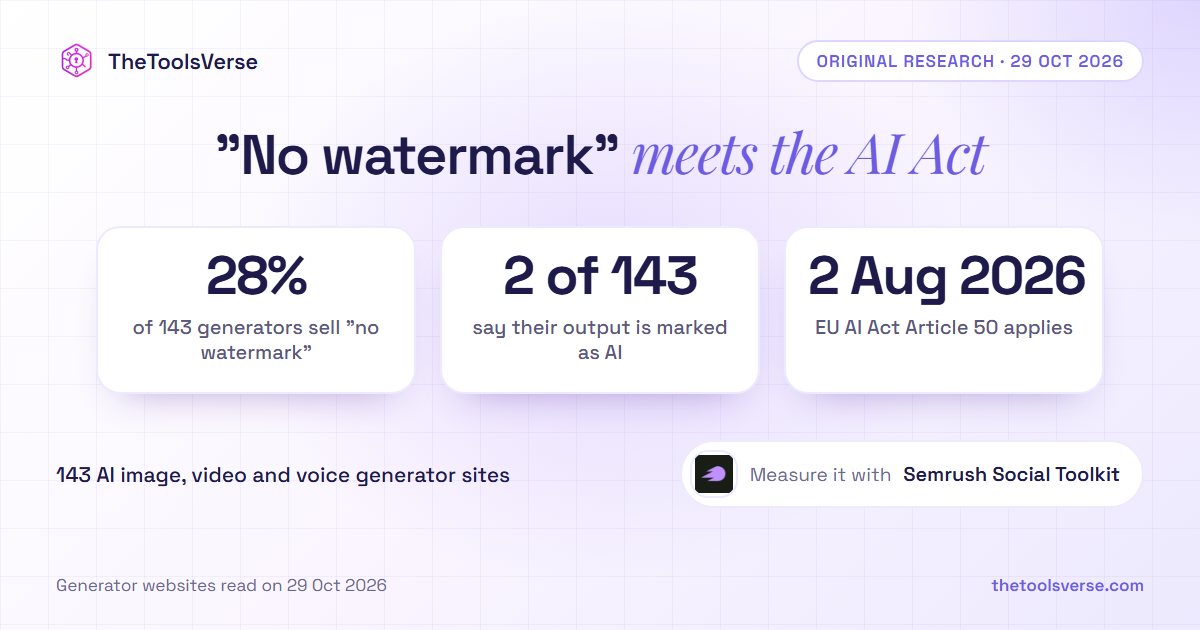
28% of AI Image, Video and Voice Generators Sell "No Watermark". 2 of 143 Tell You Their Output Is Marked as AI