Castmagic vs Descript: Which AI Audio Tool Wins in 2026?
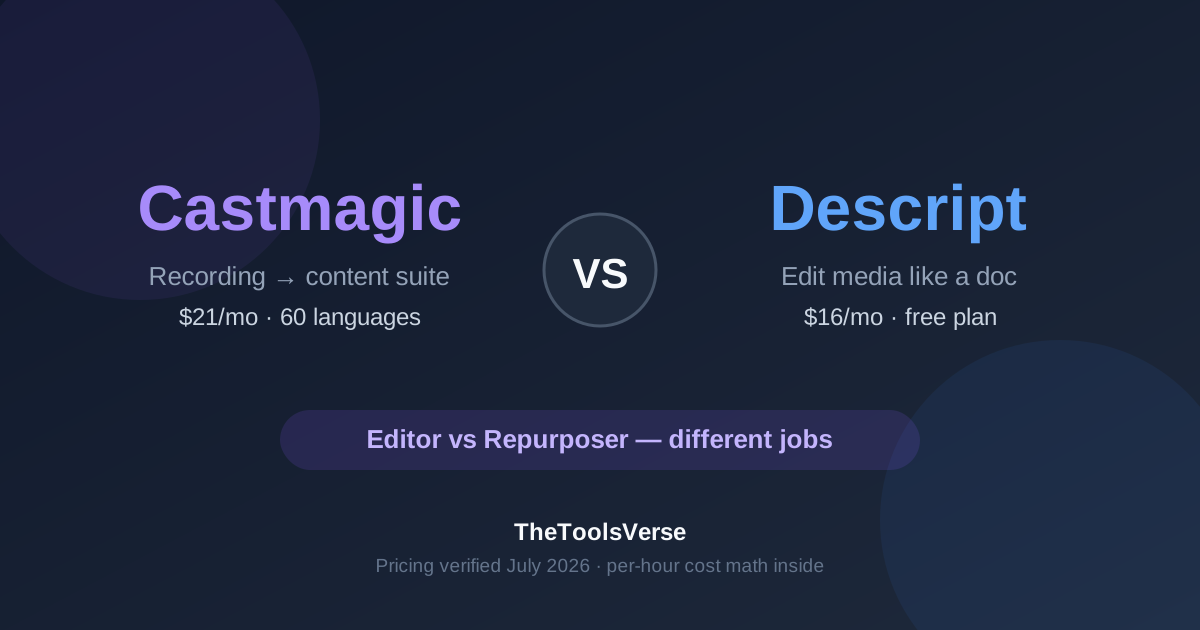
Most Castmagic vs Descript comparisons pretend these are rival products. They aren't — and choosing based on that framing is how creators end up paying for the wrong tool. Descript is an editor: it changes your audio and video. Castmagic is a repurposer: it turns your audio into written content — show notes, blog posts, newsletters, social clips. The overlap is transcription; everything after that diverges.
So the real questions are: which job do you actually need done, what does each cost per hour of audio (numbers most reviews skip), and when is the honest answer "both"? Let's take it apart with the July 2026 pricing pages open.
How we compared (and why you can trust it)
We run an AI tools directory — we don't sell a competing transcription product, unlike several pages ranking for this comparison. Every price below was verified against Castmagic's and Descript's official pricing pages in July 2026. Both links may earn us a commission; that changes nothing about the verdict, which recommends different tools for different jobs — and sometimes neither.
The short version
Pick Descript if you need to edit — cut filler words, clean up audio, add captions, ship video. It's cheaper per transcription hour ($1.60/hr on Hobbyist vs Castmagic's $4.20/hr) and has a free plan to test. Pick Castmagic if your recordings are already fine and your bottleneck is what comes after — show notes, articles, newsletters, and social posts generated from each episode with custom templates, in 60 languages. Podcasters who do both jobs often run Descript for the edit and Castmagic for the content — the tools genuinely stack.
Castmagic vs Descript at a glance
| Castmagic | Descript | |
|---|---|---|
| Core job | Turn recordings into content assets | Edit audio/video by editing text |
| Free plan | None | Yes — 1 hr/month, watermarked 720p exports |
| Cheapest paid (annual) | $21/mo (Hobby, 5 audio hrs/mo) | $16/mo (Hobbyist, 10 hrs/mo) |
| Cost per transcription hour | $4.20 (Hobby) | $1.60 (Hobbyist), $0.80 (Creator) |
| Transcription languages | 60 | 25 (paid plans) |
| Edits the actual media | No | Yes — filler removal, Studio Sound, Overdub |
| Long-form written output | Yes — custom prompt templates | Limited (AI credits system) |
| Video export | No (it's not an editor) | Up to 4K (Creator and above) |
| Top-tier price | $790/mo (Business, 80 hrs) | $50/mo (Business, 40 hrs, annual) |
| Our rating | 4.6 / 5 | 4.5 / 5 |
Pricing verified from both vendors' pricing pages, July 2026. Castmagic prices are billed annually; monthly billing runs ~20% higher per their own banner.
The core difference: editor vs repurposer
Here's the mental model that makes this decision easy.
Descript treats your recording as a document you can rewrite. Delete a sentence from the transcript and that clip vanishes from the video. It removes filler words in one click, cleans bad audio with Studio Sound, clones your voice with Overdub to patch mistakes without re-recording, and exports finished video up to 4K. The output of Descript is a better version of your recording.
Castmagic treats your recording as raw material for everything else. Upload an episode and it produces the transcript plus show notes, timestamped chapters, a blog draft, a newsletter section, tweet threads, and LinkedIn posts — all from templates you customize with your own prompts so outputs match your voice, not a generic AI's. The output of Castmagic is a week of content.
If you've been comparing them as substitutes, notice that neither can do the other's job: Castmagic can't cut a single um from your audio, and Descript won't hand you a publish-ready newsletter from each episode.
Pricing, plan by plan (with the per-hour math)
| Plan | Castmagic | Descript |
|---|---|---|
| Free | — (no free plan) | $0 — 1 hr/mo, watermarked 720p, 100 one-time AI credits |
| Entry (annual) | Hobby $21/mo — 5 audio hrs, 10 long-form AI docs/mo | Hobbyist $16/mo — 10 hrs, 1080p, 400 AI credits/mo |
| Mid (annual) | Starter $79/mo — 20 audio hrs, team seats | Creator $24/mo — 30 hrs, 4K export, 800 credits/mo |
| Top (annual) | Business $790/mo — 80 hrs, unlimited AI outputs | Business $50/mo — 40 hrs, 1500 credits/mo |
| Enterprise | Scale — custom | Enterprise — custom |
Now the math the marketing pages don't do for you. Per hour of audio processed, annual billing:
- Descript Creator: $0.80/hour
- Descript Business: $1.25/hour
- Descript Hobbyist: $1.60/hour
- Castmagic Starter: $3.95/hour
- Castmagic Hobby: $4.20/hour
- Castmagic Business: $9.88/hour
Castmagic is 3–5× more expensive per raw hour — which is only damning if you're buying raw hours. You're not; you're buying the content suite generated from each hour. A fair way to think about it: if Castmagic's outputs replace even one hour of a writer's time per episode, the Hobby plan pays for itself in two episodes. If you just need transcripts, both tools are the wrong purchase — dedicated transcribers are cheaper still.
Two pricing warnings, one for each side:
- Castmagic has no free plan and shows annual-billed prices. That $21/month is $252 committed up front, and you can't test transcription accuracy on your own audio before paying. That's a real asymmetry: Descript lets you try the full workflow free first.
- Castmagic's Starter→Business jump is a cliff: $79 to $790 per month with nothing in between. If you'll outgrow 20 hours/month, price that future before you build your workflow around it.
The watermark catch (and Descript's credit system)
Descript's free plan is genuinely useful for testing but read the fine print we verified: exports are watermarked, capped at 720p, and you get 100 AI credits once — not monthly. In our audit of 798 AI tools, watermarked free output was one of the three most common freemium traps (27 tools do it), and Descript is a textbook case: the free plan demonstrates the product; it doesn't replace the paid one.
The AI credits system matters on paid plans too. Filler-word removal, Studio Sound, and the AI tools draw from a monthly credit pool (400 on Hobbyist, 800 on Creator, 1500 on Business), and Hobbyist gets "limited" access to the newer AI features. Heavy AI users routinely discover Creator is the real minimum plan — budget for $24/month, not $16.
Castmagic's equivalent gotcha is volume: Hobby's 10 long-form AI documents a month is tight if you publish more than two episodes weekly with a blog post and newsletter each. The transcription hours run out slower than the long-form allowance does.
Languages: 60 vs 25
Castmagic transcribes 60 languages; Descript supports 25 on paid plans. Both cover the majors (Spanish, French, German, Portuguese, Japanese), so most English-first creators won't notice. But if you produce in — or repurpose content into — smaller-market languages, check your specific language before committing to either. As with every transcription tool, accuracy drops with heavy accents and crosstalk regardless of what the language list claims; test on your own worst-audio episode.
What Descript does that Castmagic can't
- Edit the media itself — delete words from the transcript and they're gone from the file
- One-click filler word removal ("um", "uh", "you know") across an entire episode
- Studio Sound — salvages echoey, roomy recordings surprisingly well (Creator plan and up)
- Overdub voice cloning — fix a misspoken sentence by typing the correction in your own cloned voice
- Ship video: captions, social clips, screen recordings, up to 4K export
If your recordings need work before publishing, this is your tool — there's a reason it's the default editor for solo podcasters and YouTube creators who hate timelines.
What Castmagic does that Descript can't
- Custom prompt templates — define your show-notes format, your newsletter voice, your CTA blocks once; every episode comes out matching
- Full content suite per upload — show notes, chapters, quotes, blog draft, tweet thread, LinkedIn post from one recording
- 60-language transcription for international shows
- Automation-friendly — it's built as a pipeline step: record → upload → content appears
Descript's AI can summarize and draft social clips, but it's metered by credits and built around the editing workflow. Nobody who publishes written content from every episode at volume is doing it faster in Descript.
The honest answer for podcasters: they stack
The workflow we see working teams actually run:
- Record (Zoom, Riverside, or in Descript itself)
- Edit in Descript — cut filler, fix audio, export the clean master + captioned clips
- Upload the master to Castmagic — show notes, blog post, newsletter, and social copy generate from your templates
- Publish everything
That's $16–24/month to Descript and $21/month to Castmagic — roughly $40/month for an edit-plus-content pipeline that used to require an editor and a copywriter. If budget forces a choice: fix the bigger bottleneck first. Bad audio → Descript. Great audio but no time to write → Castmagic.
Who should pick what
Pick Descript if you:
- Edit your own podcast or video and hate timeline editors
- Record in imperfect conditions (Studio Sound earns its price)
- Need captioned social clips and video output
- Want to try before paying (free plan, watermarked)
Pick Castmagic if you:
- Publish show notes, articles, or newsletters from every episode
- Run a multilingual or client-facing content operation (60 languages, custom templates)
- Already have clean recordings and an editing process
- Value per-episode time savings over per-hour transcription cost
Pick neither if you:
- Only need transcripts — dedicated transcription tools cost less (see our free tools directory for verified free options)
- Record meetings, not content — an AI notetaker like MeetGeek fits better
Frequently Asked Questions
Is Castmagic worth it in 2026?
If you publish written content from recordings — show notes, newsletters, blog posts — yes: at $21/month (annual) it replaces hours of writing per episode, and custom prompt templates keep outputs in your voice. If you only need transcripts or editing, it's the wrong tool; there's no free plan, so be sure the repurposing workflow is your actual bottleneck before paying.
Does Descript have a free plan?
Yes — verified July 2026: 1 hour of transcription per month, watermarked exports capped at 720p, and 100 one-time AI credits. It's enough to test the text-based editing workflow, but not to publish with; watermark-free export starts on the $16/month Hobbyist plan (annual billing).
Can Castmagic edit audio or video?
No. Castmagic transcribes and generates written content from your recordings, but it cannot cut, clean, or modify the media itself. If you need filler-word removal, audio repair, or video export, that's Descript's job — many podcasters use both in sequence.
Which is cheaper, Castmagic or Descript?
Descript, on every axis that's directly comparable: its cheapest paid plan is $16/month vs Castmagic's $21/month (both annual), and per transcription hour it runs $0.80–1.60 vs Castmagic's $3.95–4.20. Castmagic justifies the premium only when you actually use the generated content suite each episode.
The bottom line
This comparison has a rare clean answer because the tools barely compete. Descript makes your recordings better; Castmagic makes your recordings go further. Diagnose your bottleneck — editing time or writing time — buy that tool first, and add the other when the next bottleneck shows up. Whatever you do, run Descript's free plan against your own audio before paying anyone, and price Castmagic's Starter→Business cliff before you scale a workflow on top of it.
Turn one recording into a week of content
Castmagic generates show notes, blog drafts, newsletters, and social posts from every upload — with templates that match your voice. Plans from $21/month, verified July 2026.
Try CastmagicResearch and testing by Sohail Akhtar, Founder of TheToolsVerse. Pricing verified against both vendors' pricing pages, July 2026, and can change — always check the provider's site before subscribing. Related: MeetGeek vs Otter · our 798-tool free AI study · how we review.
Some links may be affiliate links. We may earn a small commission at no extra cost to you.
Related Articles
Explore more guides and reviews from our experts.