Amplemarket Plan Outreach in Claude: What It Really Does, Tested on 3 Accounts
Disclosure
Paid partnership with Amplemarket. TheToolsVerse is an Amplemarket partner: links to Amplemarket in this article are partner links, and we may earn a commission and a content reward from Amplemarket if you sign up. We are partners, not Amplemarket employees, and we don't speak for the company. Amplemarket gave us a one-month account to create content, not to prospect with, so we contacted nobody. Everything below was run on 14 November 2026 from that account, with no mailbox or LinkedIn connected, and Claude connected to it through Amplemarket MCP. We let each plan run to the point where Claude asked before doing anything, and we never said yes. We name no company or person we researched, and every name in the screenshots is blurred.
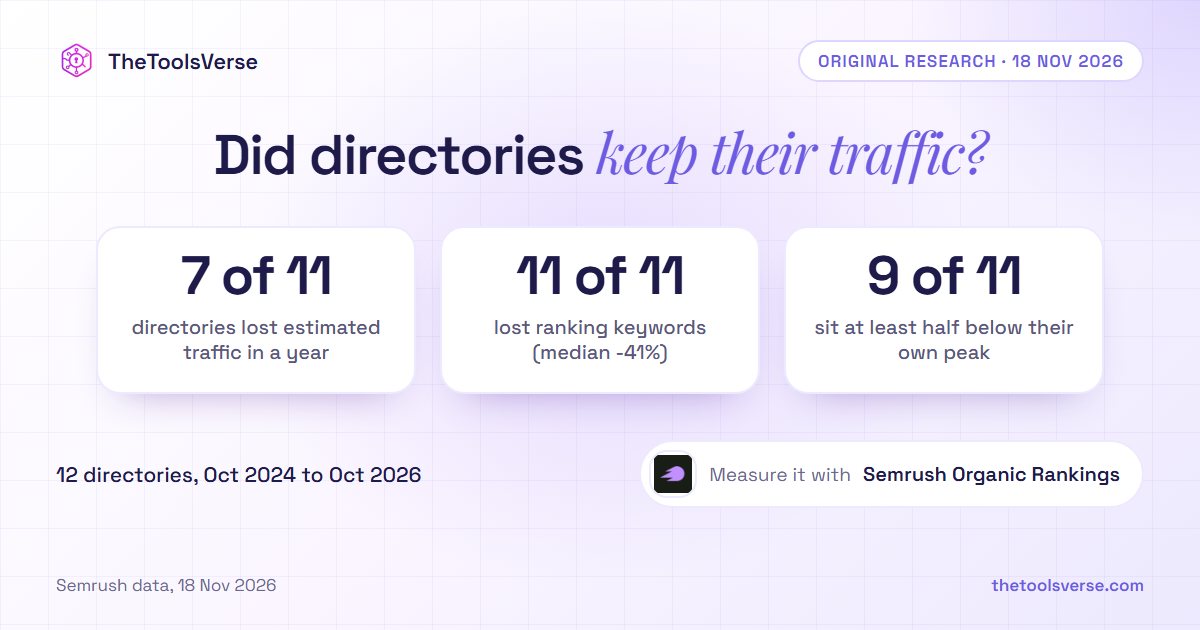
Short answer: On any company page in Amplemarket, a Plan outreach button sends that company to Claude or ChatGPT with one short prompt. The prompt points the assistant to a public Amplemarket playbook and tells it to work through Amplemarket MCP. We ran it in Claude on three companies that Duo Copilot had found for us. All three plans were careful and specific, all three paused before creating anything or revealing an email, and all three told us to keep the effort small, once suggesting we drop the account altogether. When we checked the facts against Amplemarket's own data, almost everything held. One claim contradicted the very source Claude cited.
We've already written a step-by-step guide to Amplemarket MCP in Claude and ChatGPT. This is the one-click version, tested.
Where the button is, and what it sends
Open any company in Amplemarket. You can get there from a Duo Copilot lead: open the lead, then the ⋯ menu next to the company, then Go to company. The page shows the company's details, headcount by department, funding history, and tabs for jobs, technologies and news. At the top right sits Plan outreach, with three options:
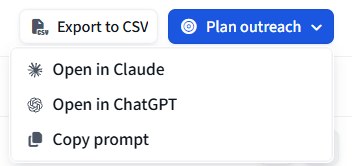
We clicked Copy prompt first, to see exactly what gets sent. It's short. Here it is, with the company replaced by placeholders:
Download the Torpedo playbook from https://raw.githubusercontent.com/amplemarket/skills/master/skills/torpedo/SKILL.md and follow it to plan engagement for this account.

Use the Amplemarket MCP connector tools for account research and outreach execution when available.

Help me build a penetration plan for this target account.

## Target account
- Name: [company]
- Domain: [domain]

## Account context
Look up this account with the Amplemarket MCP tool get_account (find its ID with list_accounts).
If it has Account research, fetch the details with get_account_research: the research summary, relevance and signals with sources. If it has none, carry on with the account data and your own research.
If the Amplemarket MCP connector is not available, ask me to connect it before going further.

## Ask
Recommend who to engage, possible angles, and a concrete outreach plan. Flag gaps where we need more research.
We copied it on three different companies. It was the same prompt each time, between 929 and 936 characters, with only the name and domain changed. The intelligence isn't in the prompt. It's in the playbook it points to and in what the assistant can reach through Amplemarket MCP.
Open in Claude sends a slightly different opening. Instead of "Download the Torpedo playbook", it starts with /torpedo, which calls the playbook directly if Claude already has it, and falls back to downloading it.
The playbook behind it
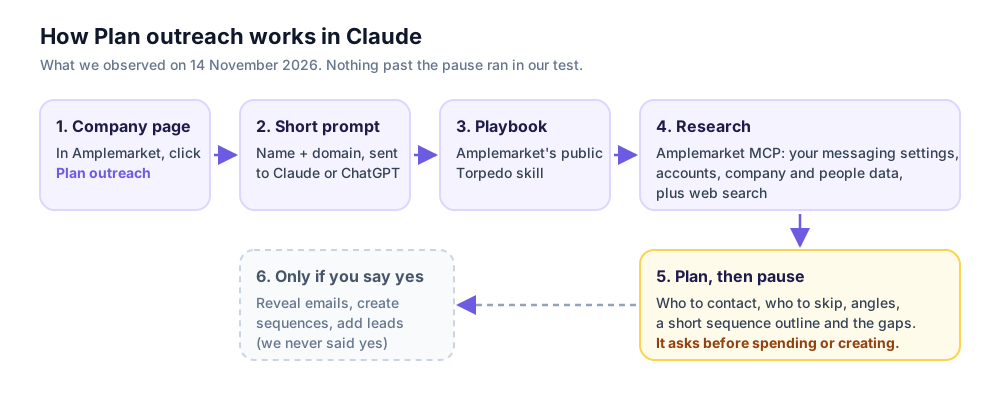
The playbook is called Torpedo, and Amplemarket publishes it in its skills repository on GitHub. We read it before running anything. In short, it tells the assistant to work in four stages:
- Know the seller. Read your Amplemarket messaging settings (value propositions, tone of voice, sequence instructions) and research your own company first.
- Research the target. Check what Amplemarket already holds on the account, then the company, its timing signals (funding, hiring, news) and its people.
- Recommend, then stop. Present the situation, a few well-supported angles and who to contact, then pause and ask for feedback.
- Execute, once you agree. Build a sequence for each contact, using Amplemarket MCP tools that create sequences and add leads.
That third stage is what made us comfortable testing it on a real account. The playbook builds in a checkpoint before anything gets written to your workspace, and it tells the assistant not to invent facts and to be willing to recommend waiting or skipping a contact.
What happened in Claude
Our Claude account was already connected to Amplemarket through Amplemarket MCP. When we clicked Open in Claude, a new chat opened with the prompt filled in but not sent, under a red warning from Claude:
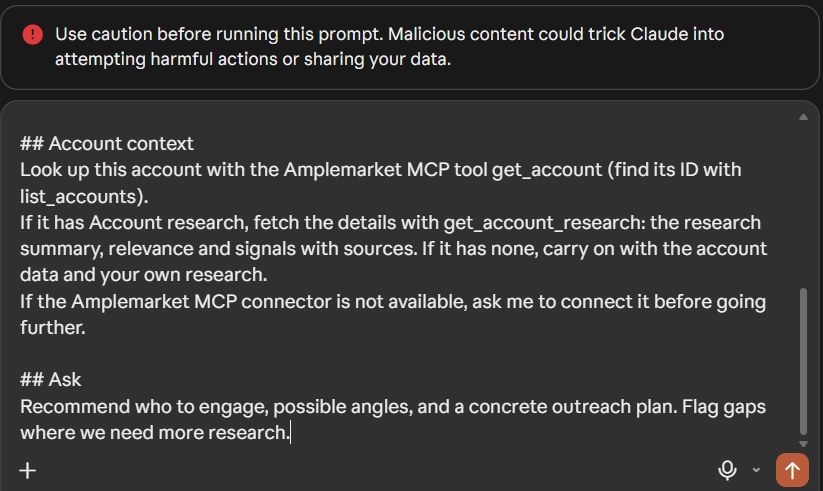
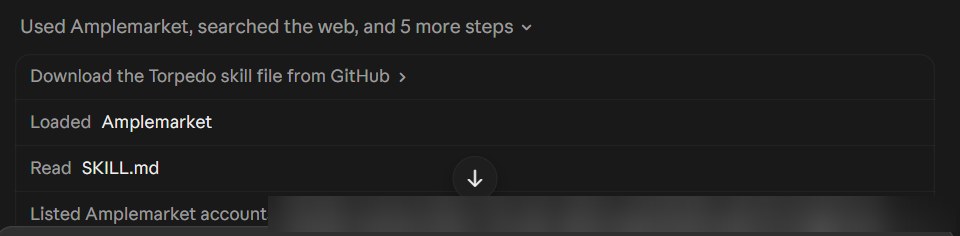
That warning appears because the prompt came from a link, and it's reasonable to read a prompt before you run it. We had, so we sent it exactly as it was. Claude's activity log showed what it did next, starting with the playbook and our Amplemarket workspace:
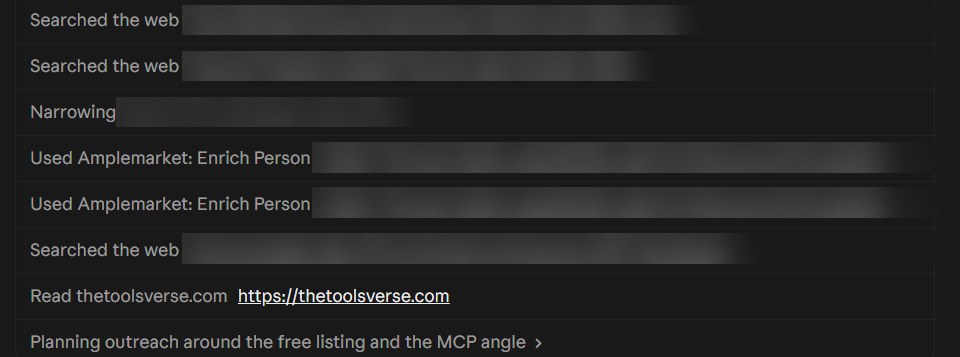
Then came the research. It ran several web searches, looked people up through Amplemarket, and read our own website to understand what we sell:
Each run took a few minutes. We did this for three companies from our Duo Copilot feed, chosen to be different from each other: a developer data company of about 12 people, an AI marketing platform of about 55, and a sports analytics startup of 9.
What the three plans said
| Company A (developer data) | Company B (AI marketing) | Company C (sports analytics) | |
|---|---|---|---|
| Checked Amplemarket first | Yes: "no account, contacts or research" | Yes: "no account record, no contacts" | Yes: "no account record" |
| Verdict | "A small, low-effort play, not a big one" | "A weak fit as a cold pitch" | "A weak fit", and it offered to drop the account |
| People recommended | 2, with 1 backup | 1, with 1 backup | 1, with 1 backup |
| People it said to skip | 5, including the CEO and CTO | 4, including the founders | 2, plus six engineers |
| Outreach steps | 4, over 7 days | 4, over 7 days | 4, then "stop there" |
| Paused before revealing emails or building sequences | Yes | Yes | Yes |
Two things stood out. First, every plan began by checking what Amplemarket already had, and reported honestly that our workspace held nothing on these companies. Amplemarket's Duo Accounts research isn't switched on for our account, so the prompt's fallback kicked in: "carry on with the account data and your own research."
Second, Claude was willing to say no. None of the three plans tried to sell us a big campaign. For Company C, it explained that the company's buyers are pro sports performance staff, who don't browse AI tool directories, and it recommended a single light touch on the CEO. It named who to skip and why:
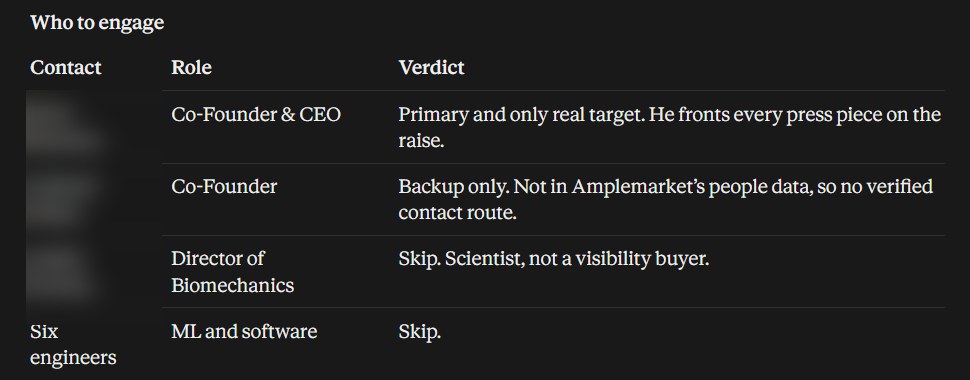
Then it listed what it didn't know, and asked before going further:
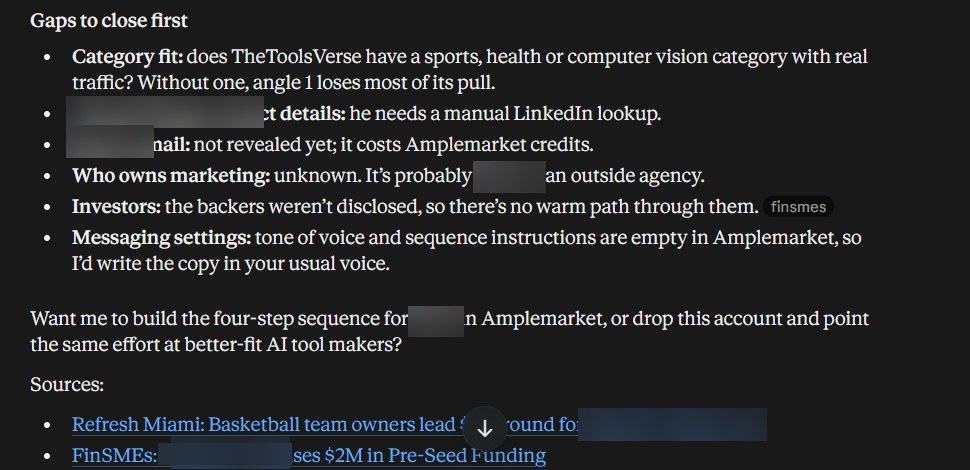
We didn't answer, so nothing was built.
We checked the facts
A plan is only as good as the facts under it, so we checked every claim we could against Amplemarket's own company pages, independent coverage, and our own site:
| Claim | Checked against | Result |
|---|---|---|
| Company A raised a seed round on 8 October 2026 | Amplemarket's company page | ✅ Matches |
| Company B's round size, lead investor and launch date | Independent funding coverage we had read on 10 November, for our Duo Copilot audit | ✅ Matches |
| Company B has about 31 engineers | Amplemarket's company page (31) | ✅ Matches |
| Amplemarket "maps 52 people" at Company B | Amplemarket's company page shows 55 | ⚠️ Close, not exact |
| Company C has 9 people, 6 in engineering, 1 in marketing | Amplemarket's company page | ✅ Matches |
| Company C's "backers weren't disclosed" | The first source Claude itself cited, whose headline names who led the round | ❌ Contradicted |
| Companies A and B aren't listed on TheToolsVerse yet | Our own catalogue | ✅ Correct |
| The categories suggested for Company A exist on our site | Our own category list | ✅ Correct |
Here is the headcount Claude quoted for Company C, straight from Amplemarket:
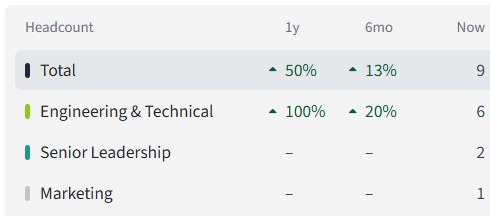
The plans also flagged something we wouldn't have spotted. On Company C, Amplemarket counted one person in marketing, and Claude reported that his "SEM" title belonged to someone who is really a computer vision engineer, so it told us to skip him. We didn't verify that one ourselves.
The one clear error is worth dwelling on. Claude wrote that the investors weren't disclosed, while the headline of its own first source named them. It's a small mistake with no consequence for the plan, and exactly the kind that slips into a confident-sounding email if nobody reads the sources. Click two or three of the links at the bottom of any plan before you act on it.
What it cost
Plan outreach runs through your Amplemarket account, so its lookups can count against your credits. Amplemarket's credits page says credits are counted "every time Amplemarket is requested to find contact information for prospects." We read our email-credit counter before and after:
| Email credits used (cumulative) | |
|---|---|
| Before the second plan | 56 |
| After the second plan | 56 |
| After the third plan | 59 |
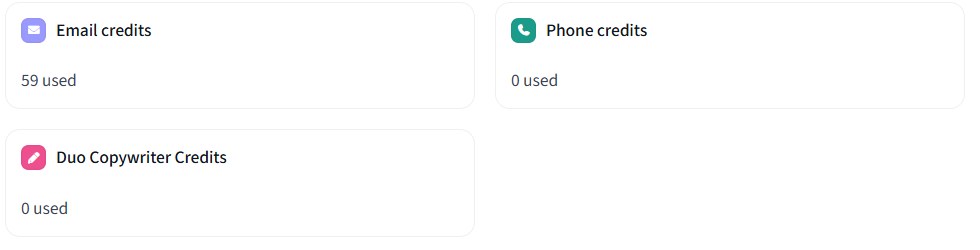
So one full plan used no email credits, and another used three. Claude said it hadn't revealed any emails in either. Our reading is that the third plan's people lookups returned contact details, which counts, but the counter doesn't say. If credits matter to you, check this page before and after your first few plans. Revealing emails would cost more, and every plan asked before doing that.
It read our settings, including a stale one
Because the playbook starts by reading your messaging settings, your settings shape every plan. That's useful, and it can hurt. In our audit of 20 Duo Copilot recommendations, we found an out-of-date promise in our value propositions: that buyers could review the copy before paying. Here, through Amplemarket MCP, it surfaced again in one of Claude's angles:

Claude also flagged what was missing from our settings: no customer stories or traffic figures in the value propositions, and empty tone of voice and sequence instructions. Both are fair points. Before you rely on Plan outreach, spend ten minutes on Settings → Duo Control Center → Messaging Settings. It's the brief your assistant reads first.
How we'd use it
- Fill in your messaging settings first. Proof points, a current offer, tone of voice. The plan can only be as good as that brief.
- Use Copy prompt once, so you know what you're sending. Then use Open in Claude or Open in ChatGPT for real.
- Let it pause. Read the plan and the gaps list before you say yes to anything, especially sequences.
- Open two or three sources. Check one number against the company page in Amplemarket.
- Watch credits on your first runs, using Profile → Credit usage.
- Take a "keep it small" verdict seriously. On our three accounts, it was right every time.
If you'd like to try it on your own accounts, start a free trial or book a demo with Amplemarket.
What we didn't test
- Duo Accounts research. It isn't enabled on our account, so every plan worked from Amplemarket's company and people data plus web research. With research switched on, the plan would also draw on tracked signals.
- The ChatGPT option. We only used Open in Claude.
- The final stage. We never let Claude reveal emails, create sequences or add leads, so we can't say how well it executes.
- Results. We contacted nobody, so we have no replies or meetings to report.
- Scale. Three companies is a small sample. Treat the patterns as patterns, not proof.
Our take
Plan outreach is a small button that does a lot of work, and most of that work comes from two well-made pieces: a playbook that knows when to stop, and Amplemarket MCP, which lets the assistant see what your workspace actually holds. In our test, it behaved like a careful junior researcher. It checked what we already knew, did its homework, told us honestly when an account wasn't worth much effort, and asked before spending anything.
It still needs a human. It inherited a stale line from our settings, and it got one fact backwards against its own source. Neither would survive a five-minute read. Do that read, and you'll get an account plan in minutes that would otherwise take an hour of tab-hopping.
Plan your next account in Claude
Open a company in Amplemarket, click Plan outreach, and read the plan before you approve anything. Start a free trial or book a demo with Amplemarket.
Get started with AmplemarketSources
| What | Source | Checked |
|---|---|---|
| All screenshots; the Plan outreach prompt; Claude's steps and plans; credit counts | Our own runs in an Amplemarket account provided for partner content, with Claude connected through Amplemarket MCP | 2026-11-14 |
| The Torpedo playbook | Amplemarket skills repository on GitHub | 2026-11-14 |
| Headcounts and funding dates | Amplemarket company pages | 2026-11-14 |
| Company B's funding round | Independent funding coverage found by web search for our Duo Copilot audit; company name withheld | 2026-11-10 |
| How credits are counted | Amplemarket Credits settings page | 2026-11-14 |
Written by Sohail Akhtar. The checklist and verdict are our own opinion. Amplemarket's product changes over time, so check its documentation for the current version.
Some links may be affiliate links. We may earn a small commission at no extra cost to you.
Related Articles
Explore more guides and reviews from our experts.
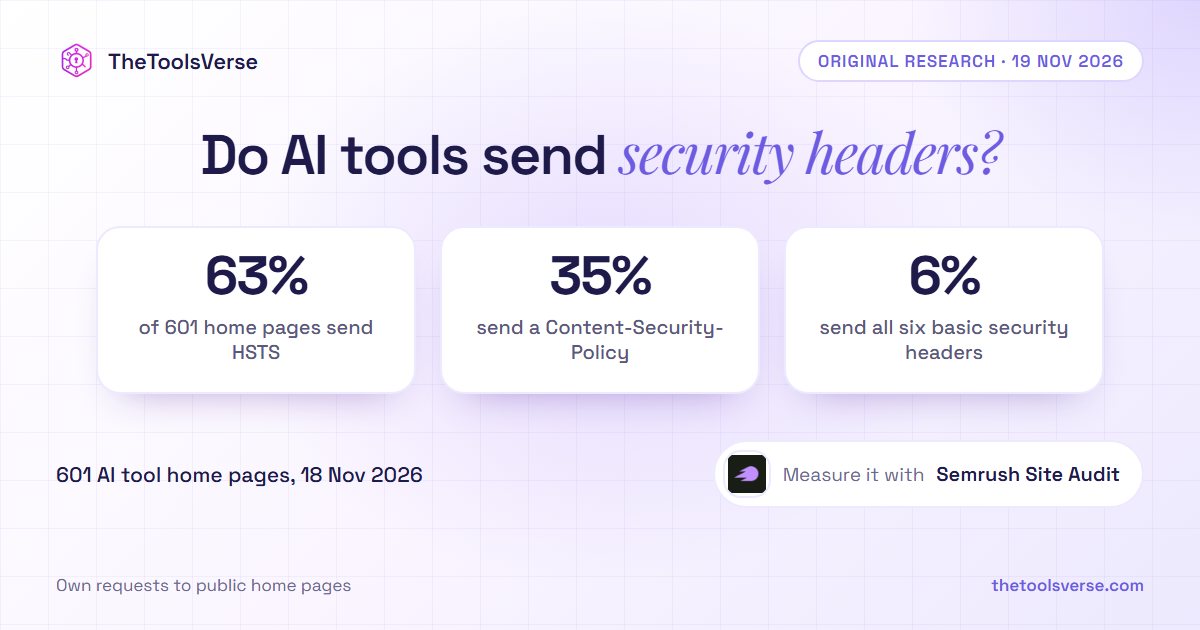
AI Tool Home Pages Redirect to HTTPS 94.5% of the Time, but Only 63% Send HSTS, 35% a Content-Security-Policy and 6% All Six Basic Security Headers: We Checked 601

Insightful Pricing (2026): Three Plans, a 50-Seat Minimum and a 14-Day Work Audit