We Ran Lighthouse's New Agentic Browsing Audit on 59 Popular AI Tools. 38 Failed the Accessibility Check Agents Depend On
Disclosure
This article is promotional content produced as part of the Semrush Creator Accelerator programme. It contains affiliate links to Semrush — if you buy through them we may earn a commission at no extra cost to you — and we may also receive a reward from Semrush for publishing it. All measurements in this article are our own. Semrush did not supply, review or approve the data, and the conclusions we draw are ours.
Google's Lighthouse — the audit behind Chrome's "Lighthouse" panel and PageSpeed Insights — now has a category that is not about people at all. Agentic Browsing checks how well a page can be read and operated by an AI agent acting for a user. Lighthouse describes it as checks that "ensure high-quality, browsable websites for AI agents and validate the correctness of WebMCP integrations", and adds that the category "is still under development and subject to change."
In Chrome's own Lighthouse panel it currently shows only in Canary, the experimental build. But it is in the released Lighthouse package — version 13.6.0 includes an agentic-browsing configuration — so it can be run on any page from the command line. We did that for the AI tools people search for most in our directory, and for our own site.
Agents read the page. Measure what AI answers do with it
Track how often AI platforms cite your pages, prompt by prompt, with Visibility Overview in the AI Visibility Toolkit, and check which AI crawlers your site blocks with Site Audit. To get both in one subscription, try Semrush One free for 7 days.
What the new category checks
The category has seven checks in three groups, and instead of a 0–100 score it reports how many applicable checks pass:
| Group | Check | What it looks for |
|---|---|---|
| Agent accessibility | Accessibility tree is well-formed | A subset of accessibility rules that matter for machine interaction: names and labels, a valid tree, nothing focusable that is hidden |
| WebMCP | Tools registered · form coverage · schema validity | Whether the page exposes actions to agents through WebMCP, and whether those definitions are valid |
| Stability and discoverability | Cumulative Layout Shift | Whether the layout jumps while loading — a moving target is hard to click, for an agent as for a person |
| llms.txt follows recommendations | If the site has an llms.txt, whether it is Markdown with at least one H1 header | |
| ARD manifest is valid | An Agentic Resource Discovery manifest at /.well-known/ard.json, which "lets AI agents and registries discover and verify your resources" |
Checks that do not apply — no WebMCP integration, no llms.txt, no manifest — are reported as not applicable rather than failed.
The test
We took the 60 AI tools in our catalogue with the most search demand across Google and Bing, ran Lighthouse 13.6.0 with the Agentic Browsing configuration on each home page on 28 October 2026 (headless Chrome, desktop), and got a complete report for 59.
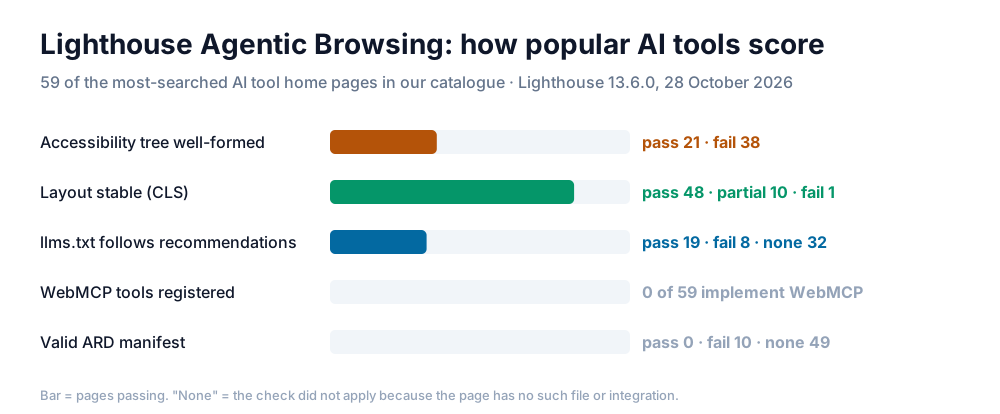
38 of the 59 pages (64%) fail the agent accessibility check. Layout stability is fine almost everywhere — 48 pass outright and 10 more are close. None of the 59 has registered a single WebMCP tool, and none serves a valid ARD manifest. Only 17 of the 59 pass both of the checks that apply to every page — accessibility and layout stability — and only 6 also have an llms.txt that passes.
Two of the smaller numbers are worth a second look:
- 8 of the 27 pages with an llms.txt fail Lighthouse's llms.txt check — six of them because the file has no H1 header, the one structural thing the check requires.
- 7 of the 10 ARD "failures" are pages that answer
/.well-known/ard.jsonwith a web page — usually the site's own HTML — so Lighthouse finds an HTML document where it expects JSON; the other 3 could not be loaded. None of the 59 has published a valid manifest.
Why they fail: the page names agents need
The accessibility failures are not exotic. Lighthouse runs a subset of the standard axe-core rules, and the two most common failures on these pages are the oldest advice in web accessibility.
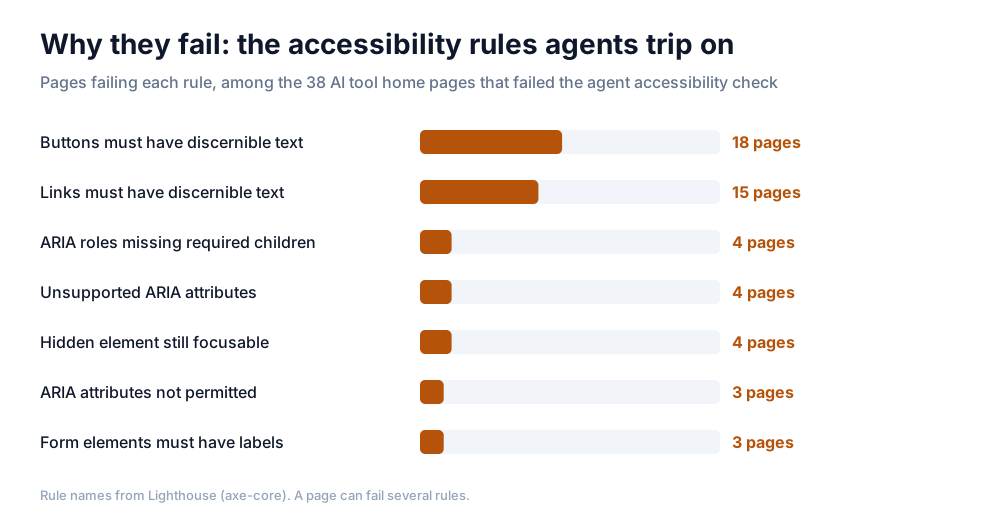
Buttons with no readable name (18 pages) and links with no readable name (15) account for most of the failures: icon-only buttons, a hamburger menu, a "play" control, a logo link with no text and no aria-label. A person sees the icon and knows what it does. An agent reading the accessibility tree finds an unnamed button and has to guess — or skip it. After those come ARIA markup errors on carousels and tab strips, hidden elements that can still receive focus, and three pages with form fields that have no label.
This is the useful part of the new category for most sites. WebMCP and ARD are new proposals that almost nobody has adopted yet. A labelled button is a fix most teams can ship this week, and it helps screen-reader users as much as agents.
Our own score
We ran the same audit on thetoolsverse.com. Our home page passes the three checks that apply to it — the accessibility tree is well-formed, layout shift is within limits, and our llms.txt has its H1. Like all 59 sites above, we have no WebMCP integration and no ARD manifest, so those checks are not applicable to us either. A directory has few actions for an agent to take; a product with sign-up, search or checkout flows has many more, which is where WebMCP is aimed.
What to do with the audit
- Run it.
lighthouse <url> --config-path=<lighthouse>/core/config/agentic-browsing-config.js --only-categories=agentic-browsingwith Lighthouse 13.6 or later, or the Lighthouse panel in Chrome Canary. - Fix the names first. Every icon button and image link gets an accessible name. This is the most common failure and the cheapest to fix.
- Check what your missing files return. If
/llms.txtor/.well-known/ard.jsonreturns your home page with a 200, audit tools — this one included — will read that as a broken file. - Treat WebMCP and ARD as watch items, not deadlines. The category itself says it is still changing.
- Measure outcomes, not readiness. An agent-ready page is a precondition. Whether AI systems actually use and cite it is a separate measurement.
From agent-ready to AI-visible
Lighthouse only tells you about one page, on Google's terms, at one moment — readiness, not results. What matters next is whether AI crawlers can reach the pages at all, and whether AI answers cite them.
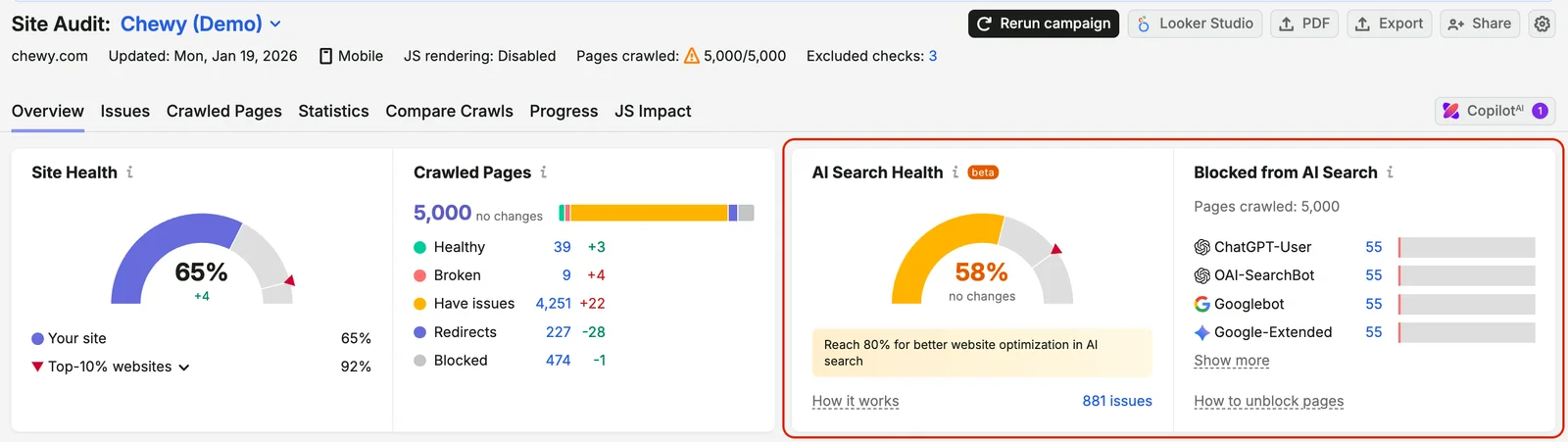
Make sure AI crawlers are not blocked. Site Audit reports an AI Search Health score and lists the pages blocked from AI search bots such as ChatGPT-User and OAI-SearchBot — a page an AI crawler cannot fetch scores zero for agents however well it is labelled.
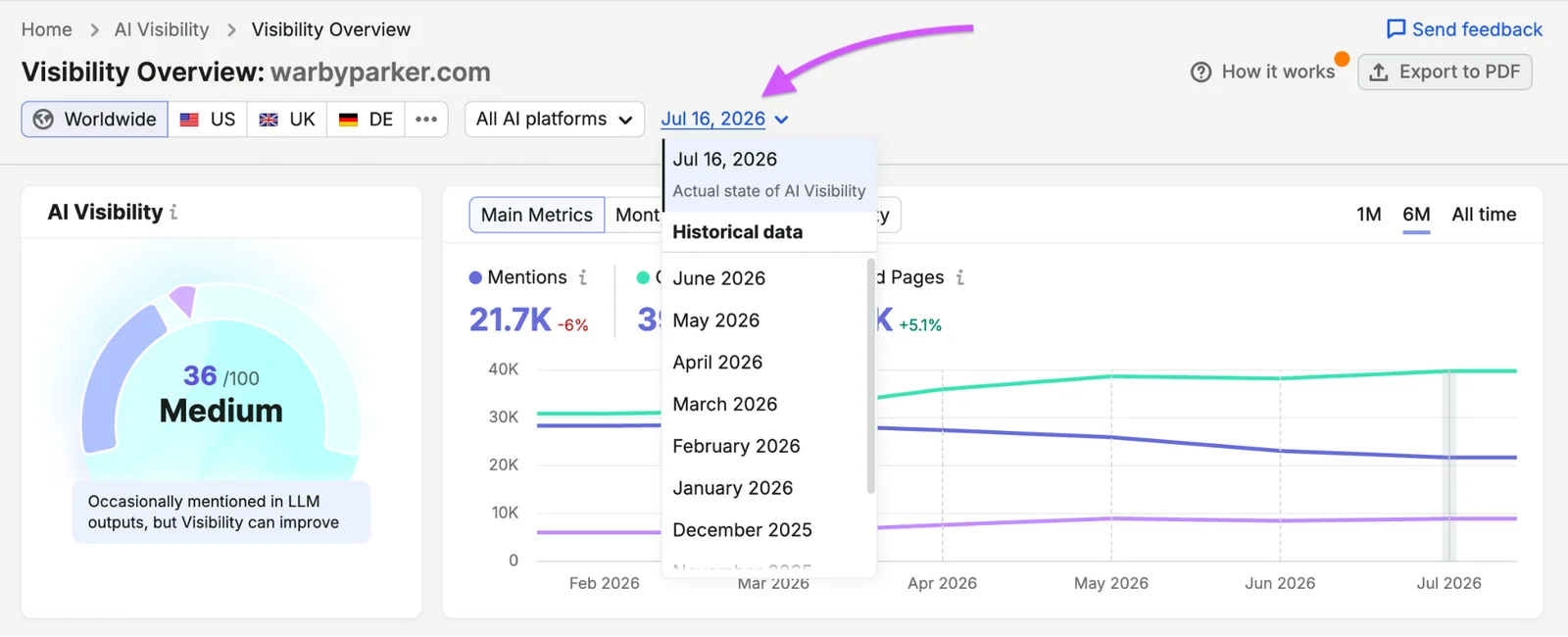
See whether AI answers use your pages. Visibility Overview, in the AI Visibility Toolkit, tracks your AI Visibility score, mentions and cited pages over time across AI platforms — the outcome an agent-ready page is meant to improve.
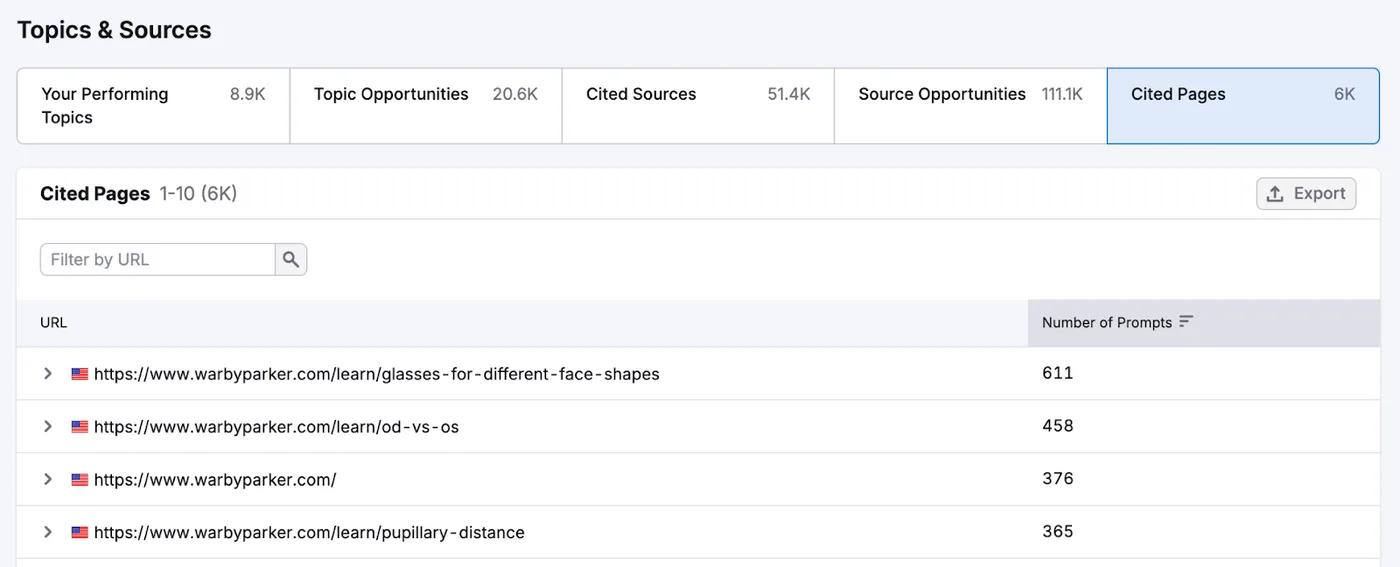
Know which of your URLs get cited. The Cited Pages view in the AI Visibility Toolkit lists your own URLs ranked by how many AI prompts cite them, so the pages you make agent-ready first can be the ones AI already relies on.
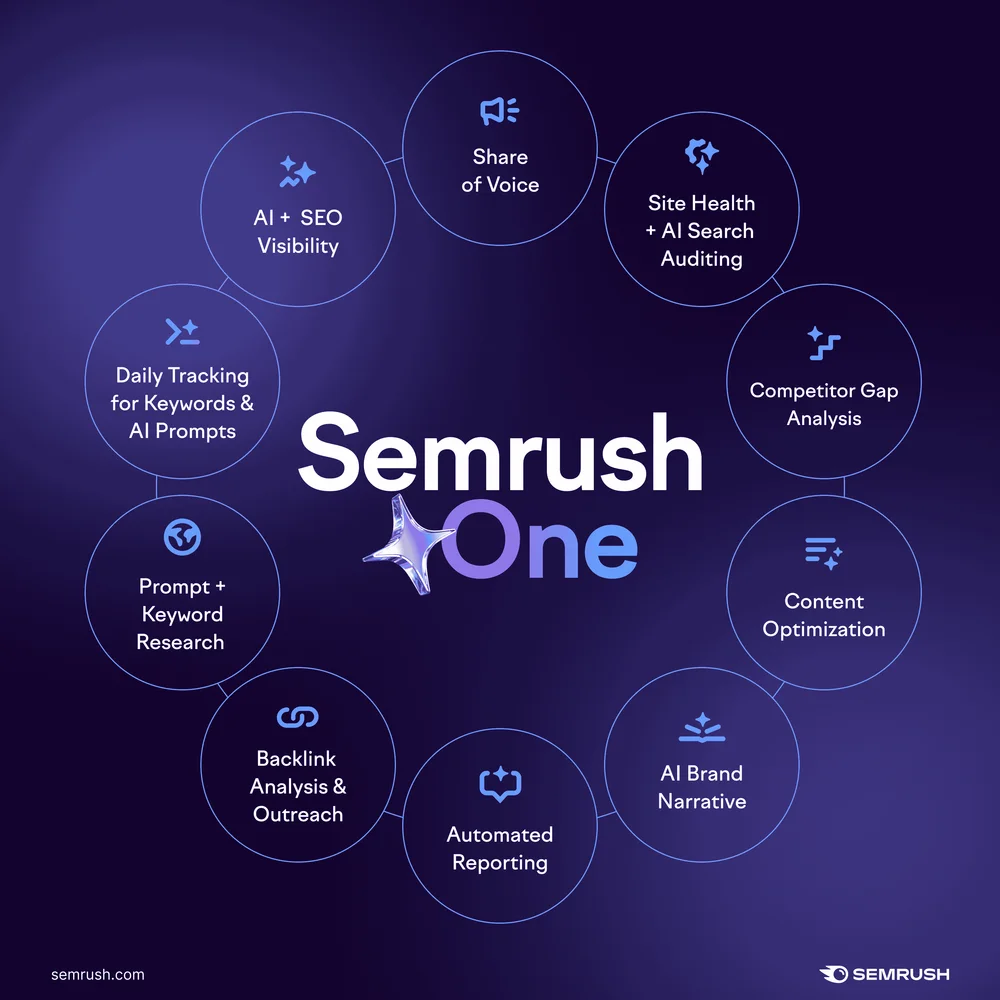
The AI Visibility Toolkit has no free trial of its own; the 7-day free trial is Semrush One's, which bundles it with the SEO Toolkit and Site Audit. To check your own site before paying, try Semrush One free for 7 days: its page offers "Unlimited access to all Semrush One tools" and notes "Offer available to new users only", checked on 28 October 2026. Those are Semrush's published terms, not something we tested; none of the data above came from a Semrush account.
The easy failures come first
The new audit's headline features — WebMCP and agent resource manifests — are, for now, unused: none of 59 popular AI tool websites has either. Its most common failure is something else entirely: 38 of the 59 have buttons or links an agent cannot name. That is the part of agent readiness that is ready to fix today.
Try Semrush One free for 7 days
Site Audit for AI Search Health and blocked AI crawlers, and Visibility Overview and Cited Pages to see whether AI answers use your pages — the SEO Toolkit and the AI Visibility Toolkit together in Semrush One. Free for 7 days for new users.
Try Semrush One free for 7 daysMethod and sources
- Sample (60, 59 complete): the 60 AI tools in the TheToolsVerse catalogue with the highest combined Google and Bing search demand in our own data, one home page per company. One run did not complete.
- Audit: Lighthouse 13.6.0 from npm,
agentic-browsing-config.js,--only-categories=agentic-browsing, headless Chrome on Windows, desktop, one run per page, 28 October 2026. Our own home page was run the same way. - Counting: a check is "pass" at score 1, "fail" at 0 and "partial" in between; "none" means Lighthouse marked it not applicable. Accessibility rule counts are pages failing each rule.
- What this cannot show: how any AI agent actually behaves on these pages. The category is under development, so the checks — and these results — may change with the next Lighthouse release. One run per page; layout shift in particular varies between runs.
| Figure | Source | Date |
|---|---|---|
| Category description, checks and audit wording | Lighthouse 13.6.0 source, agentic-browsing-config.js and audit files | read 2026-10-28 |
| Agentic Browsing results for 59 pages and our own | Our Lighthouse runs | 2026-10-28 |
| Every count above | Our analysis of the saved Lighthouse JSON | 2026-10-28 |
| Site Audit, Visibility Overview and Cited Pages descriptions; screenshots | Semrush Knowledge Base | 2026-10-28 |
| Semrush One graphic and trial terms | Creator Accelerator affiliate resources; Semrush One page | 2026-10-28 |
Written by Sohail Akhtar. The Lighthouse reports and analysis script can be re-run.
Some links may be affiliate links. We may earn a small commission at no extra cost to you.
Related Articles
Explore more guides and reviews from our experts.
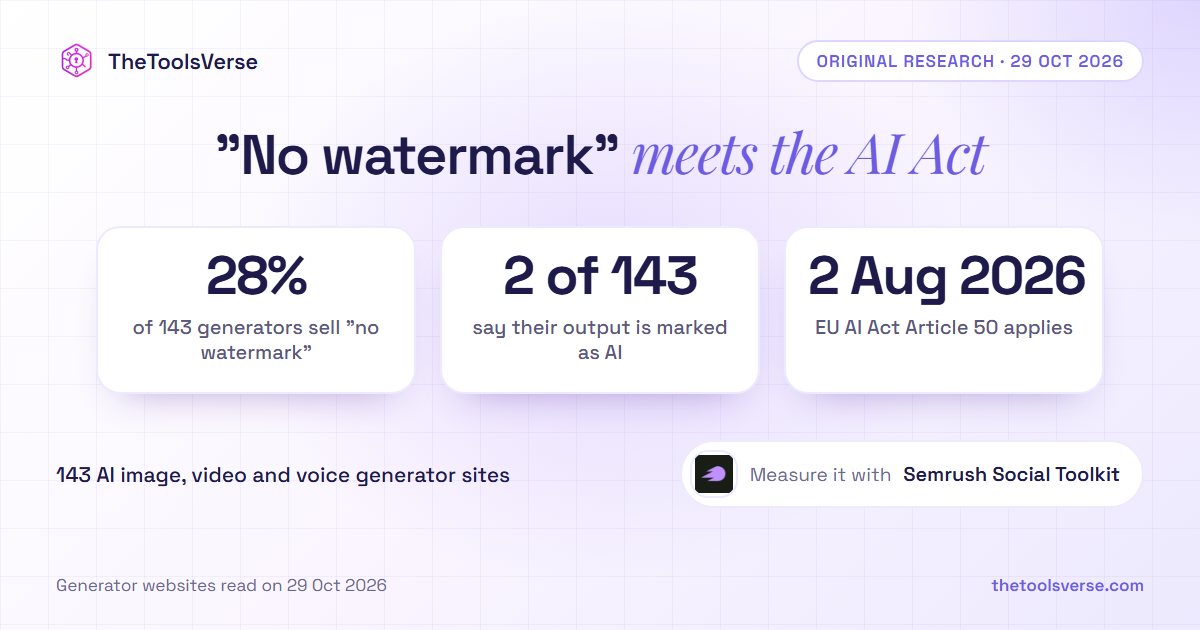
28% of AI Image, Video and Voice Generators Sell "No Watermark". 2 of 143 Tell You Their Output Is Marked as AI
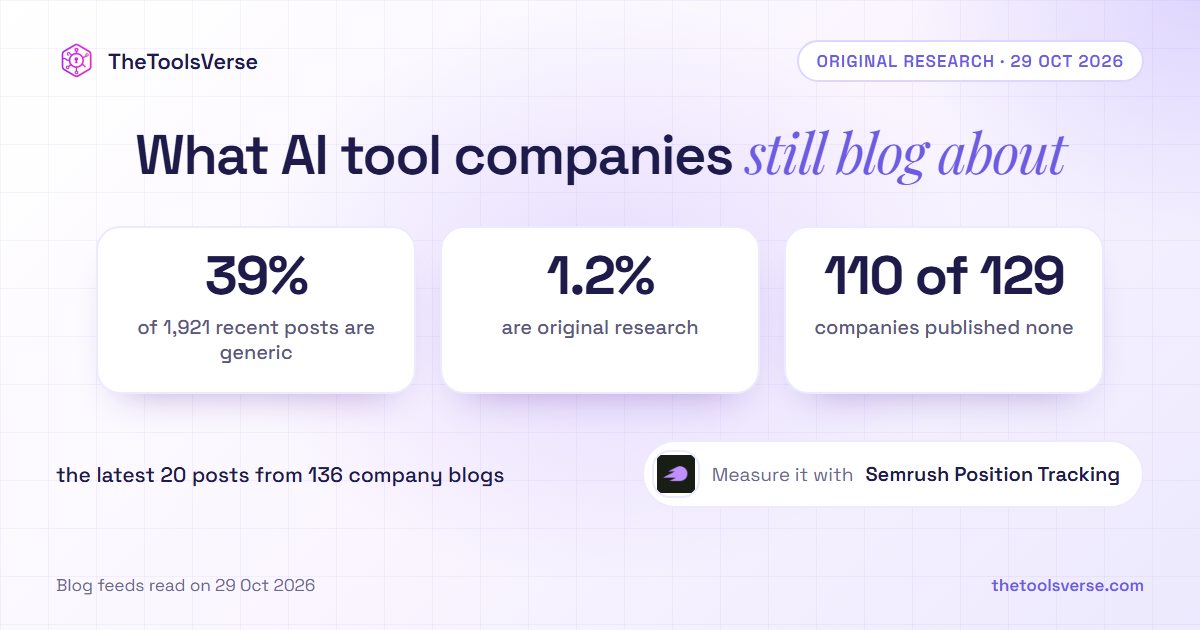
We Read 1,921 Blog Titles From 136 AI Tool Companies. 39% Are the Generic Posts AI Now Answers Itself; 1.2% Are Original Research