Who Is This Person? 7 Face Search Tools That Work (2026)
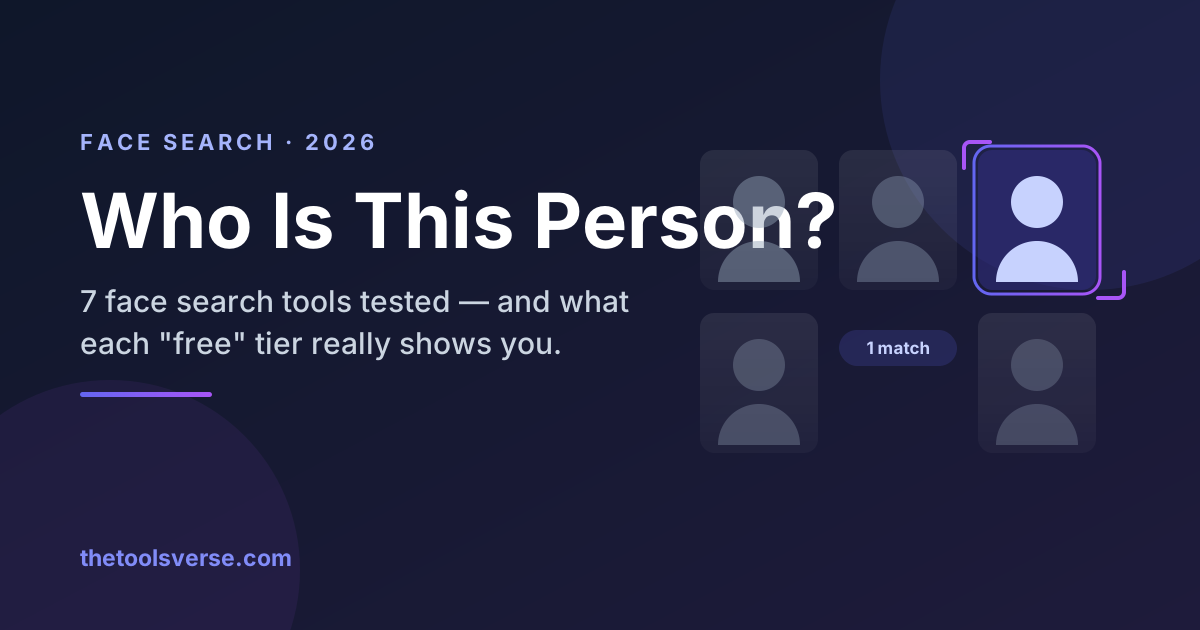
You have a photo. Maybe it's a match from a dating app, a profile messaging you on Instagram, or a number that keeps calling with a picture attached. What you don't have is a name — and the quiet question sitting behind all of it is: who is this person, really?
The good news: in 2026 you can often answer that from the photo alone. The honest news: which tool you should use depends entirely on why you're searching, and the free ones and paid ones are good at very different things.
I've run the same test face through all of these. Here's what actually works.
The 30-second answer
- To find every place a face appears online → PimEyes, a dedicated face-search engine.
- To verify whether an online date or message is a real person → Social Catfish, which is built for exactly this.
- To do it for free → Google Lens plus Yandex Images. Less powerful, but $0.
Face search vs. reverse image search — they're not the same thing
This is the one distinction that saves you an hour of frustration, and almost no one explains it.
- Reverse image search (Google, TinEye) finds the same image elsewhere on the web. If someone stole your photo or reused a stock image, this catches it. But crop the photo or change it slightly and the trail goes cold.
- Facial recognition search (PimEyes, FaceCheck.ID) finds the same face across different photos — different angles, lighting, outfits, years. This is what actually finds a person rather than a picture.
If your goal is "who is this human," you want a face-search engine. If your goal is "where did this exact picture come from," you want reverse image search. Most people fail because they reach for the wrong one.
The 7 best face search tools in 2026
| Tool | Best for | Searches by | What "free" actually gives you | Paid from |
|---|---|---|---|---|
| PimEyes | Finding every photo of a face | Face | A few searches/day → blurred thumbnails + match count, no source links | $29.99/mo (Open Plus) |
| Social Catfish | Verifying a person / catching a catfish | Face + name + email + phone | Trial search only | Per-report |
| FaceCheck.ID | Cheapest one-off face lookup | Face | Search freely, but results are blurred previews with a confidence score | $6 for ~12 searches — crypto only, expires in 2 days |
| Lenso.ai | Faces plus places and objects | Face + image | Credit-limited searches with watermarked previews — revealing a match costs an "unlock" | $19.99/mo (50 unlocks; indicative — shown only at signup) |
| Google Lens / Images | Free general reverse search | Image | Genuinely, fully free | — |
| Yandex Images | Best free face matching | Face + image | Genuinely, fully free | — |
| TinEye | Finding a photo's original source | Image | Genuinely, fully free | API tiers |
The pattern to notice
Every paid face-search engine here lets you search for free — and then blurs the answer. PimEyes, FaceCheck.ID and Lenso.ai all confirm that matches exist while withholding where. That's the business model, not a bug. If you need $0 and you need to actually see results, the only honest answers in this list are Yandex Images and Google Lens.
1. PimEyes — best for finding every photo of a face
PimEyes is the tool most people mean when they say "that site that finds anyone." Upload one clear face and it scans the open web for other photos of that same person — then shows you the pages those photos live on. It's genuinely powerful, and it's the fastest way to go from a single picture to "here's where else this face appears."
Pros & Cons
Pros
- +Best-in-class facial recognition accuracy
- +Finds different photos of the same face, not just copies
- +Shows the source pages where matches appear
- +Has a legitimate privacy use: find where YOUR face appears
Cons
- −You need a paid plan to actually open the result links
- −Monthly pricing, not a one-off
- −Free version only previews that matches exist
Use PimEyes when you already have a decent photo and you want breadth — every corner of the web that face touches. Budget realistically: the free tier only confirms matches exist, Open Plus at $29.99/mo is the first plan that shows you source links, and the removal tooling most people actually want (Takedown Agent) sits on PROtect at $79.99/mo.
If you found your own face and want it gone
PimEyes runs an opt-out request form, and we found no payment step required to submit one. Two caveats worth knowing: it asks for a clear photo of your face at several angles plus an anonymised scan of your ID or passport — so you hand a facial-recognition index more biometric data in order to leave it. And it only suppresses results inside PimEyes. In their own words, they are "not liable for the origin of the photo, nor able to take it down from the website it was posted on" — the images stay live, so removing those means contacting each host site directly.
Search a face across the web
Upload one photo and PimEyes finds where else that face appears online — including on your own likeness, if you're checking for impersonation.
See PimEyes on ToolsVerse2. Social Catfish — best for verifying an online date (or catching a catfish)
If your real question is "is this person who they say they are?" — a dating match, someone asking for money, a too-good-to-be-true profile — this is the category built for you. Social Catfish doesn't just search the face; it cross-references the image against names, emails, phone numbers, and social profiles to tell you whether a real, consistent identity sits behind it, or whether the same photo belongs to someone else entirely (the classic catfish tell).
It's the tool romance-scam victims and cautious online daters actually reach for, because "this photo is real" and "this person is real" are two very different questions — and this answers the second one.
Pros & Cons
Pros
- +Built specifically for verifying a person's real identity
- +Combines photo + name + email + phone in one report
- +Ideal for dating safety and spotting romance scams
- +Clear, report-style results for non-technical users
Cons
- −Reports are paid
- −Aimed at people-verification, not bulk web-wide face search
- −US-centric data is strongest
Check if your online match is real
Reverse-search a dating or social photo against real identity records — the fastest way to catch a catfish before it costs you money or trust.
Try a Reverse Search3. FaceCheck.ID — cheapest for a one-off lookup (with two real catches)
FaceCheck.ID matches a face against a large index — news, social, public web, and notably mugshot databases and sex-offender registries — and it handles awkward photos (blurry, angled, partly obscured) better than most rivals, usually returning in 15–30 seconds. It leans hard into the safety use case: vetting a stranger before you meet them.
Two things to know before you count on it being the "free" option. Free searches return blurred previews with only a confidence score — you learn matches exist, not who or where. And since late 2024, payment is cryptocurrency only (Bitcoin or Litecoin, no cards), with credit packs that expire — the $6 entry pack is void after just two days. Independent testing has also put its false-positive rate near 23%, so treat any single match as a lead to verify, never proof.
Don't use it for hiring or tenant screening
FaceCheck.ID is not FCRA-compliant. In the US that means it must not be used to make employment, tenant, or credit decisions — you need a proper FCRA-compliant screening provider for that.
Run a free-leaning face check
Match a face against public web and social sources before you trust, meet, or transact with a stranger.
See FaceCheck.ID on ToolsVerse4. Lenso.ai — best AI reverse image search
Lenso.ai is a newer, AI-driven take that blends reverse image search with face and place recognition, running separate models for faces, places and objects and splitting the results by category. It's especially good when you have context beyond just a face — a landmark, a duplicate you're hunting, or a photo you suspect is reused — and it's the best pick if you don't yet know what you're looking for.
Its pricing works differently from the rest, and the distinction matters: free searching runs on limited credits, and unlimited searching starts with the paid Starter plan. Free results are also watermarked previews. Revealing a match costs an "unlock," and unlocks are what you're actually buying — 50/month on Starter at $19.99, 500 on Professional at roughly $60.63 (which also opens Research Mode and up to 10,000 results). Treat those prices as indicative: Lenso's pricing page names its tiers but prices none of them, and the figures appear only inside the signup flow. So your real capacity is measured in answers you need to see, not searches you run. See our full breakdown on the Lenso.ai tool page.
5. Google Lens & Google Images — best free general reverse search
Never skip this: it's free and it's instant. Drop a photo into images.google.com or Google Lens and you'll catch reused stock photos, matching product shots, and pages hosting the same image. It's weak at matching faces across different photos — but for "where did this exact picture come from," it's the first thing to try.
6. Yandex Images — best free face matching
The open secret of reverse image search: Yandex is dramatically better at faces than Google, especially for photos that aren't heavily indexed in the West. If a free tool is going to surprise you with a real face match, it's this one. Pair it with Google Lens and you've covered most free ground.
7. TinEye — best for finding a photo's original source
TinEye specializes in where an image first appeared and how it's been used over time. It won't find other photos of a person, but it's the right tool for one specific job: proving a photo was stolen, or finding the original owner of an image being used to deceive.
How to search by photo, step by step
- Start with the clearest photo you have. A front-facing face, well-lit, one person. Crop out everyone else.
- Run it free first. Google Lens, then Yandex Images. You may get your answer for $0.
- Escalate to a face engine. If free fails, use PimEyes or FaceCheck.ID to search the face across different photos.
- If it's about a person's identity, verify it. Use Social Catfish to confirm the face maps to a real, consistent name, email, and history — not a borrowed photo.
- Cross-check the source. Use TinEye to see if the image was lifted from someone else — the single biggest red flag for a fake profile.
The use case that matters most: is this person real?
Most people reading this aren't doing detective work for fun. They're protecting themselves — checking a dating match before meeting, vetting someone asking for money, or making sure their own photos aren't being used to impersonate them.
For that, the winning move is a two-step: run the face through PimEyes or FaceCheck.ID to see where it appears, then verify the identity with a people-search report. If the same photo comes back attached to a different name — or five different names — you have your answer, and you got it before it cost you anything.
Use this responsibly
These tools search public information, and that comes with responsibility. Use them to protect yourself — verify a date, catch a scammer, find where your own face is being used. Do not use them to harass, stalk, or intimidate anyone; that's illegal in many places and against every one of these services' terms. Search to stay safe, not to violate someone else's safety.
Frequently Asked Questions
Can you find someone's name from just a photo?
What's the best free tool to find someone by picture?
Can you reverse image search a face, not just the exact photo?
How do I check if a dating profile photo is a catfish?
Is reverse image and face search legal?
Final verdict
If you take one thing from this: match the tool to your reason for searching. Want to find where a face lives online? PimEyes. Want to know whether an online person is who they claim? Social Catfish. Want to try before you spend a cent? Google Lens and Yandex. The photo in your hand is usually enough — you just needed to point it at the right engine.
Vet anyone before you trust them
Start with a face search, confirm with an identity check. A few minutes now can save you a scam, a bad date, or a stolen identity later.
Start with PimEyesArticle by Sohail Akhtar, Founder of TheToolsVerse. Last updated July 2026.
Some links are affiliate links. If you buy through them, we may earn a small commission at no extra cost to you — it's how we keep the directory free. We only recommend tools we'd use ourselves.
Some links may be affiliate links. We may earn a small commission at no extra cost to you.
Related Articles
Explore more guides and reviews from our experts.