Clonable Review (2026): We Tested It on WordPress and Compared It With WPML
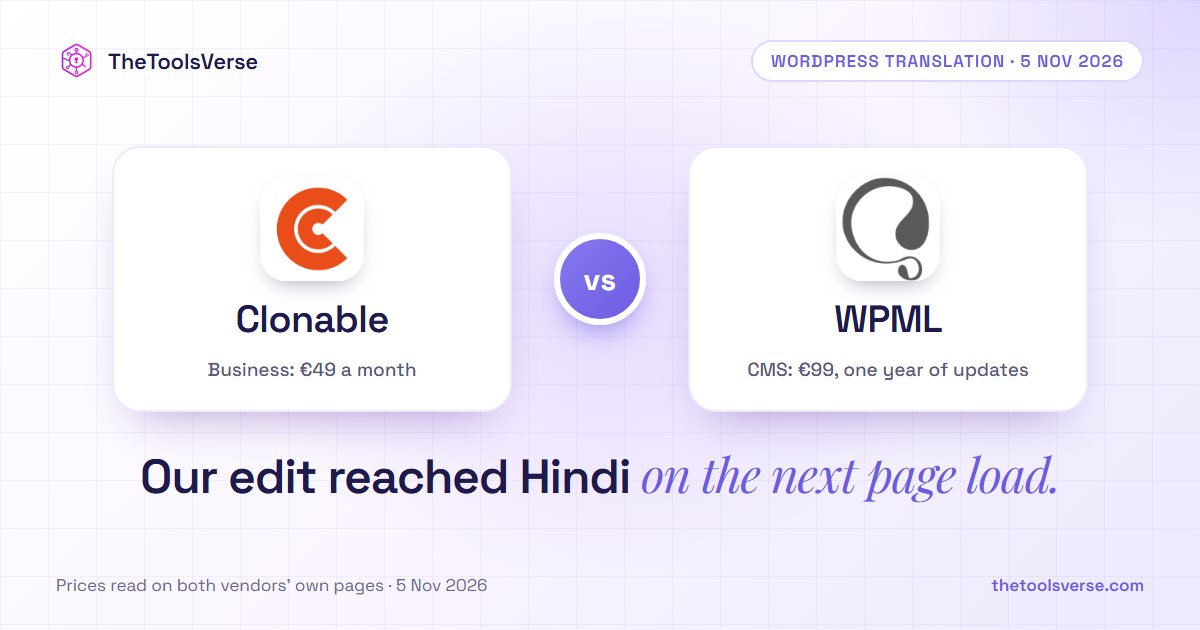
Short answer: Clonable suits an agency or online business that wants a site translated and kept in sync with little ongoing WordPress work, and that can accept a monthly fee and depend on Clonable's servers. WPML is the better fit if you want translations stored in your own database and a much lower list price.
We tested Clonable on a small WordPress site on 5 November 2026, on the Free plan, with Hindi as the target language. We did not test WPML. Everything we say about WPML comes from its own pages, so this review compares our Clonable results with what WPML documents, not two tests run side by side.
What we tested, and how
Our test site was a temporary WordPress 7.1.4 install on TasteWP: a made-up coffee roaster called Riverside Roasters, with four pages, a blog post, an image with alt text, prices, buttons, an email address and a phone number. It is not a live business, and it has no real traffic, WooCommerce store or page builder, so it can't tell you how Clonable behaves on a large or complex site.
Claude, the AI assistant we use at TheToolsVerse, carried out the test in a browser on our Clonable account, and the screenshots come from that session. Sohail Akhtar authorised the test and approved this article.
How Clonable differs from a translation plugin
Clonable doesn't store translated pages in WordPress. Visitors to a clone go through Clonable, which translates your live pages and serves them back. Its own setup guide says that "all clone traffic passes through our servers".
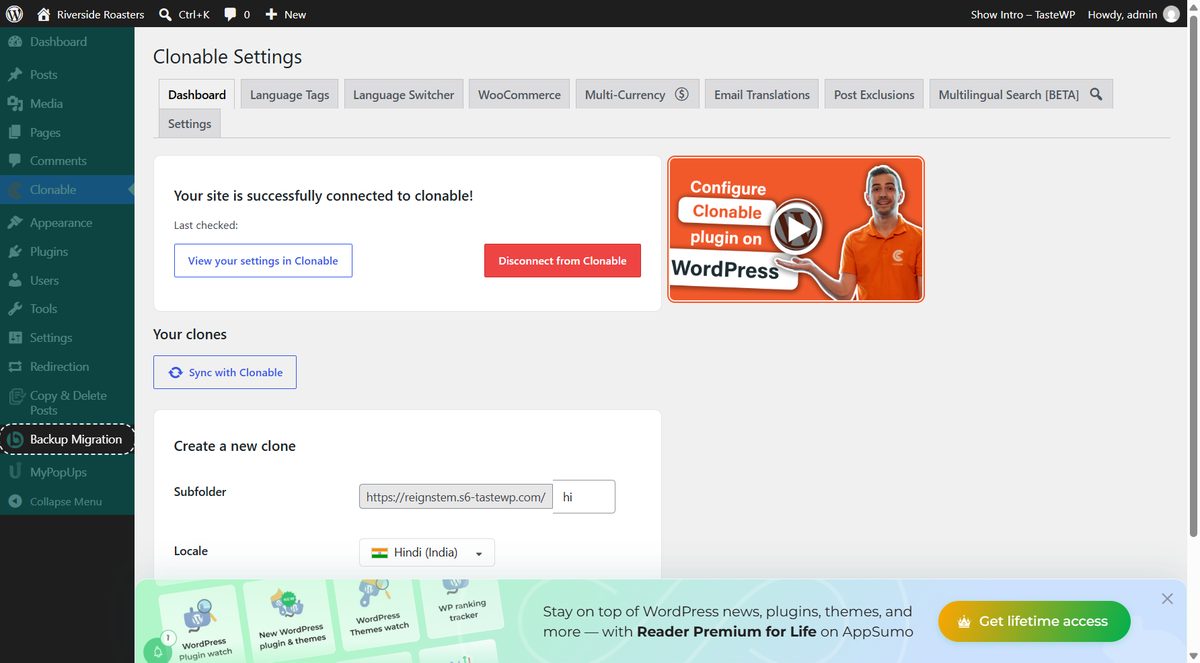
There is still a WordPress plugin. For a subfolder such as /hi/ it handles the connection, the language tags and the language switcher, and Clonable's help pages say it is the only way to create a subfolder clone.
So the plugin doesn't disappear. What moves out of WordPress is the translated content and the work of translating it.
Setup: quick, with one scare
| Step | What happened |
|---|---|
| Install the plugin from the WordPress directory | About 10 seconds |
| Connect the account with an API key | Quick; the key is created in your Clonable profile |
Create the /hi/ clone | About 8 seconds |
| First visit to the Hindi pages | An SSL error on every page |
| Pages working | About 4–5 minutes after creating the clone |
The error read: "An error occurred. Please check the server logs. SSL: no alternative certificate subject name matches target host name". Clonable's help pages list a related error and suggest "Sync with Clonable", so we did that, and the pages began working on our next check, about 90 seconds later. We can't say whether the sync fixed it or the new clone simply needed more time. A visitor would have seen that error, so don't announce a new clone until you've checked it.
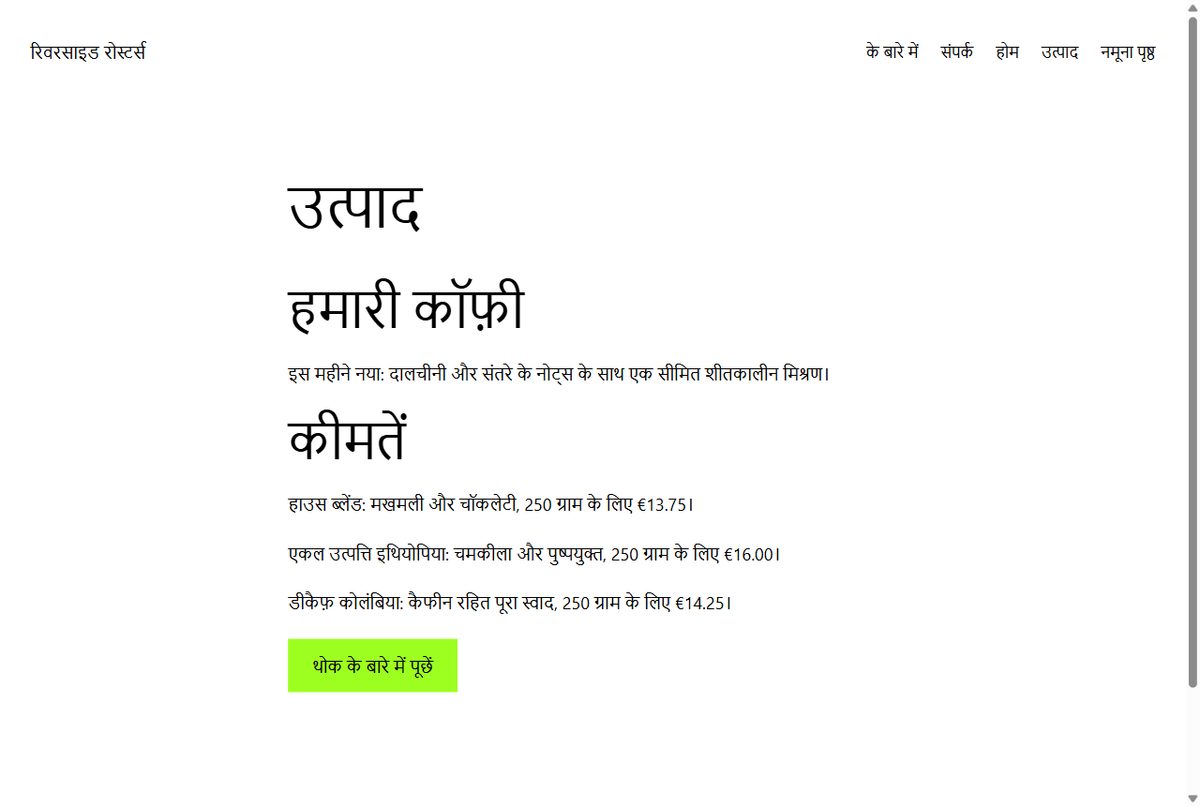
The result: what translated correctly
| Test | Result |
|---|---|
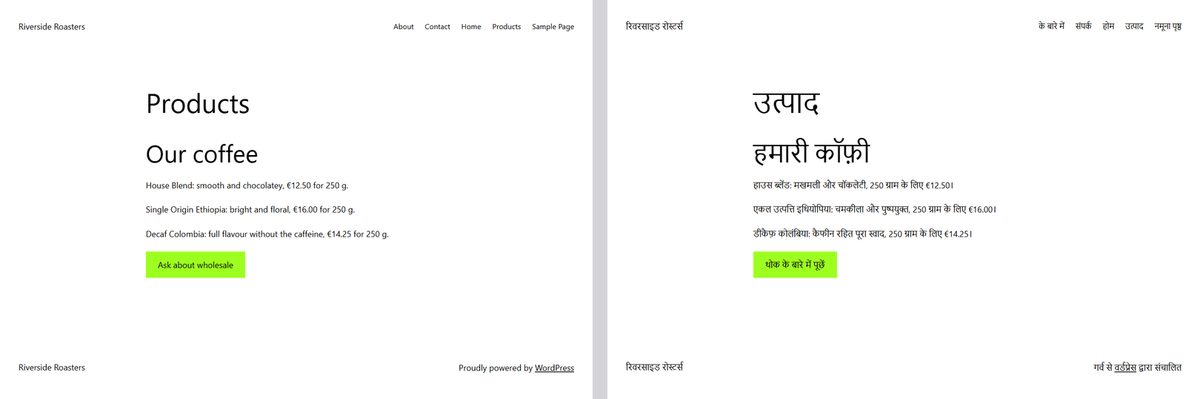
| Headings, paragraphs, buttons and menu | Translated |
| Image alt text | Translated |
| Prices (€12.50, €16.00, €14.25) | Unchanged |
| Email address and phone number | Unchanged |
| Internal links | Pointed to /hi/ pages |
| Page language tag | hi-in |
| hreflang tags | Added to both English and Hindi pages |
| Canonical tag | Pointed to the Hindi page |
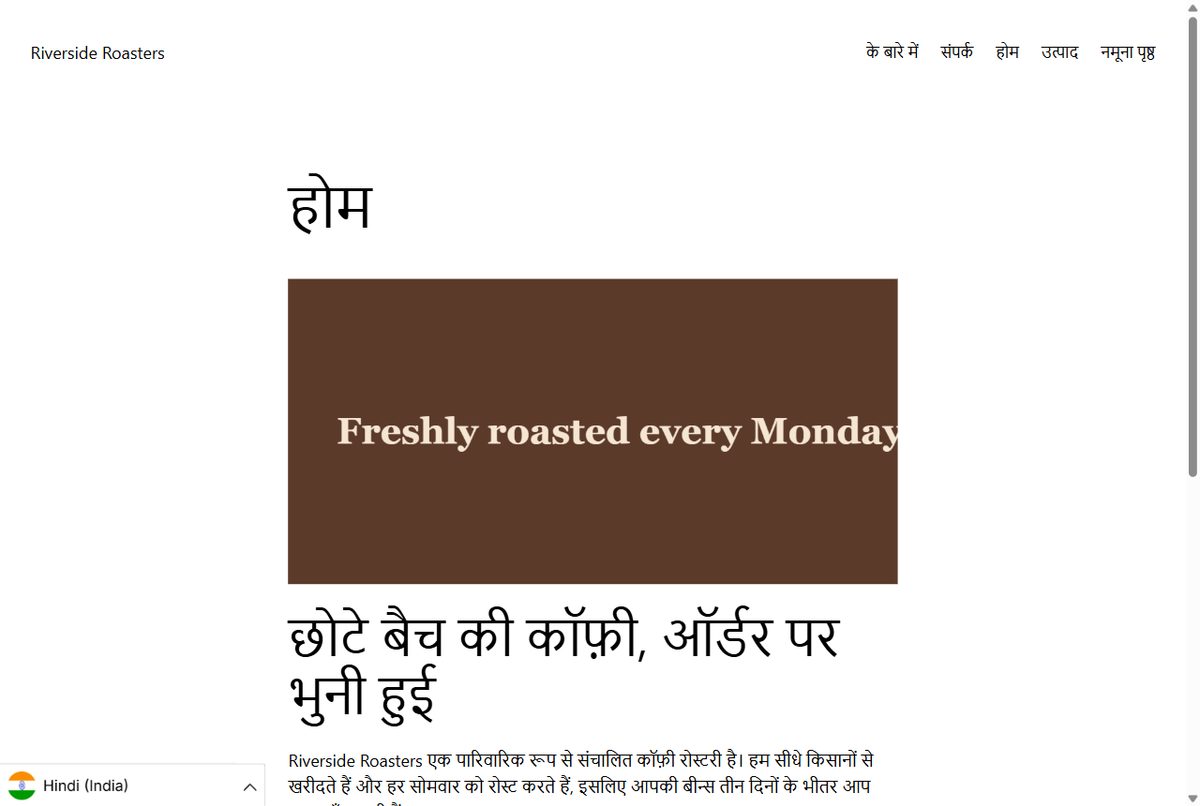
| Text inside an image | Stayed in English |
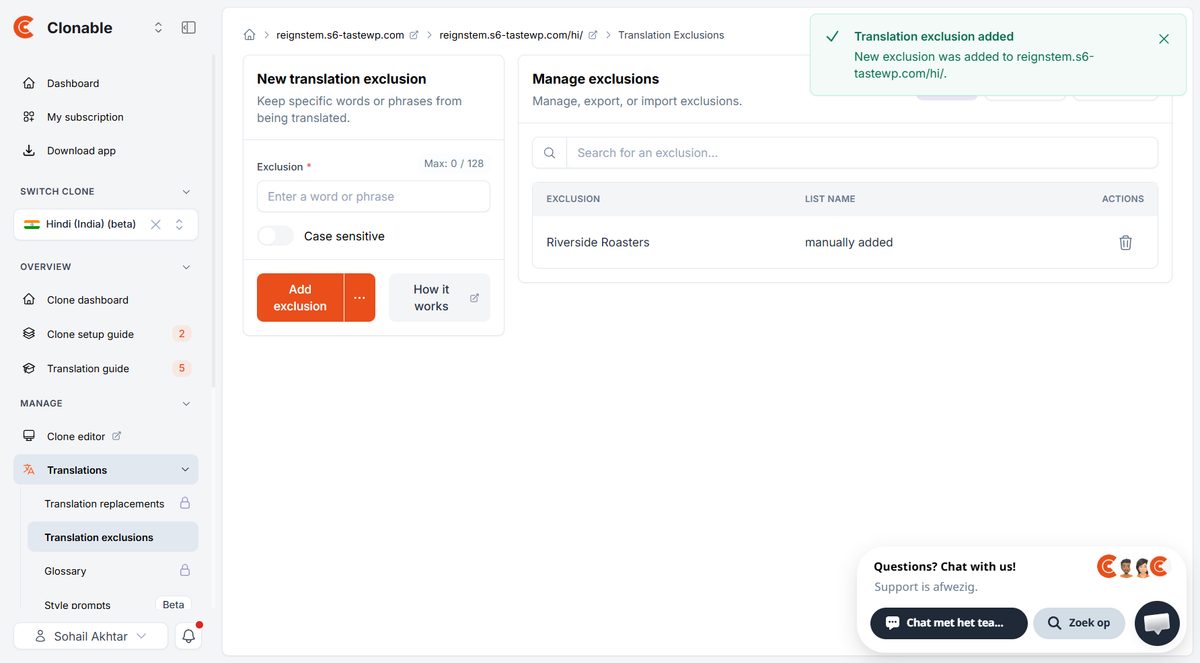
| Brand name | Transliterated into Hindi script until we excluded it |
| URLs | Stayed in English: /hi/products/ (URL translation is locked on the Free plan) |
The English text inside our image is expected, since it's part of the picture, and Clonable has a separate media replacement tool for this.
The Hindi clone was also blocked from search engines by default, with an x-robots-tag: none header. That's a sensible safety measure, but remember to turn it off when you launch, or your translated pages won't be indexed.
Translation quality: no native speaker checked this translation, so treat this as a first impression from Claude, the AI assistant that ran our test. The Hindi looked clear and usable, but it needs a human check before going on a real site. The "About" menu item became "के बारे में", a fragment rather than "हमारे बारे में". "Single Origin" became the literal "एकल उत्पत्ति", where a coffee seller might keep the English term. The page title and headline also treated "small-batch" differently ("छोटी बैच" and "छोटे बैच").
Maintenance: the strongest result
This is the headache Clonable is built to remove, so we tested it directly. We edited the English Products page, changing a price and adding a new sentence about a winter blend, then reloaded the Hindi page.
The next page load, about a second later, showed the new price and the new sentence in Hindi. We did nothing else.
We then checked WordPress itself. With the clone live, the site still had only the pages and posts we started with, with no extra language copies. WPML says it stores translations in your WordPress database, which is what makes your data portable, but it also means a translated site carries more content in that database. WPML argues that this has little performance cost. We haven't measured it, so we can't tell you how much that matters on a large site, or confirm the "heavy database" problem Clonable describes.
Speed: the trade-off
| Page | English, median | Hindi, median |
|---|---|---|
| Home | 447 ms | 910 ms |
| Products | 470 ms | 930 ms |
Five full page loads each, measured from India on 5 November 2026, with no optimisation.
Hindi pages took about twice as long. That's a small test on one temporary host, and Clonable's listed servers are in the Netherlands, so your numbers will differ. But the extra step is real, so test from where your customers are. A slow original site will only get slower.
What the Free plan locks
Pros & Cons
Pros
- +Free plan with no card requested, 25 translated pages, 500 proofreading uses, 1 clone
- +Translation exclusions (5), which fixed our brand name within seconds
- +Floating language switcher, enabled in the plugin and working on both versions
- +Media replacement, AI proofreading and page exclusions are available
Cons
- −Glossary requires a paid plan
- −Translation replacements, the main way to correct a line by hand, require a paid plan
- −URL translation requires a paid plan
- −Back-ups require a paid plan
- −Style rules aren't available for Hindi, which Clonable marks as beta
The Free plan shows you how the system works, but you can't correct a bad line of translation by hand. Budget for a paid plan if accuracy matters. On a language you can't read yourself, you'd also want a native speaker to check it, whichever tool you use.
What it costs compared with WPML
| Plan | Price | Includes |
|---|---|---|
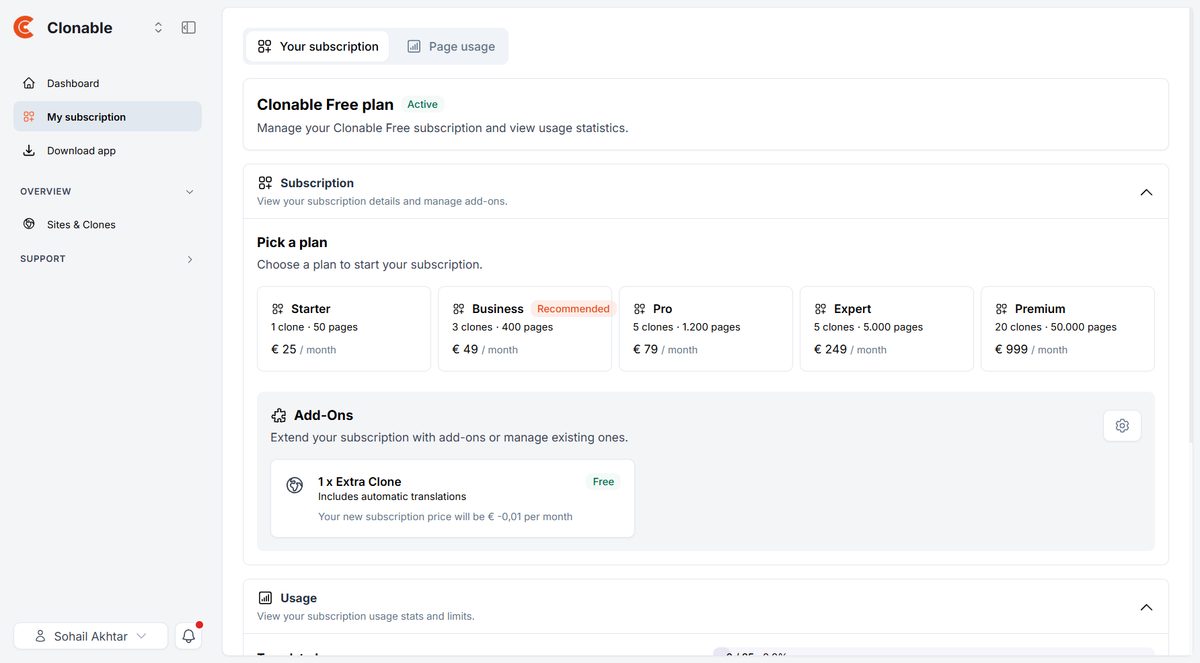
| Clonable Free | €0 | 1 clone, 25 translated pages |
| Clonable Starter | €25 a month | 1 clone, 50 pages |
| Clonable Business | €49 a month | 3 clones, 400 pages |
| Clonable Pro | €79 a month | 5 clones, 1,200 pages |
| WPML Multilingual CMS | €99 (one year of support and updates) | 3 production sites, 22,500 AI translation words |
| WPML Multilingual Agency | €199 (one year of support and updates) | Unlimited sites, 45,000 AI translation words |
Clonable prices from its in-app plan page on 5 November 2026. WPML prices from its purchase page. Extra WPML AI words are charged separately.
On list price, WPML is far cheaper. Clonable Business costs €588 a year, against €99 for WPML's CMS plan. Clonable's case has to rest on saved time: fewer updates, less translation management and less risk inside WordPress. For an agency billing by the hour, that can be worth it. For one small site with a limited budget, it probably won't be.
The other difference is control. WPML says your translations stay in your database if you stop paying. Clonable's pages depend on its service, so check what happens to them if you cancel before you commit a large site. We didn't test cancelling.
Who should choose which
- Choose Clonable if you run several client sites, translate often, change content regularly and want someone else's system handling the sync.
- Choose WPML if you want translations in your own database, need the lowest cost, or want every line checked by hand from the start.
- Test both if your site is large or heavily customised, because a small test like ours can't predict how either behaves there.
Before you commit
Use the Free plan on one real section of your site. Check it from your customers' country, read the translation with a native speaker, and look at your checkout or forms, which we did not test. Then decide whether the time saved is worth the monthly fee.
Frequently Asked Questions
Does Clonable need a WordPress plugin?
For a subfolder such as /de/, yes. Clonable's help pages say subfolder clones can only be created through the plugin. Subdomains and separate domains are added in the Clonable dashboard instead.
Does Clonable add translated pages to the WordPress database?
Not as extra pages or posts in our test: WordPress showed no language copies with the clone live. We didn't inspect the database tables directly.
Is there a free plan?
Yes. Ours was the Clonable Free plan, with 1 clone, 25 translated pages and 500 proofreading uses, and we weren't asked for a card. Glossary, translation replacements, URL translation and back-ups are locked.
Does Clonable slow a site down?
Translated pages were slower in our test, about 900 ms against about 450 ms, because of the extra step through Clonable's servers. The English pages weren't measured before the plugin was installed.
Final verdict
Clonable did what it promises at the thing that matters most: our edit appeared in Hindi on the next page load, with no extra work and no extra posts in WordPress. It also has real costs. The translated pages were slower, the first few minutes showed an error, the useful correction tools need a paid plan, and the list price is well above WPML's.
If your problem is the ongoing work of keeping translations current, it's worth testing. If your problem is budget, or you want to own your translations outright, look at WPML first.
TheToolsVerse keeps a listing for Clonable with its plans and limits.
Test Clonable on your own site
The Free plan covers 1 clone and 25 translated pages. Try one section of your site first.
Try ClonableArticle by Sohail Akhtar, Founder of TheToolsVerse. Test run on 5 November 2026 on a temporary TasteWP site, on the Clonable Free plan. Claude, an Anthropic model, ran the test on our account and drafted this article; Sohail Akhtar authorised the test and approved the article.
Disclosure: TheToolsVerse is a Clonable affiliate. We earn a commission if you subscribe through our links, and Clonable's partner program pays a one-time €30 bonus for an approved review, including this one if it is approved. Clonable asked for an honest review and did not edit this article. WPML paid nothing. How paid placements work.
Some links may be affiliate links. We may earn a small commission at no extra cost to you.
Related Articles
Explore more guides and reviews from our experts.
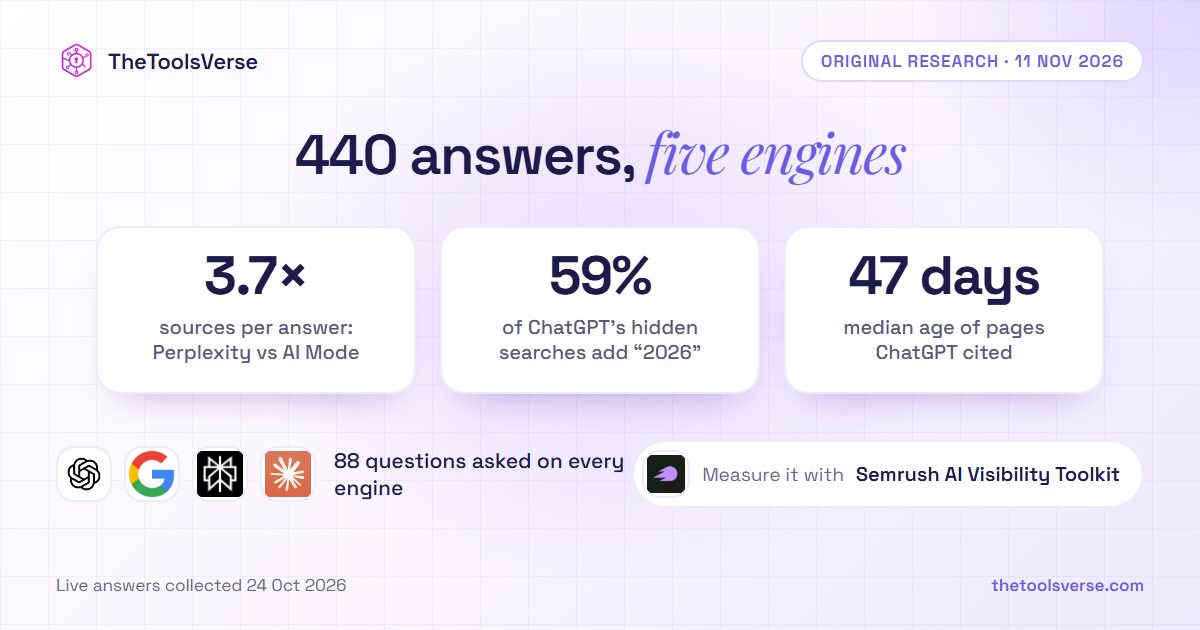
We Asked 88 Questions on 5 AI Engines. Perplexity Cited 3.7 Times as Many Sources as Google AI Mode, and ChatGPT's Hidden Searches Add "2026" to 59% of Queries
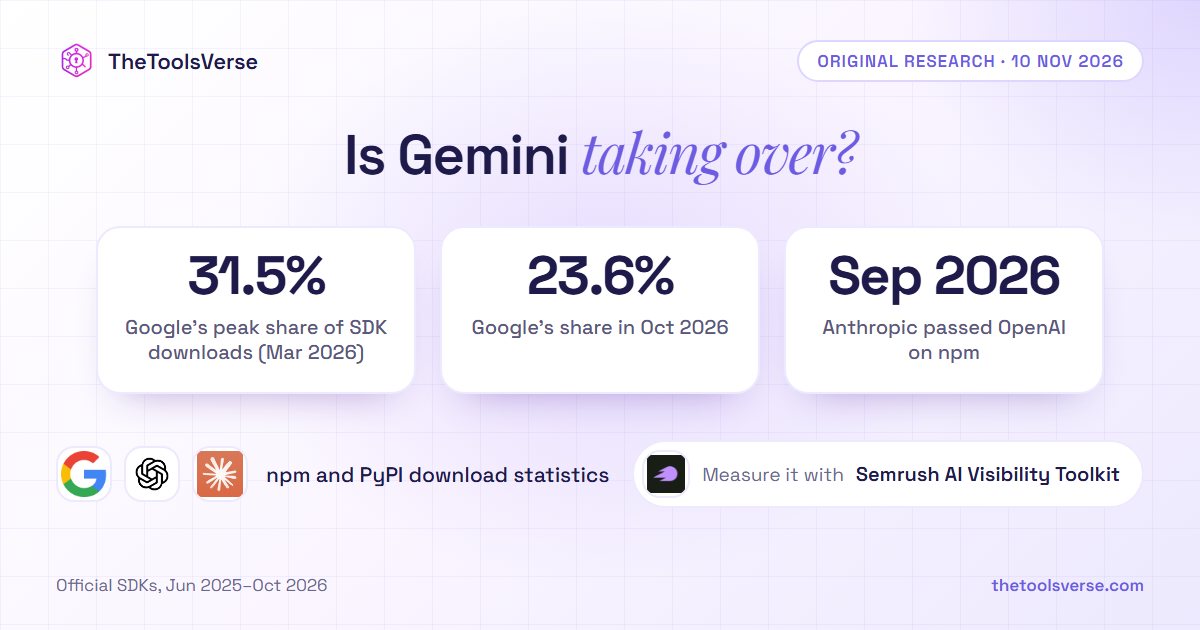
Is Gemini Overtaking ChatGPT? In Developer Downloads, Gemini's Share Peaked in March and Anthropic Passed OpenAI: 17 Months of SDK Data