Claude Code vs Cursor (2026): Which Is Better After Cursor's New Plans
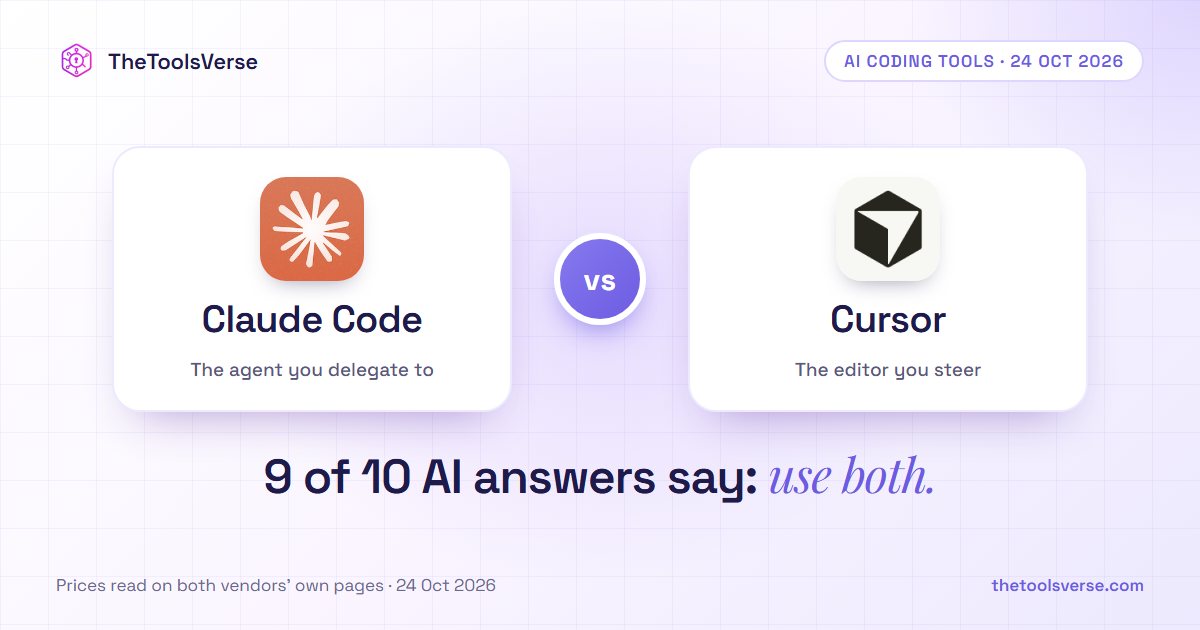
Short answer: pick Cursor if you want an AI code editor you steer line by line, with tab completion, inline edits and a free plan. Pick Claude Code if you want to hand a whole task to an agent ("fix the failing tests", "migrate this module") and review the result. It runs in your terminal, inside VS Code, Cursor or JetBrains, in a desktop app and on the web. On price, Cursor now starts at $0 and $8 a month, while Claude Code needs a paid Claude plan from $20 a month. But if you want Claude's models specifically, Claude Code is the cheaper way to use them heavily: in Cursor they are billed at API list price from prepaid credit.
That last point is new. Cursor changed its plans, and most comparisons written before now quote prices it no longer sells. TheToolsVerse read both vendors' pricing pages on 24 October 2026, and asked five AI assistants the same question to see what they get right.
What changed at Cursor
Cursor's own pricing pages now list Free, Plus ($8), Premium ($30), Super ($100) and Ultra ($200) a month, and describe Cursor as "sold as part of The X Subscription, one subscription for Grok, Cursor, and X". The old Hobby, $20 Pro, $60 Pro+ and Teams plans are listed as "no longer offered to new customers". Third-party models such as Claude, GPT and Gemini are not part of the included usage. On Premium and above you can use them "at API list price, paid from prepaid credit".
Claude Code vs Cursor at a glance
| Claude Code | Cursor | |
|---|---|---|
| What it is | An agentic coding tool: reads your codebase, edits files, runs commands | An AI code editor with Agent, Chat and Tab completion |
| How you work with it | Describe the outcome, let it plan, edit, test and commit; review the result | Write code with AI suggestions beside you; accept or reject each change |
| Where it runs | Terminal, VS Code, Cursor and JetBrains extensions, desktop app, web, Claude mobile app, Slack, GitHub Actions and GitLab CI | The Cursor editor, with Cloud Agents and Automations on Premium and above |
| Free option | No: Claude's Free plan does not include Claude Code | Yes: Free plan with limited usage of Cursor's own models |
| Cheapest paid | Claude Pro: $20 a month, or $17 a month billed yearly ($200) | Plus: $8 a month, or $80 a year |
| Heavy use | Max 5x at $100 or Max 20x at $200 a month (5x or 20x Pro's usage) | Super at $100 (15x Plus) or Ultra at $200 (50x Plus) a month |
| Models | Anthropic's Claude models | Cursor's own models (Grok 4.7, 4.6, 4.5 and Composer 2.5) in the included pool; Claude, GPT, Gemini and others at API list price on Premium and above |
| Teams | Team: $25 a seat a month ($20 billed yearly), Premium seats $125 ($100 yearly) | Teams: $30, $100 or $200 a seat a month |
Prices are from claude.com/pricing, Claude's Max plan help article, Cursor's pricing help page and Cursor's Models & Pricing docs, all read on 24 October 2026. Neither vendor's page shows a "last updated" date.
The core difference: steering versus delegating
Every comparison of these two tools comes back to one question: do you want to drive, or do you want to delegate?
Cursor is an editor. You are in the file, the AI completes what you are typing, proposes edits you can see as diffs, and its Agent can take on bigger changes while you watch. The work stays in front of you, change by change.
Claude Code is an agent. Its documentation describes it as a tool that "reads your codebase, edits files, runs commands, and integrates with your development tools". You give it a goal, and it plans the approach, changes several files, runs your tests and can write the commit and open the pull request. You review the outcome instead of every keystroke.
"Cursor makes you faster at writing code. Claude Code writes the code while you do something else. Pick the one that matches the help you actually want."
What five AI assistants recommend (TheToolsVerse panel, 24 October 2026)
We asked ChatGPT, Gemini, Google AI Mode, Perplexity and Claude two questions, "Claude Code vs Cursor, which is better?" and "Should I use Cursor or Claude Code for coding?", from a US location on 24 October 2026. That made 10 answers.
| Finding | Answers |
|---|---|
| Split the choice the same way: Cursor to steer, Claude Code to delegate | 10 of 10 |
| Named a single overall winner | 0 of 10 |
| Recommended using both | 9 of 10 |
| Said beginners should start with Cursor | 2 of 10 |
| Gave a price for Cursor | 5 of 10 |
| ...and of those, quoted plans Cursor no longer sells to new customers ($20 Pro, Hobby, Pro+) | 4 of 5 |
The assistants agree on what each tool is for. Where they go wrong is the money. Four of the five answers that priced Cursor quoted its old plans. One of them cited Cursor's own pricing page and still described the retired Hobby and $20 Pro tiers. If price matters to you, read the current plans below, not an AI summary.
Method: ChatGPT and Gemini were read through their web interfaces, Google AI Mode from its live results, and Perplexity (sonar) and Claude (with web search) through their APIs. Answers vary between runs, so treat this as a snapshot of 24 October 2026.
Claude Code: the agent you hand work to
Claude Code is included in Claude Pro ($20 a month, or $17 a month billed yearly at $200 up front), Max ($100 a month for 5x Pro's usage, $200 for 20x), Team and Enterprise. It is not included in Claude's Free plan. Developers can also run it on Anthropic Console (API) billing, and the terminal, VS Code and JetBrains versions support third-party cloud providers.
Pros & Cons
Pros
- +Hand off whole tasks: plan, edit across files, run tests, fix failures, commit and open a pull request
- +Runs almost anywhere: terminal, VS Code, Cursor, JetBrains, desktop app, web, the Claude mobile app, Slack, GitHub Actions and GitLab CI
- +Claude usage comes with the subscription instead of being billed per token
- +Project rules in CLAUDE.md (it can also read an existing AGENTS.md), plus skills, hooks, MCP connections and sub-agents
- +Scheduled tasks that run in the cloud even when your computer is off
Cons
- −No free plan: you need Claude Pro at $20 a month or more
- −Usage limits apply on every plan, and heavy use pushes you towards Max at $100 or $200
- −Only Anthropic's models
- −Delegating takes getting used to: you review finished changes instead of guiding each line
Claude Code earns its keep on work you would rather not do by hand: writing tests for untested code, fixing lint errors across a project, resolving merge conflicts, upgrading dependencies, or chasing a bug through several files. Its docs show it piped into scripts (git diff main --name-only | claude -p "review these changed files for security issues"), which is something an editor cannot do.
Cursor: the editor you steer
Cursor's Free plan gives "Cursor's core features with limited usage": Agent, Chat and Tab completion with Cursor's own models. Plus ($8 a month, or $80 a year) adds base usage but runs Cursor's models "at fixed settings" and leaves out Auto, Cloud Agents, Automations, Bugbot, Origin and third-party models. Premium ($30 a month, or $300 a year) gives 4x Plus's usage, adds those features and unlocks third-party models at API list price. Super ($100) and Ultra ($200) raise the usage to 15x and 50x Plus.
Included usage is "a weekly pool of usage for Cursor models, shared across Grok and Cursor", and the pool resets each week. Cursor does not state its value in dollars.
Pros & Cons
Pros
- +A real free plan, and the cheapest paid entry of the two at $8 a month
- +Tab completion and inline edits while you type, with every change visible before you accept it
- +The easier starting point if you are new to AI coding
- +Premium and above let you pick models from many providers
- +Familiar editor: if you have used VS Code, you already know your way around
Cons
- −Plus covers only Cursor's own models, so Claude, GPT and Gemini need Premium ($30) plus prepaid credit at API list price
- −Included usage is a weekly pool with no stated dollar value, so heavy months are hard to predict
- −The plans changed recently, so many guides, and most AI assistants, still quote the old prices
- −Cloud Agents, Automations and Bugbot need Premium ($30) or above
What it really costs: three common setups
| If you want... | Cheapest setup on 24 October 2026 |
|---|---|
| To try AI coding for free | Cursor Free ($0). Claude Code has no free plan |
| An AI editor on a budget | Cursor Plus, $8 a month (Cursor's own models only) |
| Claude's models for most of your coding | Claude Code with Claude Pro, $20 a month. Using Claude inside Cursor needs Premium ($30) plus prepaid credit at API list price |
| Both, the way 9 of 10 AI answers suggest | Claude Pro + Cursor Plus, $28 a month, with Claude Code running inside Cursor through its official extension |
The "both" setup is supported by both vendors: Claude Code's documentation links an install for Cursor directly next to the one for VS Code. Cursor's own models handle completions while you type, and Claude Code takes the delegated jobs on your Claude subscription.
How to decide in one evening
Install Cursor's free plan and use it on a real project for an hour. Then give Claude Code (on Claude Pro) one task you have been putting off, like "write tests for this module and fix what fails", and review what it hands back. If you enjoyed the first hour more, start with Cursor. If the second made you stop doing something by hand, you want Claude Code.
Which one should you pick?
- You are new to AI coding: Cursor. The free plan costs nothing, and you see every change before it lands.
- You live in the terminal, or use Neovim or JetBrains: Claude Code. It does not ask you to switch editors.
- You want Claude's models specifically: Claude Code. The usage comes with your Claude plan rather than at API list price.
- You work on a large codebase with big refactors, migrations or test suites: Claude Code for those jobs. Cursor's Agent can do them too, but this is where delegating pays.
- You do a lot of front-end and UI work in small, visual steps: Cursor.
- You code every day for a living: both, starting at $28 a month.
If neither fits, TheToolsVerse keeps a list of other AI coding assistants and a guide to the best free AI for coding.
Frequently Asked Questions
Is Claude Code free?
No. On 24 October 2026, claude.com/pricing listed Claude Code as not included in the Free plan. It comes with Claude Pro ($20 a month, or $17 a month billed yearly), Max ($100 or $200 a month), Team and Enterprise. Developers can also pay for it through Anthropic Console (API) billing.
Is Cursor free?
Yes, with limits. Cursor's Free plan includes Agent, Chat and Tab completion with Cursor's own models and "limited" usage. Third-party models such as Claude, GPT and Gemini are not available on Free or on Plus.
How much does Cursor cost in 2026?
Cursor's pricing pages, read on 24 October 2026, list Free ($0), Plus ($8 a month or $80 a year), Premium ($30 or $300), Super ($100 or $1,000) and Ultra ($200 or $2,000). Teams seats cost $30, $100 or $200 a month, and Enterprise is priced by sales. The older Hobby, $20 Pro, $60 Pro+ and Teams plans are listed as no longer offered to new customers.
Can I use Claude models in Cursor?
Yes, on Premium ($30 a month) and above, paid separately from prepaid credit at API list price. They are not part of Cursor's included usage, which covers Cursor's own models.
Can I use Claude Code inside Cursor?
Yes. Claude Code's documentation offers an extension install for Cursor alongside VS Code. It runs on your Claude subscription, separately from Cursor's own usage.
Which is better for beginners?
Cursor. It is free to start, and you approve every change as you go. Two of the ten AI answers TheToolsVerse collected said the same. Claude Code becomes worth it once you have tasks you would happily hand off.
Why do AI assistants give different Cursor prices?
Because Cursor changed its plans and most of the web still describes the old ones. In TheToolsVerse's panel of 24 October 2026, four of the five AI answers that priced Cursor quoted plans it no longer sells to new customers.
Final verdict
Claude Code and Cursor are not really rivals; they answer different questions. Cursor answers "how do I write this code faster?": it is the better editor, the cheaper start, and the right first tool for most people. Claude Code answers "can someone else do this task?": it is the better agent, it runs far beyond the editor, and it is the cheaper way to use Claude's models every day.
Pick by how you want to work: steer, Cursor; delegate, Claude Code. If you code for a living, the setup most AI assistants recommend, and the one we would choose, is both: $28 a month, with Claude Code running inside Cursor.
Compare more AI coding tools
Browse AI coding assistants with prices read from the vendors, on TheToolsVerse.
Explore AI coding assistantsArticle by Sohail Akhtar, Founder of TheToolsVerse. Prices read on 24 October 2026 from claude.com/pricing, Claude's "What is the Max plan" help article, Cursor's "Pricing and plans" help page and Cursor's Models & Pricing docs. Product details from Claude Code's documentation (code.claude.com/docs) and Cursor's pages. AI-assistant answers collected by TheToolsVerse on 24 October 2026.
Neither Anthropic nor Cursor paid for this comparison. This article was drafted with the help of Claude, an Anthropic model, and every fact was checked against the vendors' own pages. How paid placements work.
Some links may be affiliate links. We may earn a small commission at no extra cost to you.
Make an AI tool? Get it into a comparison like this.
Related Articles
Explore more guides and reviews from our experts.