Opus Clip vs Vizard: Honest 2026 Comparison
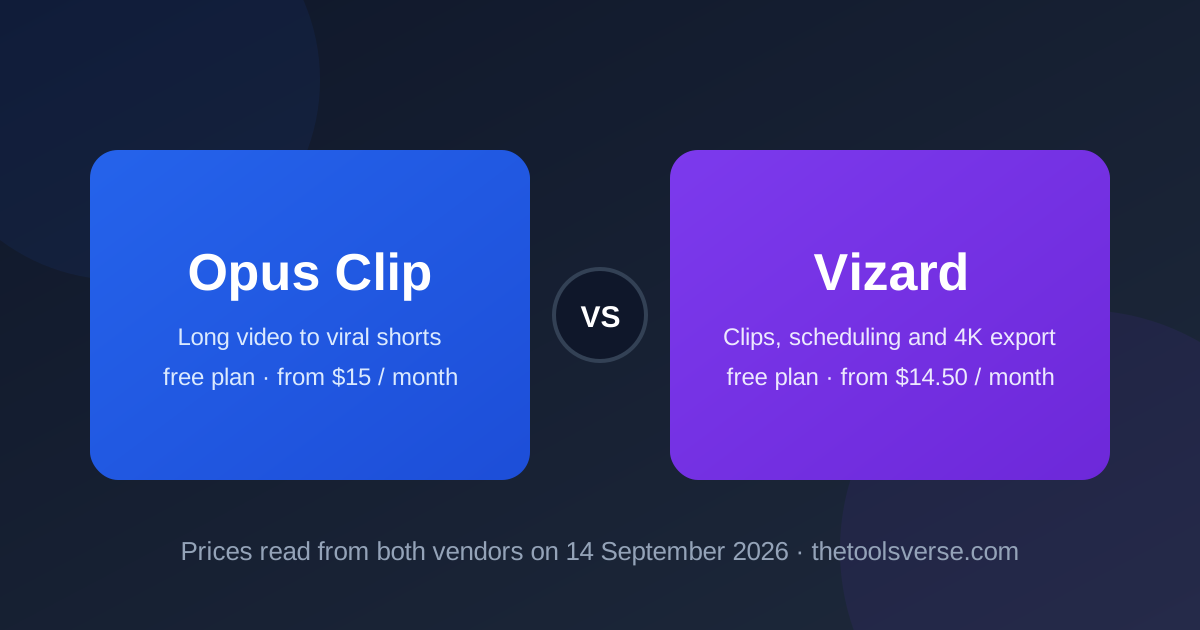
Opus Clip made "turn my podcast into shorts" a product category, and Vizard is the challenger that priced itself to match. On 14 September 2026 both listed the same annual figure, $14.50 a month, for their main creator plan. That makes this one of the rare comparisons where price does not decide, and what you get for it does.
I read both pricing pages that day, one through a rendering fetch because Vizard's page builds its prices in the browser, and worked out where each tool spends its effort.
The short version
Opus Clip wins on the clipping itself: its virality scoring, editor, caption templates and export set (Premiere, DaVinci, bulk, 4K on paid plans) are the more mature toolkit, and it has a free-forever plan. Vizard wins on the workflow around the clips: a built-in social scheduler and 4K export on the entry paid plan, a shared workspace and $5 team seats on Business. Same annual price; pick Opus Clip for the edit and Vizard for the publishing.
Opus Clip vs Vizard at a glance
| Opus Clip | Vizard | |
|---|---|---|
| Free plan | Yes, free forever: 60 credits/month, 1080p, watermark, 3-day export window | Yes: 60 credits/month, private workspace, 3-day storage |
| Entry paid (read 14 Sep 2026) | Starter $15/month, monthly only, 150 credits | Creator $29/month, or $14.50/month billed yearly ($174/year) |
| Main plan | Pro $29/month, or $14.50/month billed yearly ($174/year), 3,600 credits/year | Business $39/month, or $19.50/month billed yearly ($234/year) |
| Team | Business, custom | Business seats at $5 per seat/month |
| Credit unit | 1 credit = 1 minute of source video; monthly credits expire after 60 days | 1 credit = 1 minute of uploaded video |
| Scheduling | Social scheduler on Pro | Social scheduler on Creator, 6 accounts; 20 on Business |
| Export | 1080p free; 4K, bulk, Premiere and DaVinci on Pro | 4K on Creator, no watermark |
| My rating | 4.3 / 5 | 4.0 / 5 |
The core difference
Opus Clip is an editor that happens to be automatic. ClipAnything finds the moments, a virality score ranks them, and then you get a real editing surface: animated caption templates, brand templates, speaker-based caption colours, curse-word censoring, custom fonts, multiple aspect ratios and exports to Premiere Pro and DaVinci Resolve. Its pricing page on 14 September 2026 listed a free-forever plan with 60 credits a month, Starter at $15 a month on monthly billing only with 150 credits, Pro at $29 a month or $14.50 billed yearly ($174 a year) with 3,600 credits a year available instantly, and Business on custom terms.
Vizard is a publishing pipeline that starts with clipping. Upload, let it find highlights, caption them, then schedule them to connected accounts without leaving the tool. One credit is one minute of uploaded video, the same unit Opus Clip uses. Read through a rendering fetch on 14 September 2026, its page listed a free plan with 60 credits a month, Creator at $29 a month or $14.50 billed yearly ($174 a year) with six social accounts, 4K export and no watermark, and Business at $39 or $19.50 billed yearly ($234 a year) with 20 accounts, a shared workspace, a brand kit and team seats at $5 each.
"Opus Clip is where you make the clip. Vizard is where you make the clip and post it. At the same price, the question is whether you already have a scheduler."
Opus Clip: the editing play
Pros & Cons
Pros
- +Virality score ranks clips before you spend time on them
- +The deepest caption and brand-template toolkit in the category
- +Exports to Premiere Pro, DaVinci Resolve, bulk and multiple aspect ratios
- +Free-forever plan to test real footage
- +Pro at $14.50 a month billed yearly is cheap for what it edits
Cons
- −Starter is monthly-only and its 150 credits go fast
- −Free-plan clips expire from export after three days
- −Monthly credits expire after 60 days under its plan terms
- −Scheduler is on Pro only
Where Opus Clip earns its keep is any creator who cares how the clip looks: captions that match the brand, a hook cut in the first second, an export that goes into a real edit.
See Opus Clip's listing
AI clipping with virality scoring, caption templates and pro exports. Free forever; Pro $14.50 a month billed yearly.
Opus Clip on TheToolsVerseVizard: the publishing play
Pros & Cons
Pros
- +Scheduler and 4K export on the entry paid plan
- +One credit per minute of upload is easy to budget
- +Business seats at $5 a month make a small team cheap
- +Brand kit and shared workspace on Business
- +Same annual price as Opus Clip Pro
Cons
- −Prices render client-side, so its pricing page is hard to read without a browser
- −Younger editor with fewer caption and export options
- −Three-day storage on the free plan
- −Monthly billing is double the yearly rate
Where Vizard earns its keep is volume and routine: a podcast that ships ten clips a week to five networks and wants the clipping and the posting in one place.
See Vizard's listing
AI clipping with a built-in scheduler and 4K export. Free plan; Creator $14.50 a month billed yearly.
Vizard on TheToolsVersePricing, honestly
Every figure below was read on 14 September 2026, Opus Clip's from its pricing page and Vizard's through a rendering fetch of its page.
| Plan | Opus Clip | Vizard |
|---|---|---|
| Free | $0 forever, 60 credits/month, 1080p, watermark, 3-day export | $0, 60 credits/month, private workspace, 3-day storage |
| Entry | Starter $15/month, monthly only, 150 credits | Creator $29/month or $14.50/month billed yearly ($174/year) |
| Main | Pro $29/month or $14.50/month billed yearly ($174/year), 3,600 credits/year | Business $39/month or $19.50/month billed yearly ($234/year) |
| Team | Business, custom, dedicated Slack channel | $5 per extra seat/month on Business |
| Yearly discount | Up to 50% on Pro | Shown as 50% off |
The prices are the same and so is the unit: both spend one credit per minute of source video, so each free plan is an hour of footage a month. Opus Clip's 3,600 credits a year on Pro is 300 minutes a month, and its plan terms say monthly credits expire after 60 days; Vizard's page also shows Creator and Business allowances per year.
Which one should you pick?
- You edit clips before posting and care about captions and hooks → Opus Clip.
- You want clips scheduled to five networks without another tool → Vizard.
- You export into Premiere or DaVinci → Opus Clip.
- You are a small team that needs a shared workspace cheaply → Vizard on Business.
- You want to test with real footage for free → Both; each gives you an hour of source video a month.
- You already pay for a scheduler → Opus Clip; you do not need Vizard's.
My pick for most readers
At the same annual price, Opus Clip is the better clipping tool and Vizard is the better clipping-and-posting tool. If you already use Buffer, Metricool or a similar scheduler, buy Opus Clip. If you do not, Vizard replaces two subscriptions with one.
Frequently Asked Questions
Is Opus Clip or Vizard better?
Opus Clip for the quality of the clip and the depth of the editor; Vizard for the built-in scheduler and 4K export on its entry paid plan. They cost the same on annual billing, so it depends on whether you need publishing built in.
Do both have free plans?
Yes. Opus Clip's free-forever plan gives 60 credits a month at 1080p with a watermark and a three-day export window. Vizard's free plan gives 60 credits a month, where one credit is one minute of uploaded video, with three-day storage.
How much does Opus Clip cost in 2026?
Starter $15 a month on monthly billing only with 150 credits, Pro $29 a month or $14.50 billed yearly ($174 a year) with 3,600 credits a year, and Business on custom terms, as listed on 14 September 2026.
How much does Vizard cost in 2026?
Creator $29 a month or $14.50 billed yearly ($174 a year), and Business $39 a month or $19.50 billed yearly ($234 a year) with extra seats at $5 each, as read through a rendering fetch of its pricing page on 14 September 2026.
Which has a social media scheduler?
Both, at different tiers. Vizard includes scheduling to six accounts on Creator and twenty on Business. Opus Clip's scheduler is on Pro.
Can I export to Premiere Pro or DaVinci Resolve?
Opus Clip exports to both on Pro. Vizard exports finished clips in up to 4K but does not list editor project exports.
Final verdict
Opus Clip and Vizard have converged on price and diverged on purpose. Opus Clip is the better place to make a clip; Vizard is the better place to make and publish one. Decide by whether you need the scheduler, and try both free plans on the same hour of footage before you pay either.
Compare more AI video tools
Browse verified AI video, clipping and captioning tools, with prices read from the vendors, in our directory.
Explore AI Video ToolsArticle by Sohail Akhtar, Founder of TheToolsVerse. Prices read from opus.pro/pricing and vizard.ai/pricing on 14 September 2026.
Neither Opus Clip nor Vizard paid for this comparison. How paid placements work.
Some links may be affiliate links. We may earn a small commission at no extra cost to you.
Make an AI tool? Get it into a comparison like this.
Related Articles
Explore more guides and reviews from our experts.