HubSpot vs Pipedrive (2026): Which CRM for a Small Business?
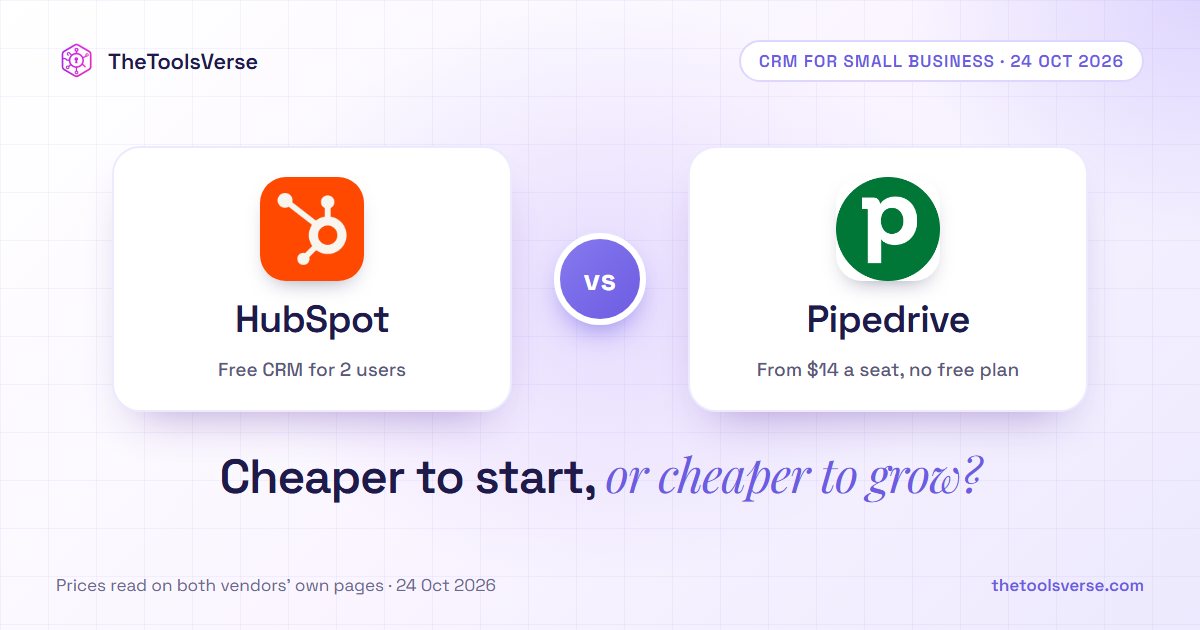
Short answer: pick Pipedrive if your team mainly sells and wants a simple, visual pipeline. It costs $14 a seat a month billed annually, with a 14-day free trial and no onboarding fee. Pick HubSpot if you want sales, marketing and customer service in one place, or want to start free. HubSpot's CRM is free for up to two users, and its Sales Hub Starter starts at $7 a seat a month on a limited-time offer for new customers. The catch is further up: HubSpot Professional starts at $90 a seat plus a $1,500 one-time onboarding fee, while Pipedrive's top plan is $69 a seat with none.
TheToolsVerse read both pricing pages on 24 October 2026 and asked five AI assistants the same question. All ten answers split the choice the same way. Only one of them knew HubSpot's current Starter price.
HubSpot vs Pipedrive at a glance
| HubSpot | Pipedrive | |
|---|---|---|
| What it is | An all-in-one customer platform: CRM plus Marketing, Sales, Service, Content and Data hubs | A sales CRM built around a visual deal pipeline |
| Best for | Teams that want marketing, sales and service on one database | Sales-led small teams that want simplicity |
| Free option | Free CRM for up to 2 users, no credit card, up to 1,000 contacts, no time limit | 14-day free trial, no credit card; no free plan listed |
| Entry plan | Sales Hub Starter: "Starts at $7/mo/seat" (new-customer offer; $20 listed) | Lite: $14 a seat a month, billed annually ($168 a year) |
| Next step up | Professional: "Starts at $90/mo/seat" ($100 listed) | Growth: $24, billed annually ($288 a year) |
| Higher tiers | Enterprise: "Starts at $150/mo/seat" | Premium $49 · Ultimate $69, billed annually |
| Onboarding fees | $1,500 (Professional), $3,500 (Enterprise) | None listed on the pricing page |
Prices as printed on hubspot.com/pricing/sales, hubspot.com/pricing/crm and pipedrive.com/en/pricing on 24 October 2026, in US dollars. HubSpot shows two prices per paid plan without labelling which billing period each belongs to, so we quote them as printed. Pipedrive's figures are its annual-billing prices ("save up to 26%" against monthly billing) and exclude VAT.
The core difference: a platform versus a pipeline
HubSpot is a platform. Its free CRM holds your contacts and deals, and you add "hubs" as you grow: Marketing for email and forms, Sales for sequences and forecasting, Service for tickets, plus Content and Data. Each Starter hub is sold separately at the same $7 entry price. The pull is that everything shares one database. The cost is that every hub and every tier is another line on the bill.
Pipedrive is a pipeline. It is built for one job: moving deals from first contact to closed. Even its entry Lite plan includes lead, calendar and pipeline management, AI-powered report creation, 500+ integrations (including Zapier, Zoom and Lemlist) and Pipedrive Nova, its new built-in meeting intelligence. Nova gives you a brief before each meeting, a transcript of each call and ready-to-approve CRM updates afterwards. Email marketing, lead capture and documents are add-ons.
"Pipedrive asks 'where is this deal?' HubSpot asks 'where is this customer?' If you only sell, the first question is enough. If you market and support too, you will end up needing the second."
What five AI assistants recommend (TheToolsVerse panel, 24 October 2026)
We asked ChatGPT, Gemini, Google AI Mode, Perplexity and Claude "HubSpot vs Pipedrive, which is better?" and "Should I use HubSpot or Pipedrive CRM for a small business?" from a US location. That made 10 answers.
| Finding | Answers |
|---|---|
| Split it the same way: Pipedrive for sales-focused teams, HubSpot for all-in-one | 10 of 10 |
| Pointed to HubSpot's free plan | 9 of 10 |
| Warned that HubSpot gets expensive as you grow | 7 of 10 |
| Mentioned HubSpot's onboarding fee | 5 of 10 |
| Knew HubSpot Starter's current $7 offer | 1 of 10 |
The assistants agree completely on who each CRM is for. Where they fall short is the price you would actually pay this month: only one knew HubSpot's current Starter offer, and only half warned you about the $1,500 onboarding fee that comes with Professional.
Method: ChatGPT and Gemini were read through their web interfaces, Google AI Mode from its live results, and Perplexity (sonar) and Claude (with web search) through their APIs. Answers vary between runs, so treat this as a snapshot of 24 October 2026.
HubSpot: the platform
Pros & Cons
Pros
- +A genuinely free CRM for up to 2 users, with no time limit and no card
- +Starter hubs from $7 a seat a month on the current new-customer offer
- +Marketing, sales, service, content and data on one shared database
- +Room to grow: Sales Hub Professional raises the limits to 300 workflows and 100 pipelines, with forecasting
Cons
- −Professional adds a $1,500 one-time onboarding fee, Enterprise $3,500
- −Each hub and seat is priced separately, so the bill grows with the team
- −The $7 Starter price is a limited-time offer for new customers
- −Starter limits are tight: up to 50 workflows with restricted triggers and up to 15 pipelines
Pipedrive: the pipeline
Pipedrive's four plans build on each other:
- Lite ($14): pipelines, AI reports, integrations and Nova meeting intelligence.
- Growth ($24): adds full email sync with open and click tracking, automations and nurturing sequences, subscription and forecast reports, and a meeting scheduler.
- Premium ($49, "most popular"): adds LeadBooster lead capture and routing, custom lead scoring with company data enrichment, AI email tools and shared inboxes, contracts with e-signatures, and finer permissions.
- Ultimate ($69): adds security rules and alerts, phone and email enrichment, a sandbox account and extended phone support.
Pros & Cons
Pros
- +Simple, visual deal pipeline built for salespeople
- +Pipedrive Nova meeting briefs, call transcripts and CRM updates from the $14 Lite plan
- +No onboarding fee listed, even on Ultimate
- +Automations, email sync and sequences from $24 a seat (Growth)
- +500+ integrations, including Zapier, Zoom and Lemlist
Cons
- −No free plan, only a 14-day trial
- −The listed prices are for annual billing, which Pipedrive says saves up to 26% against paying monthly
- −Email marketing (Campaigns, from $13.33) and website visitor tracking (Web Visitors, from $41) are paid add-ons; LeadBooster lead capture is included only from Premium (otherwise from $32.50)
- −Prices exclude VAT
What it really costs: three small-team setups
| Team | HubSpot | Pipedrive (billed annually) |
|---|---|---|
| 2 people, just starting | $0: free CRM for up to 2 users | 2 × $14 = $28 a month (Lite), after a 14-day trial |
| 5 salespeople, entry plan | 5 × $7 = $35 a month on the new-customer Starter offer (5 × $20 = $100 at the listed price) | 5 × $14 = $70 a month (Lite), or 5 × $24 = $120 with automations and email sync (Growth) |
| 5 salespeople, advanced | 5 × $90 = $450 a month + $1,500 once (Professional) | 5 × $49 = $245 a month, no onboarding fee (Premium) |
At the start, HubSpot is cheaper: free, or $7 a seat while the offer lasts. Once a team needs advanced features, Pipedrive is: $245 a month against $450 plus $1,500 for five seats.
Before you sign
HubSpot's free CRM costs nothing to try, and Pipedrive's trial runs 14 days without a card. Put the same ten real deals through both, then price the plan you would need in a year, not today: that is where HubSpot's hubs and onboarding fees, or Pipedrive's add-ons, show up.
Which one should you pick?
- You only sell, and want it simple: Pipedrive.
- You want to start free, or you are one or two people: HubSpot.
- You also run email marketing, forms or support: HubSpot.
- You are a 3–10 person sales team that needs automation and lead scoring: Pipedrive Growth or Premium usually costs less than HubSpot Professional with its onboarding fee.
Not sure either fits? TheToolsVerse lists other sales and CRM tools.
Frequently Asked Questions
Is HubSpot CRM really free?
Yes. On 24 October 2026, HubSpot's pricing page listed its Free tools as "Free for up to 2 users. No credit card required", with up to 1,000 contacts and no time limit.
Does Pipedrive have a free plan?
No. Pipedrive's pricing page offers a free 14-day trial with full access and no credit card, but no free plan.
How much does HubSpot Sales Hub cost in 2026?
HubSpot's pricing page showed Starter "Starts at $7/mo/seat" (a limited-time offer for new customers; $20 is also listed), Professional "Starts at $90/mo/seat" ($100 also listed) with a $1,500 onboarding fee, and Enterprise "Starts at $150/mo/seat" with a $3,500 onboarding fee.
How much does Pipedrive cost in 2026?
Billed annually, Pipedrive's pricing page listed Lite at $14, Growth at $24, Premium at $49 and Ultimate at $69 per seat per month ($168, $288, $588 and $828 a seat a year). Pipedrive says annual billing saves up to 26% against monthly billing, and its prices exclude VAT.
Does HubSpot charge an onboarding fee?
Yes, on Sales Hub Professional ($1,500, one time) and Enterprise ($3,500). Pipedrive's pricing page lists none. Only half of the AI answers we collected mentioned HubSpot's fee.
Which is easier to set up?
Every AI assistant we asked described Pipedrive as the faster, simpler setup for a sales team. HubSpot takes longer because it does more, and its Professional plan comes with paid onboarding.
Final verdict
HubSpot and Pipedrive are both good CRMs that answer different questions. Pipedrive is the sales team's tool: one pipeline, set up fast, from $14 a seat with no onboarding fee. HubSpot is the company's tool: free to start, and the one to grow into if marketing and service will share the same customer records.
Pick by what you do all day. Only selling: Pipedrive. Selling, marketing and supporting: HubSpot, starting free.
Compare more CRMs and sales tools
Sales and CRM tools with prices read from the vendors, on TheToolsVerse.
Explore sales toolsArticle by Sohail Akhtar, Founder of TheToolsVerse. Prices read on 24 October 2026 from hubspot.com/pricing/sales, hubspot.com/pricing/crm and pipedrive.com/en/pricing. AI-assistant answers collected by TheToolsVerse on 24 October 2026.
Neither HubSpot nor Pipedrive paid for this comparison. How paid placements work.
Some links may be affiliate links. We may earn a small commission at no extra cost to you.
Make an AI tool? Get it into a comparison like this.
Related Articles
Explore more guides and reviews from our experts.