Gamma Review 2026: Best AI Presentation Tool?
Making a good presentation used to take two hours minimum — choosing a template, arranging slides, fighting with alignment, hunting for images, and hoping the whole thing still looked coherent when you were done.
Gamma changed that. Paste your notes, pick a style, and in 30 seconds you have a fully designed presentation that looks like a designer spent an afternoon on it.
But is the output actually good enough to use professionally? What does the free plan really get you? And when does the paid plan make sense?
I went through Gamma's published plans, credit system and export limits against those use cases — pitch decks, blog post conversions, client proposals — and this is the honest verdict. It's desk research against Gamma's own pricing and documentation, not a hands-on product test.
Bottom Line Up Front
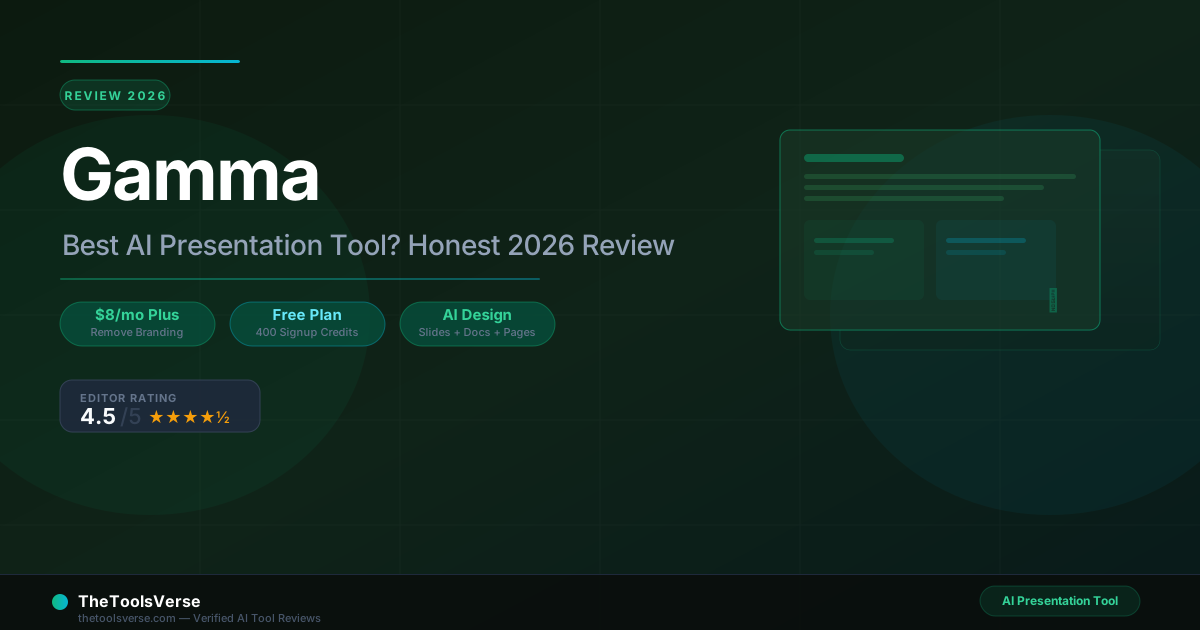
Gamma is the best AI presentation tool available in 2026. The free plan is genuinely useful (not a bait-and-switch). The Plus plan at $8/month is where most professionals should land — it removes Gamma branding and gives you enough monthly credits for regular use. PowerPoint and Canva are not the right comparison; Gamma is a different tool for a different workflow.
Gamma Pricing at a Glance
| Plan | Price | Monthly AI Credits | Branding | Cards Per Prompt |
|---|---|---|---|---|
| Free | $0 | 400 signup credits (one-time) | Gamma badge | 10 cards |
| Plus | $8/mo (annual) / $10/mo (monthly) | 1,000/month | Removed | 20 cards |
| Pro | $15/mo (annual) / $20/mo (monthly) | 4,000/month | Custom | 60 cards |
| Ultra | ~$40/mo (annual) | 20,000/month | Custom | 75 cards |
Note: The free plan gets 400 credits at signup — not 400 per month. Once those are spent, you are on the paid tier or waiting. This is the most important thing to understand about Gamma's pricing before you start using it.
What does 1 credit buy you?
Credits are consumed per AI generation action. Creating a 10-slide presentation from a prompt uses roughly 40-80 credits depending on image generation. Editing individual slides costs fewer credits. The Plus plan's 1,000 monthly credits covers approximately 12-25 full presentations per month — plenty for most professionals.
What Is Gamma?
Gamma is an AI content creation platform that generates presentations, documents, and webpages from text input. You paste your notes or type a topic, the AI generates a complete structured layout with professional design, then you refine it in a drag-and-drop editor.
It does not work like PowerPoint or Google Slides. Those tools give you a blank canvas and expect you to make design decisions. Gamma makes all the design decisions for you — layout, typography, visual hierarchy, imagery, animations — and you override what you want to change.
The result is a fundamentally faster workflow for people who are not designers and do not want to be.
What You Can Build With It
- Pitch decks — Paste an elevator pitch or product description, get a 10-slide investor-ready deck
- Client proposals — Turn a brief into a structured proposal with pricing tables and deliverables
- Internal presentations — Strategy decks, quarterly reviews, project kickoffs
- Course materials — Lesson presentations from chapter outlines
- One-pagers and documents — Structured docs with headers, callouts, and visual sections
- Landing pages — Basic web pages (useful for product launches or event pages)
Core Features: What Gamma Actually Does
AI Generation From Text
The core feature: type a topic or paste notes, choose a theme, and generate. The output is a full multi-slide presentation with a logical structure, relevant imagery (via integrated AI image generation), and professional formatting.
Generation quality by input type:
- Detailed notes or outlines → Excellent. Gamma follows your structure closely and adds visual polish without inventing content.
- Short topic prompt (e.g. "AI in healthcare") → Good. Gamma builds a reasonable structure but the content is generic — you will need to replace placeholder facts with your own data.
- Imported PowerPoint or PDF → Very good. Gamma redesigns the layout while preserving your content. This is one of the most useful features — take a boring slide deck and get a polished redesign in seconds.
Don't Trust AI-Generated Facts
When generating from a short topic prompt, Gamma invents plausible-sounding statistics and quotes. These are not verified. Always review generated content for accuracy before presenting to clients or stakeholders.
Design Quality
Gamma's automated design is genuinely strong. The layouts look professional, font pairings are sensible, and the visual hierarchy is coherent. This is the feature that surprised me most — most AI design tools produce something that looks like a template from 2015. Gamma outputs look current.
The design system uses cards rather than slides. Each card is a self-contained visual unit that can be a full-width slide, a two-column comparison, a highlighted callout, a data table, or an image showcase. This card model makes the output feel more like a modern webpage than a traditional presentation.
Customization
After generation, you work in a visual editor:
- Drag and drop to reorder cards
- Click any element to edit text
- Change theme colors with one click (affects the whole presentation)
- Swap AI-generated images for your own uploads
- Add new cards: text, image, video, table, chart, embed
- Adjust layout of individual cards: single column, two-column, image left/right
The editor is simpler than PowerPoint intentionally. You are not micromanaging pixels. For complex brand-specific design work, you will hit limits — but for the vast majority of professional presentations, the level of control is sufficient.
Collaboration
Real-time collaboration works similarly to Google Docs. Multiple people can edit simultaneously, leave comments, and suggest changes. The Plus plan enables collaboration on more projects; the Pro plan adds detailed analytics on who viewed the presentation and when.
Gamma Pricing: Detailed Breakdown
Free Plan — What You Actually Get
Credits: 400 one-time (not monthly) Branding: Gamma badge on all outputs Cards per prompt: 10 maximum Collaboration: Limited Export: PDF, PPTX, PNG, Google Slides
The free plan is generous enough to evaluate Gamma properly. 400 credits lets you create 5-10 complete presentations before you hit the wall. After that, you either pay or create new content in smaller pieces (single-card edits cost fewer credits than full generations).
The Gamma badge on free-plan outputs is visible and professional-looking, but it signals "made with AI" to your audience. For personal use, student projects, or internal content, this doesn't matter. For client-facing deliverables, it is a reason to upgrade.
Verdict: Strong evaluation tier. Not viable for ongoing professional use.
Plus — $8/Month (Annual) / $10/Month (Monthly)
Credits: 1,000/month (refreshes monthly — this is the key upgrade from free) Branding: Removed Cards per prompt: 20 maximum Collaboration: Full
Plus is the right tier for most professionals. Monthly credits eliminate the one-time credit wall of the free plan. Gamma branding is removed. The 20-card limit per generation covers all but the most extensive presentations.
At $8/month annually, this is the easiest justification in this category — if Gamma saves you even 30 minutes per month on presentation work, the math is extremely favorable.
Verdict: The right tier for solo professionals and freelancers.
Pro — $15/Month (Annual) / $20/Month (Monthly)
Credits: 4,000/month Branding: Custom branding and fonts Cards per prompt: 60 maximum Analytics: Detailed view analytics API access: Yes Custom domains: Up to 10
Pro makes sense for agencies, consultants, or teams producing presentations at volume, or anyone who needs custom brand fonts and colors locked in across all outputs. The analytics feature (who viewed your presentation, when, and for how long) is genuinely useful for sales teams tracking proposal engagement.
Verdict: Justified for agencies, consultants, or sales teams tracking proposal engagement.
Ultra — ~$40/Month (Annual)
Credits: 20,000/month AI models: Most advanced text, image, and video generation Custom domains: Up to 100 Early access: New features
Ultra is for teams running Gamma at serious scale or organizations publishing multiple AI-generated webpages and microsites via custom domains.
Verdict: Enterprise-scale use only.
Try Gamma Free — 400 Credits, No Card Required
Generate your first presentation in 30 seconds. See the quality before deciding on a plan.
Start Free on GammaGamma vs Competitors
Gamma vs Beautiful.AI
| Feature | Gamma | Beautiful.AI |
|---|---|---|
| AI generation from text | Yes | Limited (templates only) |
| Web/doc output types | Yes (slides, docs, pages) | Slides only |
| Free plan | 400 credits | No (trial only) |
| Starting price | $8/month | $12/month |
| Custom branding | Pro ($15/mo) | Team plan ($40/seat) |
| Export to PPTX | Yes | Yes |
| Collaboration | Yes | Yes |
Beautiful.AI offers smart templates that auto-adjust layout as you add content. Gamma goes further: it generates the content structure and visual design from your raw input. Beautiful.AI is more polished for traditional slide work; Gamma is faster for creating from scratch.
Pick Gamma if you are starting from notes or rough outlines. Pick Beautiful.AI if you are building highly structured corporate presentations where template control matters more than AI generation speed.
Gamma vs Canva Presentations
Canva is a design tool. Gamma is an AI generation tool. The comparison matters because many people use Canva for presentations.
Canva's AI generation features (Magic Design) produce weaker output than Gamma. The manual design control in Canva is significantly higher. Canva's free tier is more generous and doesn't expire.
Pick Gamma if you want AI to do the heavy lifting — structure, layout, imagery. Pick Canva if you need precise brand control and are willing to spend time on manual design.
Gamma vs Slidy.ai
Slidy.ai does the same core job — paste text, get a generated deck — but it is built for the Russian-speaking market, and that decides the comparison more than any feature does.
Its interface has no English version. And unlike Gamma, which publishes every tier openly, Slidy.ai publishes no pricing page at all — I had to email the vendor to get the rates. Slidy.ai supplied them in writing on 10 September 2026: 899 ₽ for 7 days, 1,090 ₽ for 14 days, 1,490 ₽ for a calendar month, after a 1 ₽ trial that renews automatically. Only the weekly figure is corroborated on Slidy.ai's own site.
Pick Gamma if you work in English and want a free tier you can genuinely evaluate before paying. Pick Slidy.ai if you work in Russian and want a cheap first draft you will finish in PowerPoint.
Gamma vs PowerPoint / Google Slides
Not a fair comparison — these are fundamentally different workflows. PowerPoint gives you total control and zero automation. Gamma gives you instant professional output and less granular control.
For producing polished content fast, Gamma wins. For complex diagrams, precise animations, and highly customized corporate templates, PowerPoint wins.
Most professionals should have both. Use Gamma to produce the first draft fast, export to PowerPoint for final brand adjustments if needed.
Honest Limitations
1. The free plan credits are one-time, not monthly. This catches users off guard. 400 credits sounds generous until you realize they do not refresh.
2. AI-generated content needs fact-checking. Gamma invents confident-sounding details when generating from a topic prompt rather than your own notes. Review everything before presenting.
3. Not for complex data visualizations. Gamma handles basic charts and tables well. For complex financial models, engineering diagrams, or interactive data — use PowerPoint or a dedicated data viz tool.
4. Gamma-branded outputs on free. The badge is tasteful but visible. If client perception matters, you need Plus ($8/month) to remove it.
5. Limited offline capability. Gamma is cloud-based. Presenting from an airplane with no WiFi requires exporting to PPTX or PDF in advance.
Who Should Use Gamma
Gamma is the right tool if you are:
- A consultant or freelancer producing proposals and pitch decks regularly
- A startup founder building investor decks without design budget
- A content creator repurposing blog posts and newsletters into visual presentations
- A marketer producing internal strategy decks and stakeholder updates
- A teacher or trainer creating structured lesson materials from course outlines
Gamma is probably overkill if you are:
- Producing one or two presentations per year — the free 400 credits will cover that indefinitely
- Working in an org with strict PowerPoint templates you cannot deviate from
Skip Gamma if you are:
- An enterprise design team needing pixel-perfect brand consistency — use professional design tools
- Building complex data-heavy presentations requiring specialized chart tools
Final Verdict
Gamma is the best AI presentation tool in 2026. The design quality of AI-generated output is genuinely professional. The workflow is dramatically faster than traditional tools. And at $8/month for the Plus plan, the cost barrier to serious use is negligible.
The free plan is a real evaluation tier — not a gated demo — but the one-time credit structure means it is not suitable for ongoing use.
Recommended starting path:
- Sign up free. Generate two or three presentations you would actually use in your work.
- If the quality clears your bar, move to Plus ($8/month). Remove the badge, get monthly credits.
- Upgrade to Pro only when you need custom brand fonts, advanced analytics, or API access.
If you have been living in PowerPoint and dreading slide production, Gamma will change your relationship with presentations.
Start Free on Gamma — See the Quality Yourself
400 free credits. Generate a full presentation in 30 seconds. No card required.
Try Gamma Free →Frequently Asked Questions
Frequently Asked Questions
Is Gamma free?
How much does Gamma cost?
Is Gamma worth it?
Can I export Gamma presentations to PowerPoint?
Does the free plan remove Gamma branding?
How does Gamma compare to Beautiful.AI?
What are Gamma credits and how fast do you use them?
Can multiple people collaborate on a Gamma presentation?
Is Gamma good for investor pitch decks?
Some links may be affiliate links. We may earn a small commission at no extra cost to you.
Related Articles
Explore more guides and reviews from our experts.